Viva Series, COGO 810
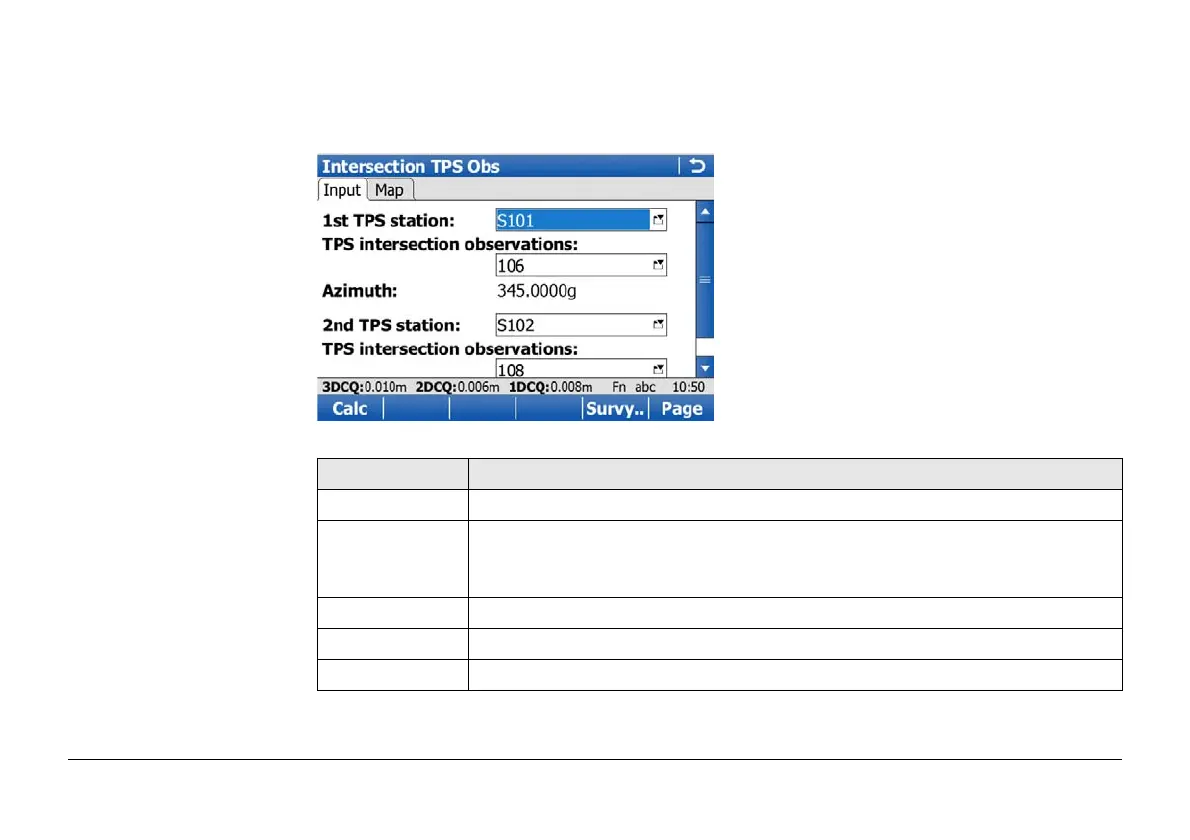
Intersection TPS Obs,
Input page
For all point fields, the MapView interactive display on the Map page can be used to select
the desired point.
To type in coordinates for a known point open a selectable list. Press New.. to create a new
point.
Key Description
Calc To calculate the result.
Survy.. To manually measure a point for the COGO calculation. Available when 1st
TPS station or 2nd TPS station is highlighted and the selected station is
the active TPS setup.
Page To change to another page on this screen.
Fn Config.. To configure the COGO application.
Fn Quit To exit COGO calculation.


 To Next Page