Chapter 4 - page 1
Operator’s manual ASTRONAUT
M-HE.002.1003
4 Cleaning synchronization and
Remote alarm System (CRS+)
CRS+ offers the following functions:
• Taking all milking robots of the relevant cluster out
of operation
• Blowing empty the entire milk delivery line
• Control of the intermediate cooler (optional)
• Control of the three-way tank valve
• Control of the tank valve (optional)
• Synchronizing of main cleaning
• Forwarding alarm messages from one or more
robots to the user(s)
• Interaction with the milk tank
• Interaction with the HUBBLE Tank and Cleaning
Guard (TCG).
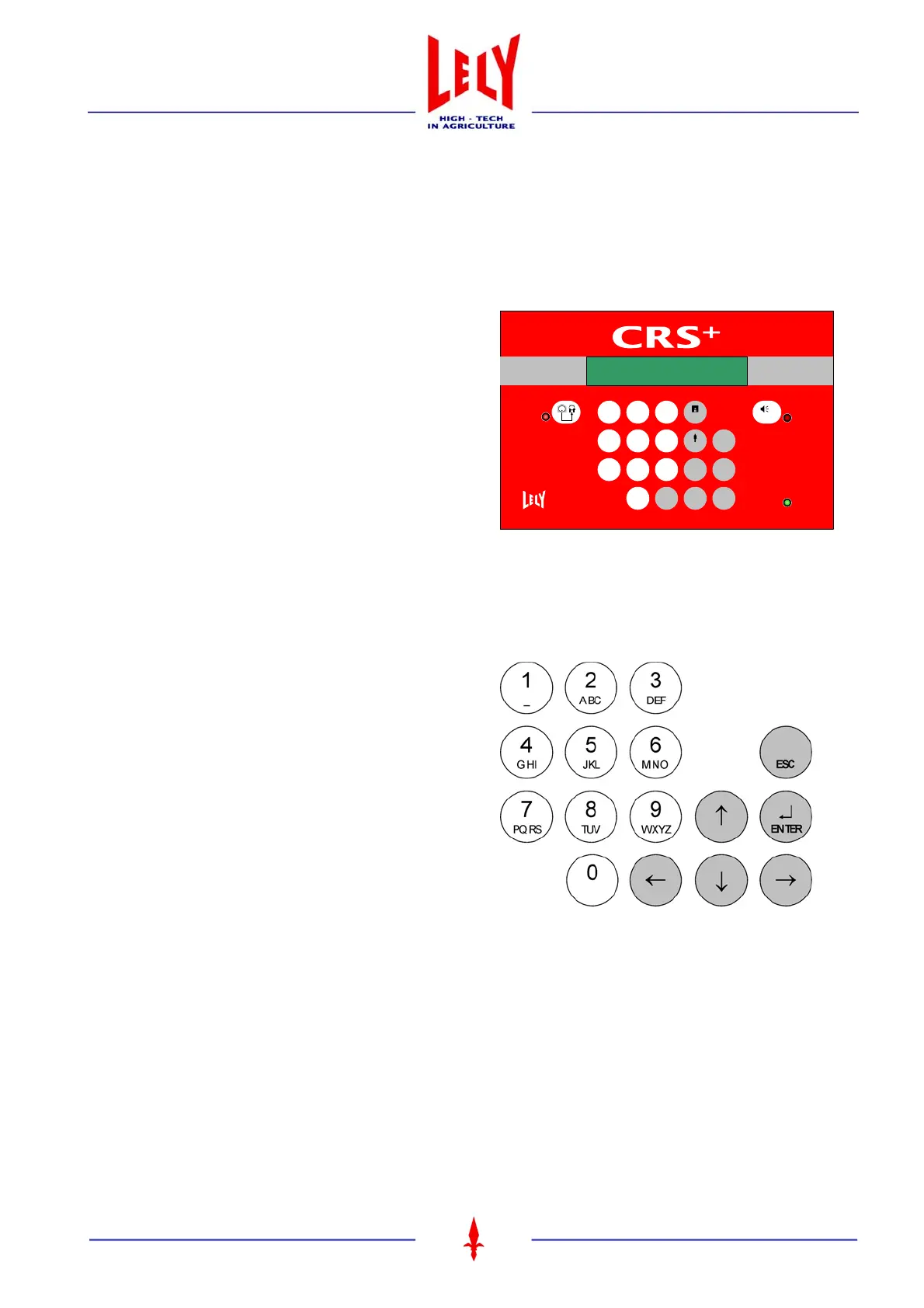
4.1 CONTROL KEYS CRS+
• Use of alphanumerical keys (figure 4.2)
- keying in of telephone numbers
- amending a numerical value
- inserting a comma (keep pressing 0 key
just a little longer).
• Use of arrow keys ↑ ↓ ← →
- Adjusting a value:
arrow ↑ = increase of value (e.g. clock
adjustments)
arrow ↓ = decrease of value
- Navigating/scrolling:
arrow ↑ = step upwards within a menu
arrow ↑ = step downwards within a menu
arrow → = confirmation of a menu option
(step deeper into the structure)
arrow ← = step to the left (e.g. for
adjusting a numerical value)
- Telephone numbers (text mode):
arrow ↑ = backspace
arrow ↓ = insert interspace
• ENTER key ↵
Confirmation of a menu option and of an entry (to go deeper into menu structure, see use of arrow key →).
• ESC key
To leave the menu and to return to a higher level in the structure (step upwards within the structure).
Figure 4.1 CRS+ control panel
CLEANING
SYNCHRONIZATION
REMOTE
ALARM SYSTEM
POWER
RESET ALARM
4
GHI
5
JKL
6
MNO
7
PQRS
8
TUV
9
WXYZ
0
←
1
_
2
ABC
3
DEF
USER
→
PROG
↑
↓
↵
EN T E R
ESC
Figure 4.2 CRS+ main controls









 To Next Page