General information
• “Printer configurations” on page 28
•
“Paper guidelines” on page 30
• “Data security notice” on page 33
• “Tools required for service” on page 33
The Lexmark
TM
M5150, M5160, M5170, MS710, MS711, MS810, MS811, and MS812 printers are network‑capable
laser
printers
that print monochrome print jobs. All information in this service manual pertains to all models unless explicitly
noted.
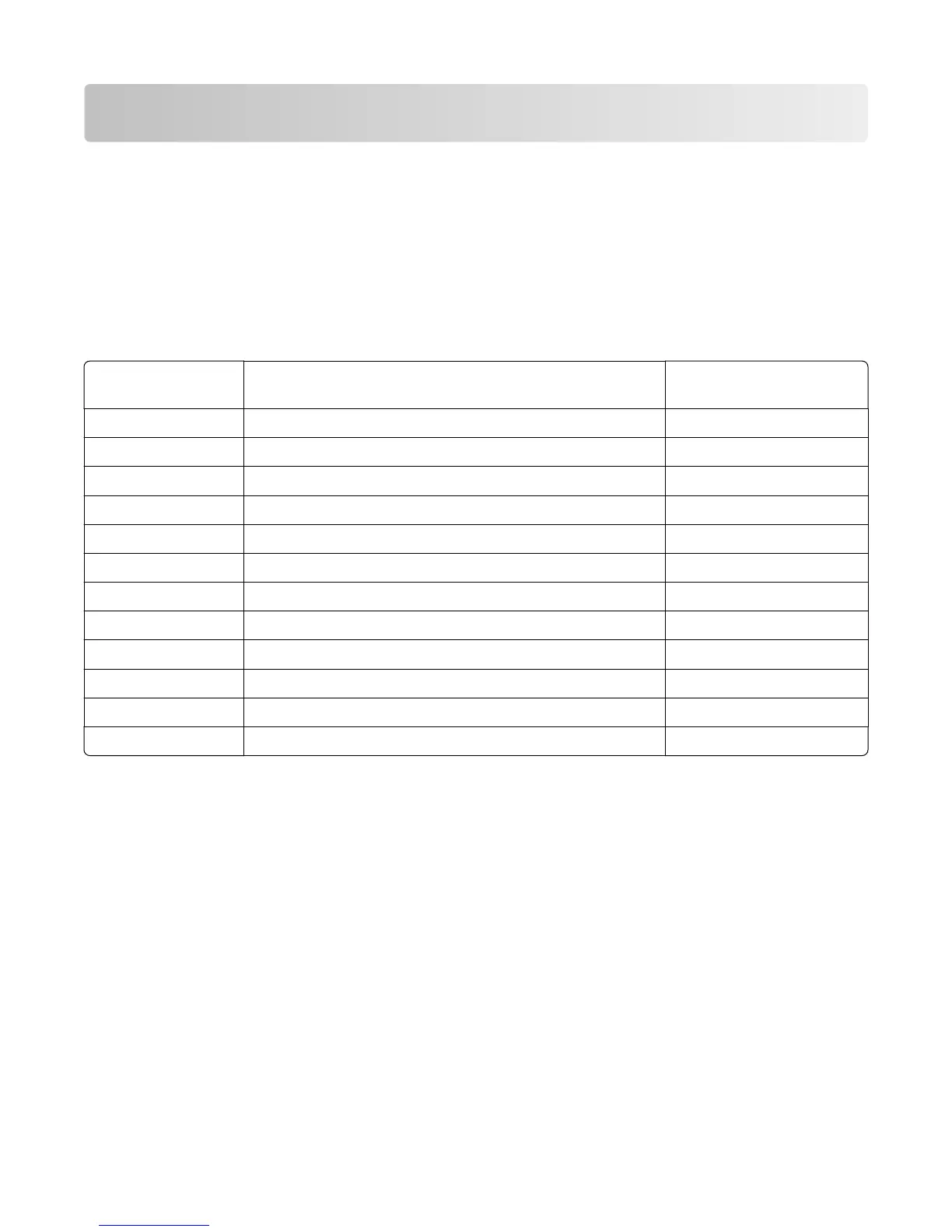
The printers are available in the following models:
Model Configuration
Machine type / model
number
M5150 Network, 4.3” e‑Task touch screen, duplex printer 4063‑29E
M5160 Network, 4.3” e‑Task touch screen, duplex printer 4063‑49E
M5170 Network, 7” e‑Task touch screen, duplex printer 4063‑69E
MS710dn Network, duplex printer 4063‑832
MS711dn Network, duplex printer 4063‑835
MS810n Network 4063-210
MS810dn Network, duplex printer 4063-230
MS810de Network, 4.3” e‑Task touch screen, duplex printer 4063-23E
MS811n Network 4063-410
MS811dn Network, duplex printer 4063-430
MS812dn Network, duplex printer 4063-630
MS812de Network, 7” e‑Task touch screen, duplex printer 4063-63E
The diagnostic information in this manual leads you to the correct field replaceable unit (FRU) or part. Use the error
code charts, symptom index, and service checks to determine the symptom and then repair the failure. After you
complete the repair, perform tests as needed to verify the repair.
To begin diagnosing a problem, go to “Diagnostic information” on page 35. See “Repair information” on page 251
for information about removing and reinstalling parts. See “Parts catalog” on page 530 to help identify parts.
4063
General information
27



 To Next Page