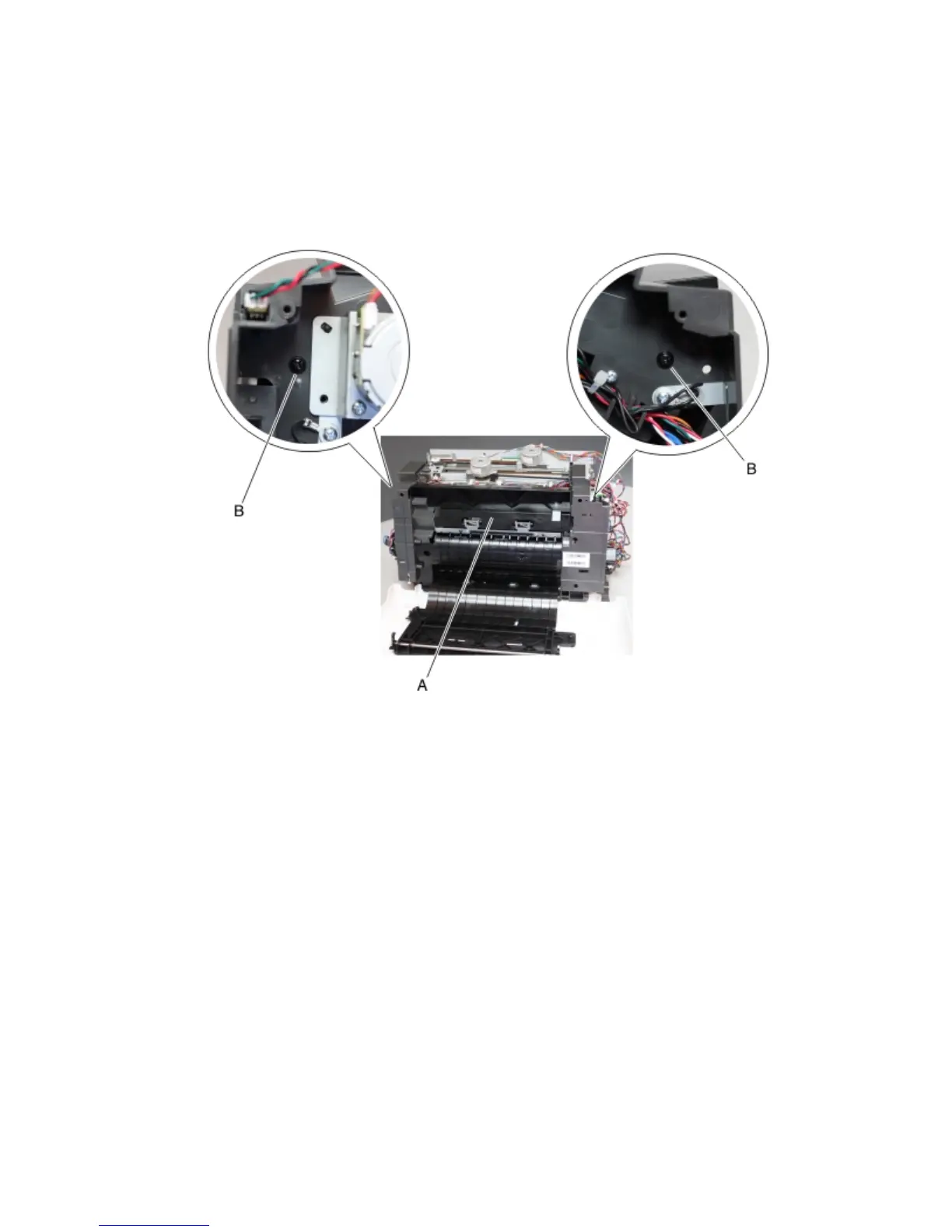
Media stack flap (right) removal
1 Remove the left cover. See “Stapler left cover removal” on page 470.
2 Remove the right cover. See “Stapler right cover removal” on page 464.
3 Remove the top cover. See “Stapler top cover removal” on page 472.
4 Remove the two screws (B) from the cover (A).
5 Move the media stack flap to the right to release the pins from the holes.
Note: The metal latch (C) may need to be flexed to release the pins.
4063
Repair information
475



 To Next Page