Action Yes No
Step 3
Ensure the cable for socket "J27" on the controller board is properly
connected.
Is the above connection properly connected?
Go to step 4. Reseat the connection.
Step 4
Ensure the LVPS connections are properly connected.
Are the above connections properly connected?
Go to step 5. Reseat the
connections.
Step 5
Reset the machine.
Does the error continue?
Replace the LVPS. Go to
“LVPS removal” on
page 357.
Go to step 6.
Problem solved.
Step 6
Reset the machine.
Does the error continue?
Replace the controller
board. See “Controller
board removal” on
page 340.
Problem solved.
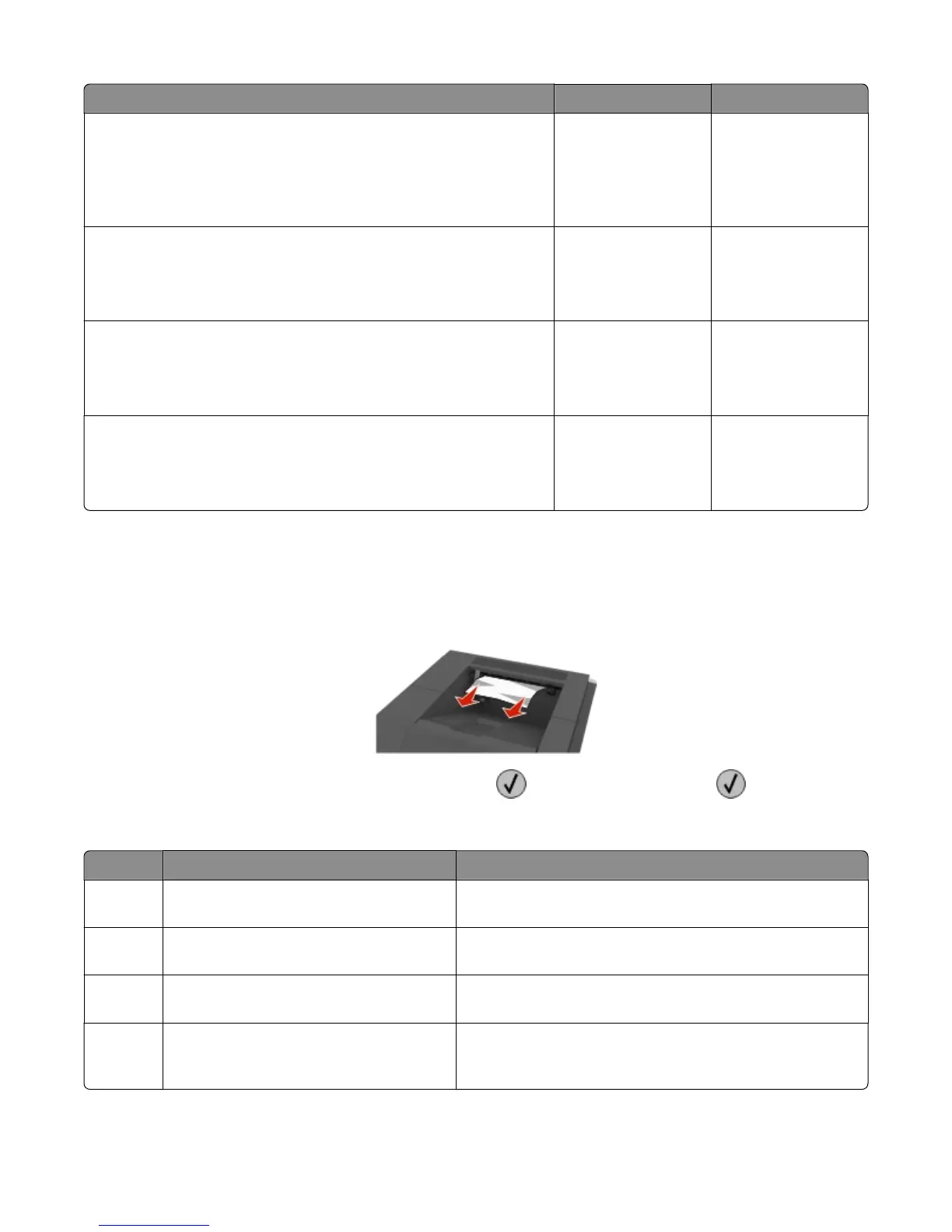
203 paper jams
1 Firmly grasp the jammed paper on each side, and then gently pull it out.
Note: Make sure all paper fragments are removed.
2 To clear the message and continue printing, select Next > > Clear the jam, press OK > .
203 paper jams
Error code Description Action
203.20 Took too long to ramp up upper redrive
motor
See “Upper redrive motor control jam service check” on
page 68.
203.21 Upper redrive motor stopped after successful
start up
See “Upper redrive motor control jam service check” on
page 68.
203.22 Upper redrive motor under‑speed error See “Upper redrive motor control jam service check” on
page 68.
203.30 Upper redrive motor failed to stop the sheet
at the duplex reverse point within the
specified time
See “Upper redrive motor control jam service check” on
page 68.
4063
Diagnostic information
67



 To Next Page