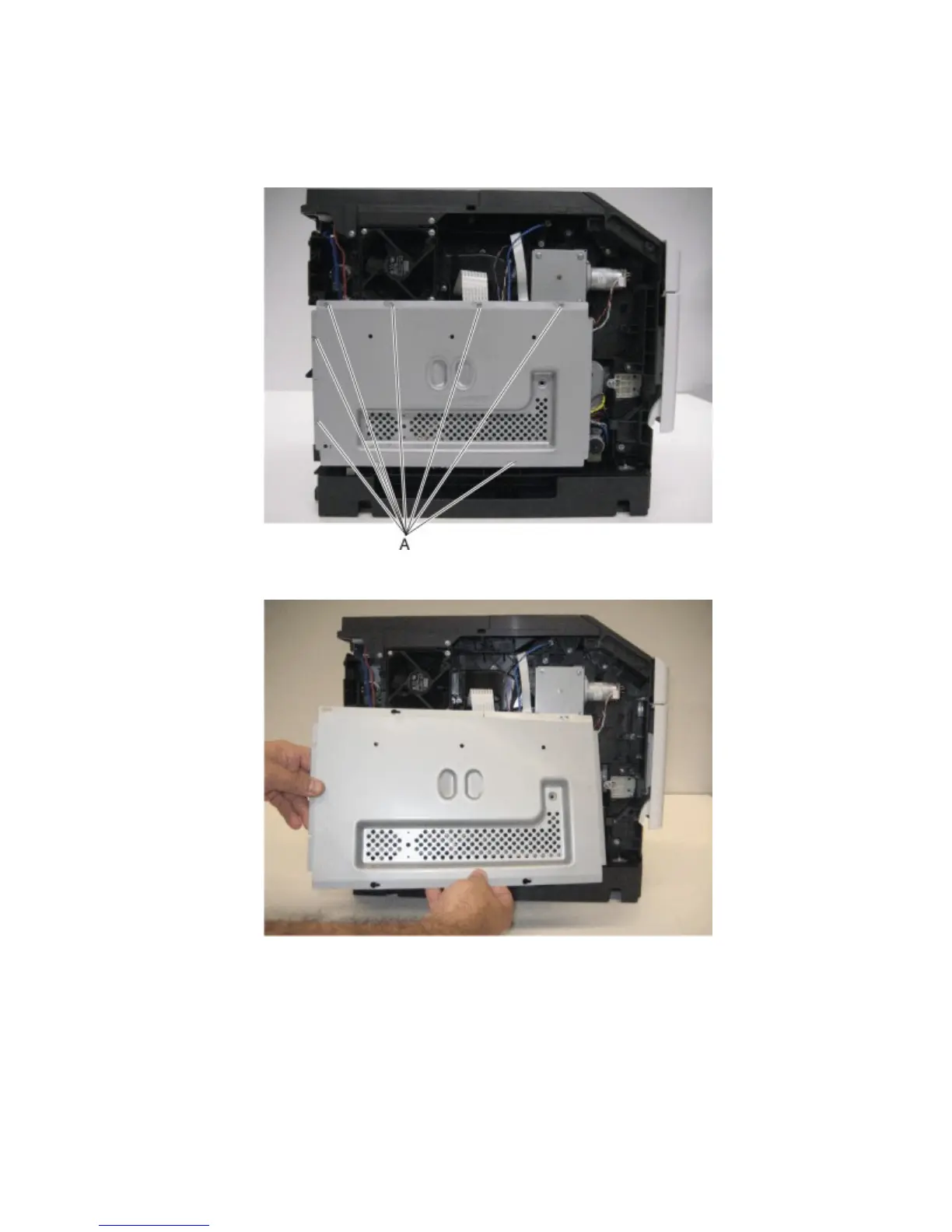
Controller board access shield removal
1 Remove the left cover. See “Left cover removal” on page 273.
2 Loosen the eight screws (A) securing the controller board access shield to the machine.
3 Move the controller board access shield toward the front of the machine to remove it.
Fuser drive motor removal
1 Remove the rear door. See “Rear door removal” on page 280.
2 Remove the fuser. See “Fuser removal” on page 316.
3 Remove the imaging unit from the machine.
4063
Repair information
342



 To Next Page