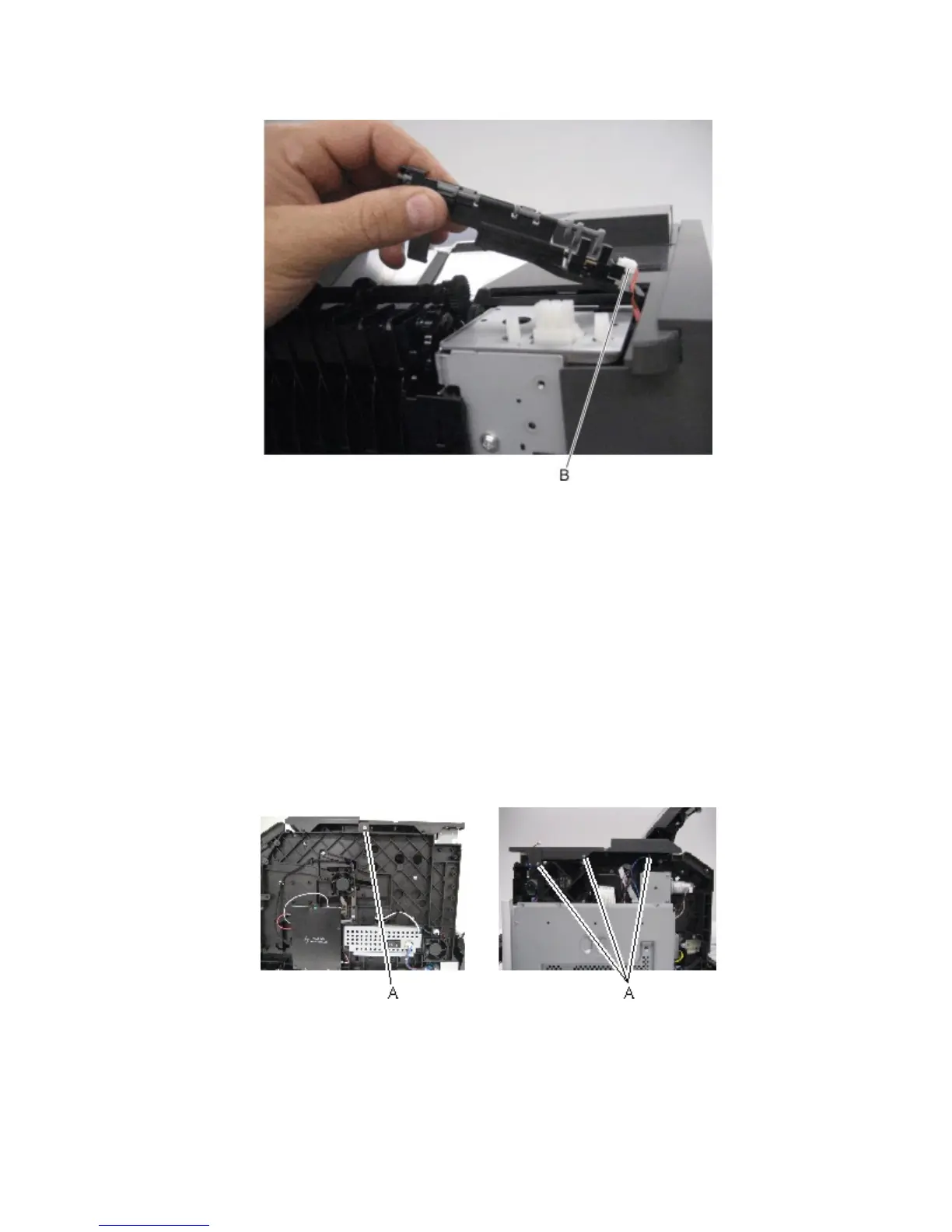
6 Disconnect the cable (B).
Standard bin cover removal
1 Remove the left cover. See “Left cover removal” on page 273.
2 Remove the right cover. See “Right cover removal” on page 278.
3 Open the rear door.
4 Remove the top cover. See “Top cover removal” on page 278.
5 Remove the upper redrive. See “Upper redrive removal” on page 325.
6 Remove the output bin sensor cover. See “Output bin sensor cover removal” on page 320.
7 Remove the sensor (standard bin full) with actuator. See “Sensor (standard bin full) removal” on page 323.
8 Remove the four screws (A).
4063
Repair information
324



 To Next Page