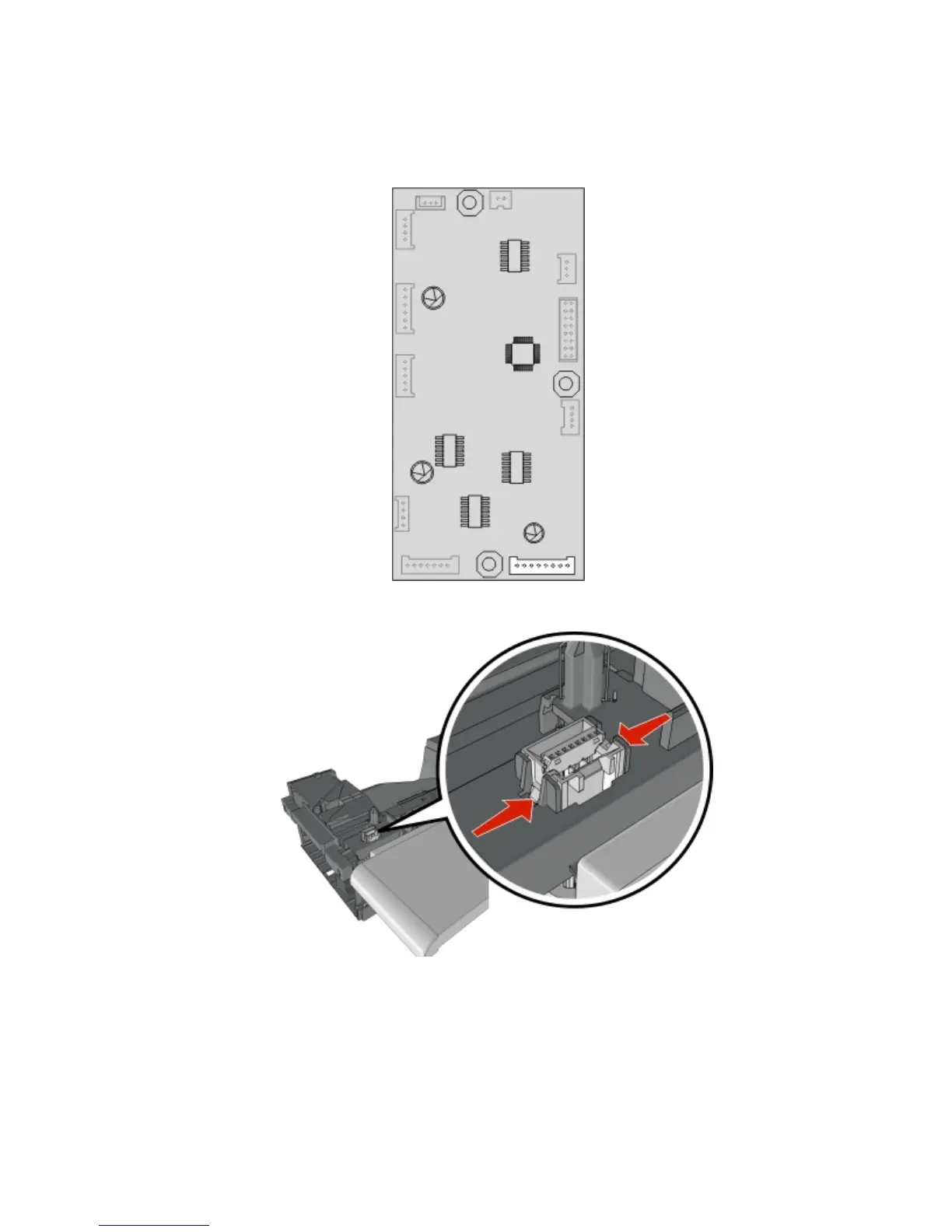
Lower interface cable removal
1 Remove the left cover. See “Output expander left cover removal” on page 443.
2 Disconnect the lower interface cable (J1) from the controller PCBA.
3 Push inward to release the latches, then push the connector out of its slot.
4 Remove the lower interface cable.
Upper interface cable removal
1 Remove the sensor cover. See “Output expander sensor cover removal” on page 440.
2 Remove the left cover. See “Output expander left cover removal” on page 443.
4063
Repair information
446



 To Next Page