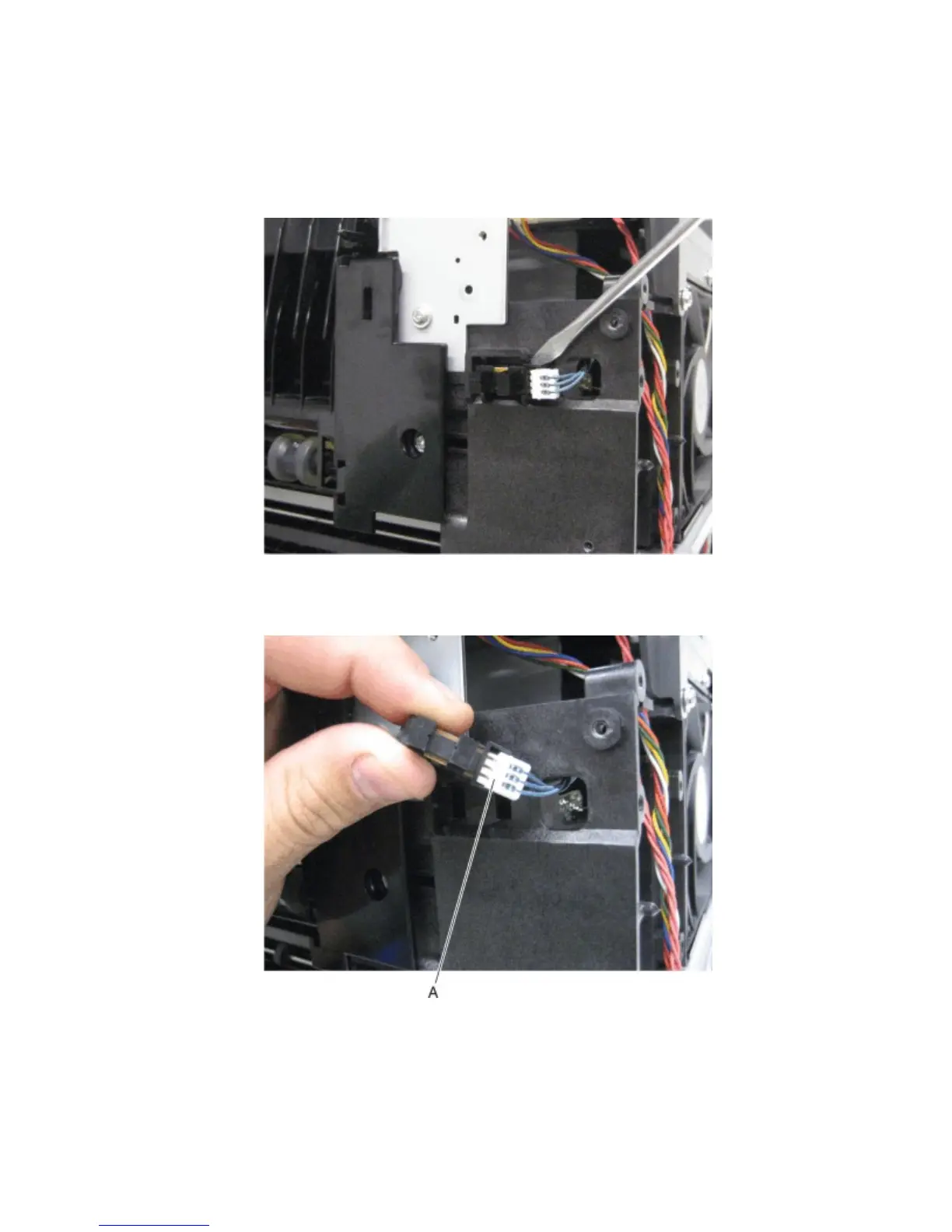
Sensor (rear door interlock) removal
1 Open the printer rear door.
2 Remove the left cover. See “Left cover removal” on page 273.
3 Using a flat-tip screwdriver, pry the sensor (rear door interlock) away from the machine.
Note: It might take a small amount of force to remove the sensor (rear door interlock).
4 Disconnect the cable (A) from the sensor (rear door interlock).
Base printer - top removals
• “Sensor (standard bin full) removal” on page 323
4063
Repair information
322



 To Next Page