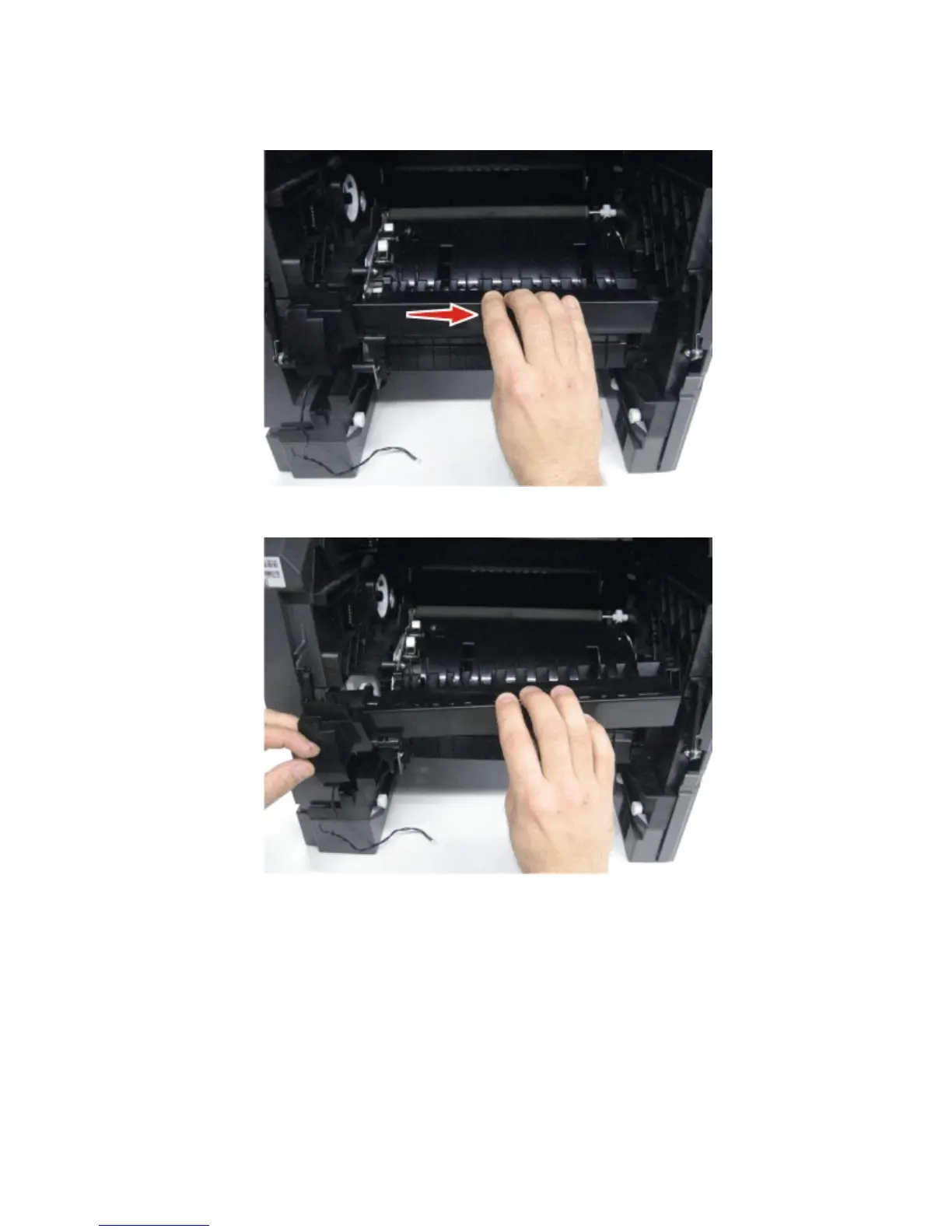
7 Remove the MPF feeder lift plate. See “MPF feeder lift plate removal” on page 298.
8 Gently slide the media turn guide to the right to detach it from the machine.
9 Remove the media turn guide.
Installation note: When replacing the media turn guide, ensure that the alignment pin properly engages the
media turn guide and that the alignment hooks properly engage the slots in the frame. If these parts are not
properly engaged, paper jams will occur.
Media vertical guide removal
1 Remove the left cover. See “Left cover removal” on page 273.
2 Remove the controller board access shield. See “Controller board access shield removal” on page 342.
3 Remove the media tray. See “Media tray removal” on page 332.
4063
Repair information
296



 To Next Page