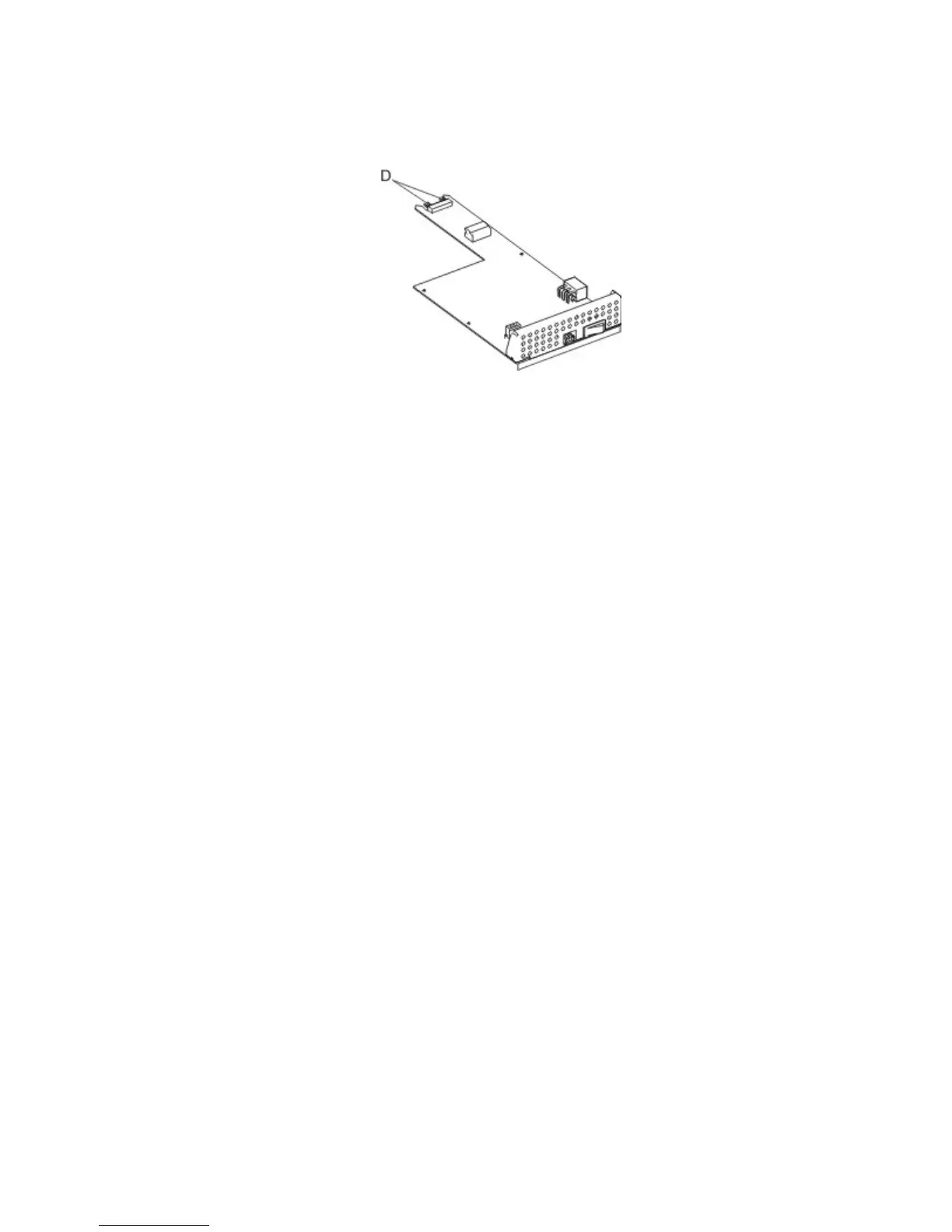
Installation notes:
• When replacing the LVPS, ensure that all connections are replaced.
• When replacing the LVPS, ensure that the connector pins (D) properly engage the controller board.
Control panel removals
• “4.3‑inch tilting display removal” on page 360
• “7‑inch tilting display removal” on page 363
•
“Control panel removal (2.4‑inch screen)” on page 366
• “Control panel removal (4.3‑inch screen, 7‑inch screen)” on page 372
•
“Control panel board (2.4‑inch tilting display) removal” on page 378
• “Control panel board (4.3‑inch tilting display) removal” on page 381
• “Control panel board (7‑inch tilting display) removal (MS812de)” on page 384
•
“Control panel front cover removal” on page 387
• “Control panel latch removal” on page 389
• “Control panel left bezel removal” on page 390
•
“Left control panel hinge removal” on page 391
• “Right control panel hinge removal” on page 394
4.3‑inch tilting display removal
1 Remove the control panel left bezel. See “Control panel left bezel removal” on page 390.
2 Remove the control panel. See “Control panel removal (4.3‑inch screen, 7‑inch screen)” on page 372.
3 Remove the control panel latch. See “Control panel latch removal” on page 389.
4 Remove the control panel front cover. See “Control panel front cover removal” on page 387.
4063
Repair information
360



 To Next Page