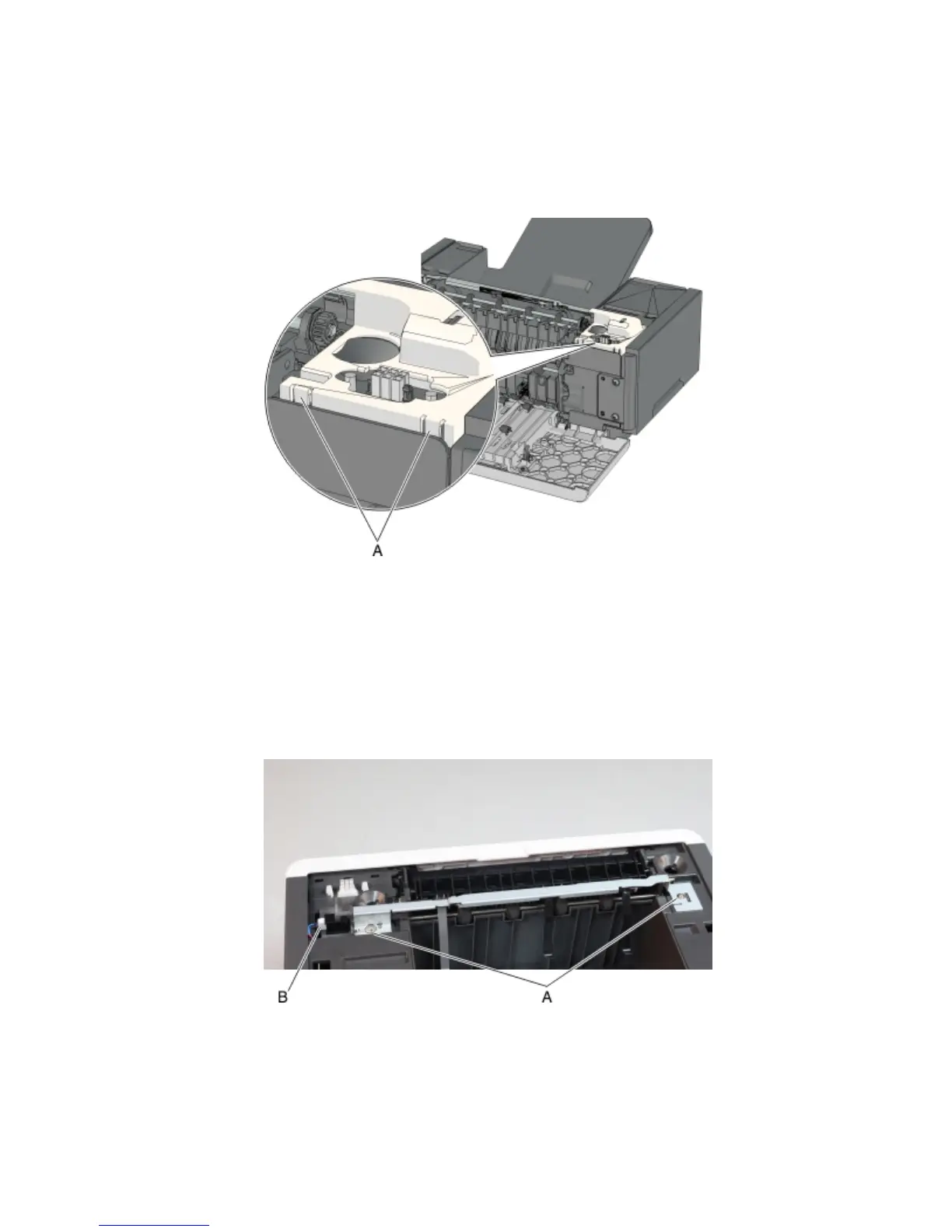
Output expander sensor cover removal
Note: This is not a FRU.
1 Remove the top cover. See “Output expander top cover removal” on page 437.
2 Push the latches (A) to release, then remove the sensor cover.
Sensor (media bin full) with flag removal
1 Remove the top cover. See “Output expander top cover removal” on page 437.
2 Remove the sensor cover. See “Output expander sensor cover removal” on page 440.
3 Remove the two screws (A) securing the sensor brace.
4 Disconnect the cable (B), and remove the sensor (media bin full) with flag.
4063
Repair information
440



 To Next Page