5 Remove the PCBA housing. See “PCBA housing removal” on page 348.
6 Remove the media tray. See “Media tray removal” on page 332.
7 Remove the pick roller assembly. See “Pick roller assembly removal” on page 333.
8 Remove the media feeder. See “Media feeder removal” on page 347.
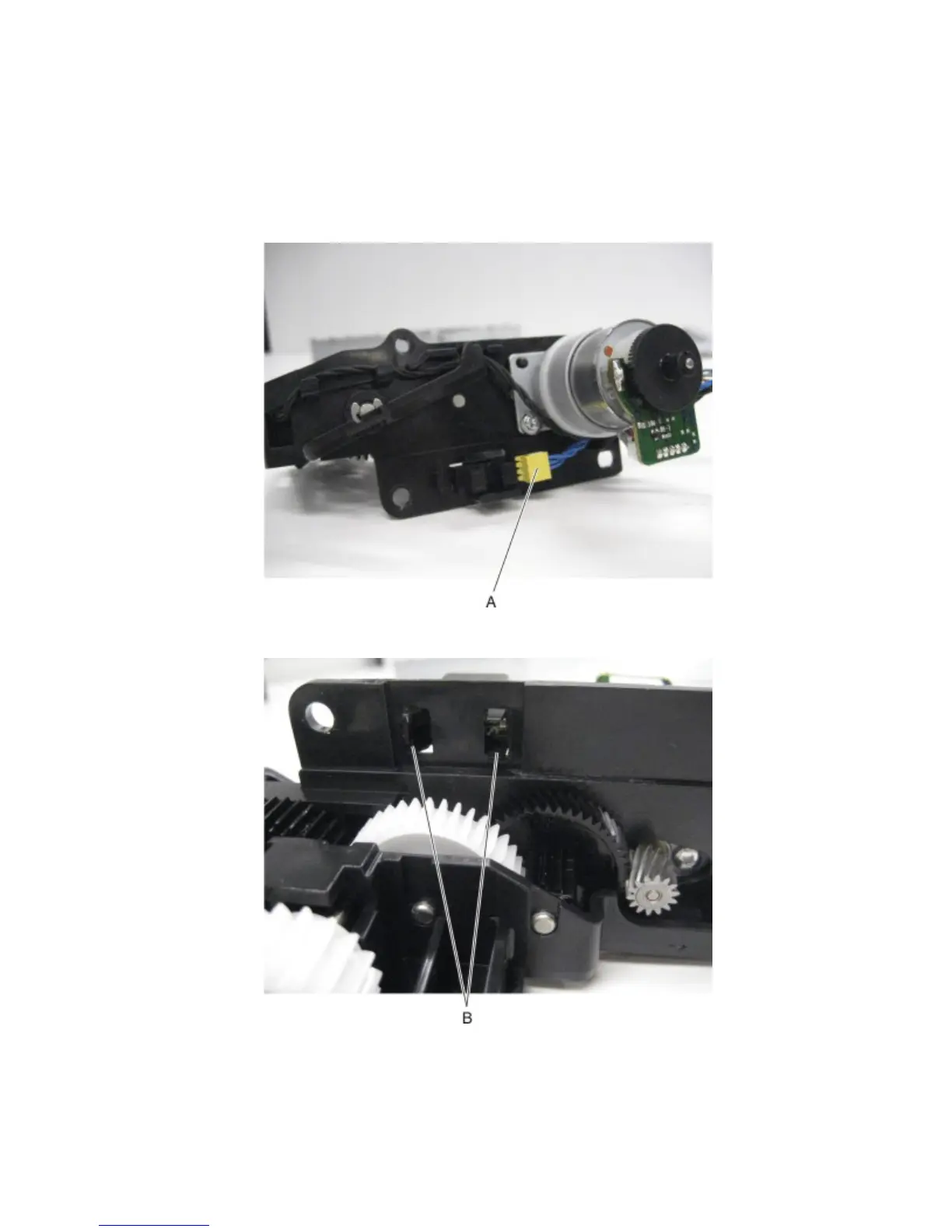
9 Disconnect the cable (A) from the sensor (tray 1 media out).
10 Release the hooks (B) securing the sensor (tray 1 media out) to the media feeder.
4063
Repair information
337



 To Next Page