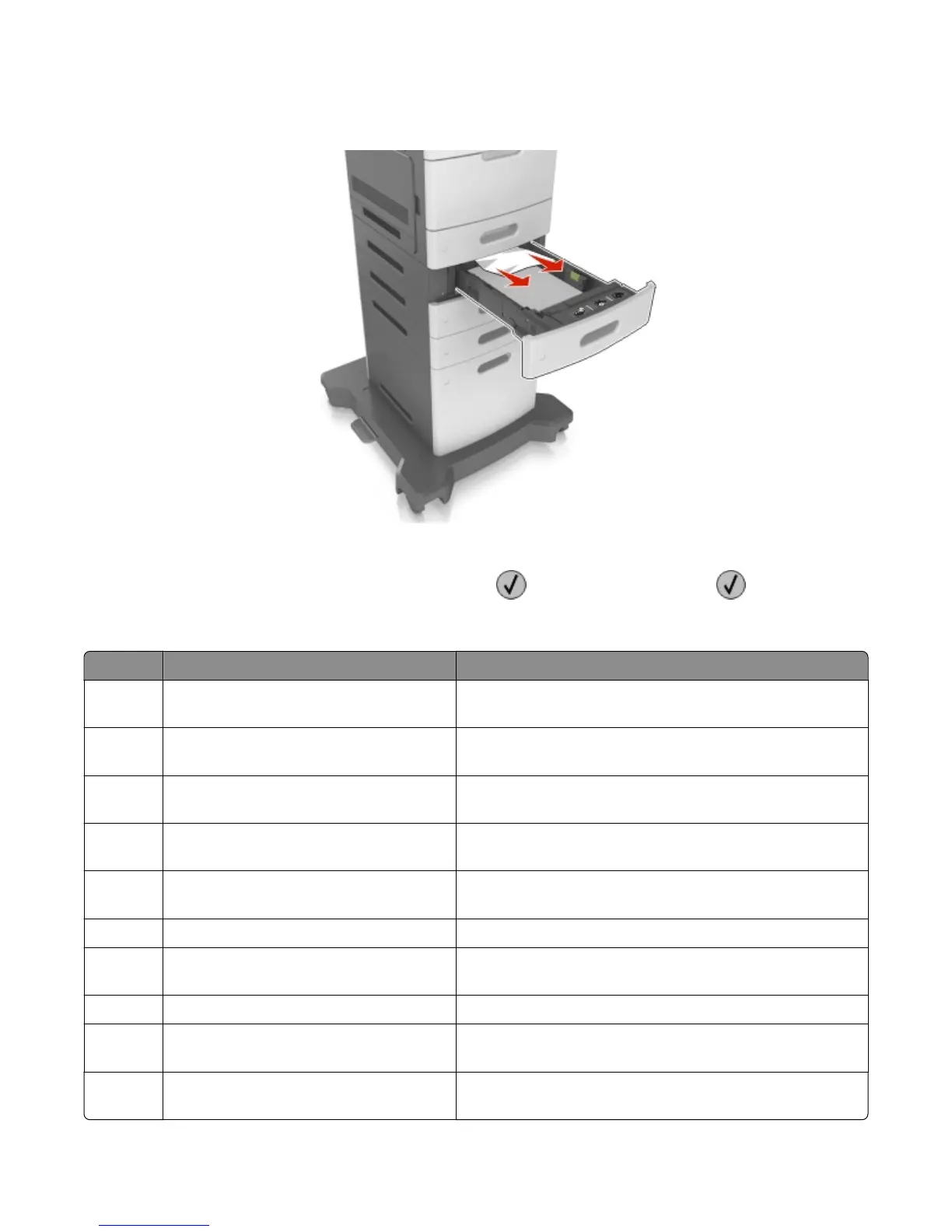
3 Firmly grasp the jammed paper on each side, and then gently pull it out.
Note: Make sure all paper fragments are removed.
4 Insert the tray.
5 To clear the message and continue printing, select Next > > Clear the jam, press OK > .
24x paper jams
Error code Description Action
241.02 Sensor (input) early arriving jam See “Sensor (input) early arriving jam service check” on page
53.
241.06 The media is late reaching the sensor (input)
within the specified time from tray 1
See “Sensor (input) never‑ or late‑arriving jam service check”
on page 54.
241.10 The media is late reaching the sensor (input)
within the specified time from tray 1
See “Sensor (input) never‑ or late‑arriving jam service check”
on page 54.
241.13 The media is late reaching the sensor (input)
within the specified time from tray 1
See “Sensor (input) never‑ or late‑arriving jam service check”
on page 54.
241.14 The media is late reaching the sensor (input)
within the specified time from tray 1
See “Sensor (input) never‑ or late‑arriving jam service check”
on page 54.
241.15 Media tray 1, tray pulled jam See “Media tray 1, tray pulled jam” on page 80.
241.20 Took
too long to ramp up media feeder motor
in tray 1
See
“Media feeder motor control service check” on page 79.
241.21 Media feeder motor stall in tray 1 See “Media feeder motor control service check” on page 79.
241.22 Media feeder motor pick motor under‑speed
in tray 1
See “Media feeder motor control service check” on page 79.
241.24 Media feeder motor stalled on the last pick
attempt in tray 1
See “Media feeder motor control service check” on page 79.
4063
Diagnostic information
78



 To Next Page