215651 178 Revision B
$
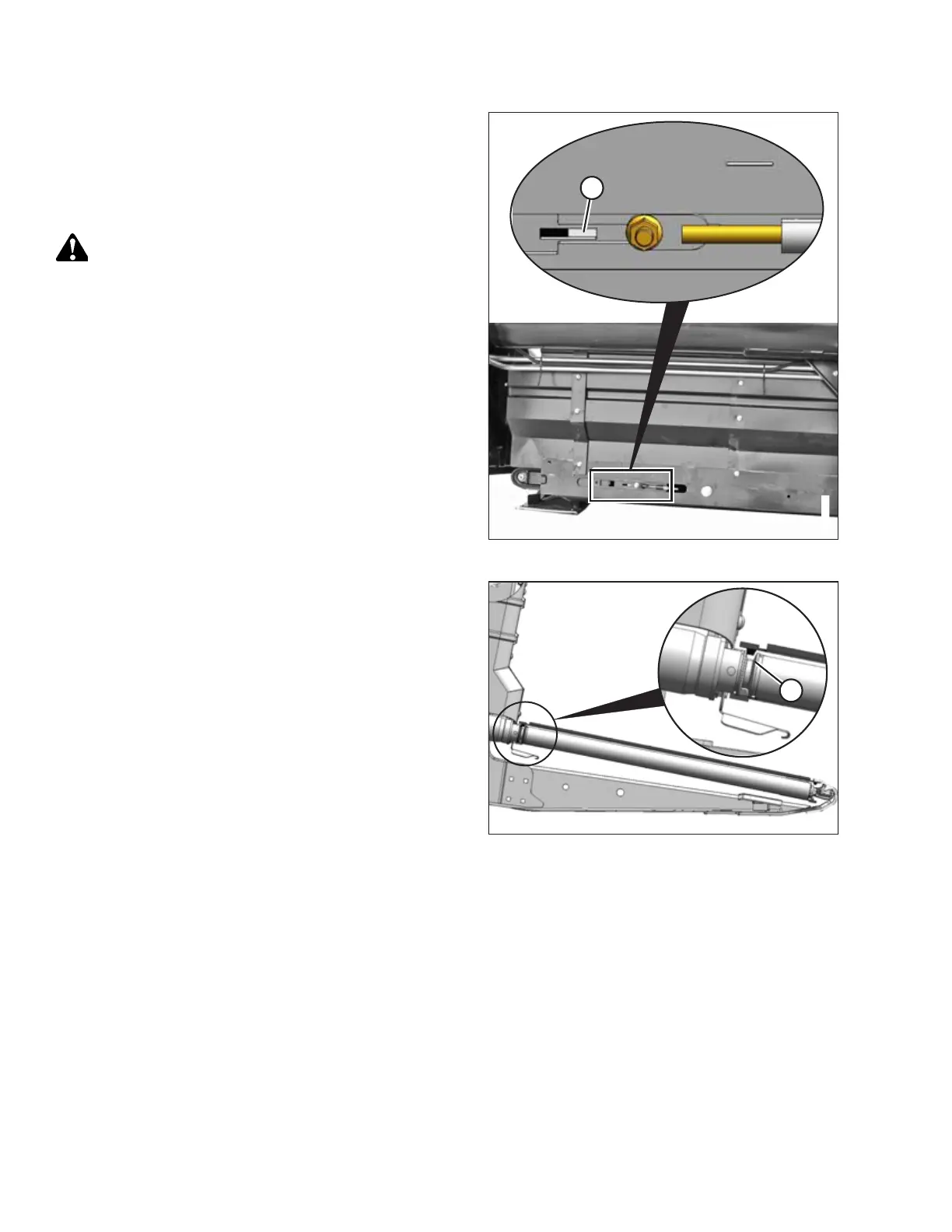
Figure 5.115: Left Draper Tension Adjuster
1. Locate the draper tension adjuster and the tension
inspection window on the rear left side of the header.
2. Ensure that white indicator bar (A) is at the halfway point in
the window. If this is not the case, then adjustment is
required. Proceed to Step 3, page 178.
WARNING
Check to be sure all bystanders have cleared the area.
3. Start the engine.
4. Fully raise the header.
5. Shut down the engine, and remove the key from the
ignition.
6. Engage the header safety props. Refer to the windrower
operator’s manual for instructions.
$
Figure 5.116: Drive Roller
7. Ensure that the draper guide (the rubber track on the
underside of the draper) is properly engaged in groove (A)
on the drive roller.
MAINTENANCE AND SERVICING



 To Next Page