215651 62 Revision B
The header float system floats the header over the surface to compensate for ridges, trenches, and other variations in
ground contour to prevent the cutterbar from pushing into the ground or leaving uncut crop.
Refer to the following for additional information:
• 3.6.2 Header Settings, page 46
• Adjusting Skid Shoes, page 62
• 3.7.2 Header Float, page 63
Adjusting Skid Shoes
The skid shoes can be adjusted to optimize header performance and maximize the life of the skid shoes. To adjust the skid
shoes, follow this procedure.
DANGER
To prevent bodily injury or death from the unexpected start-up or fall of a raised machine, always stop the engine,
remove the key, and engage the safety props before going under the header for any reason.
1. Raise the header fully.
2. Engage the header’s safety props.
3. Shut down the engine, and remove the key from the ignition.
4. Raise the stabilizer wheels or slow speed transport wheels fully (if installed). For instructions, refer to the following:
• Adjusting Stabilizer/Slow Speed Transport Wheels, page 58
• Adjusting Stabilizer Wheels, page 60
$
&
%
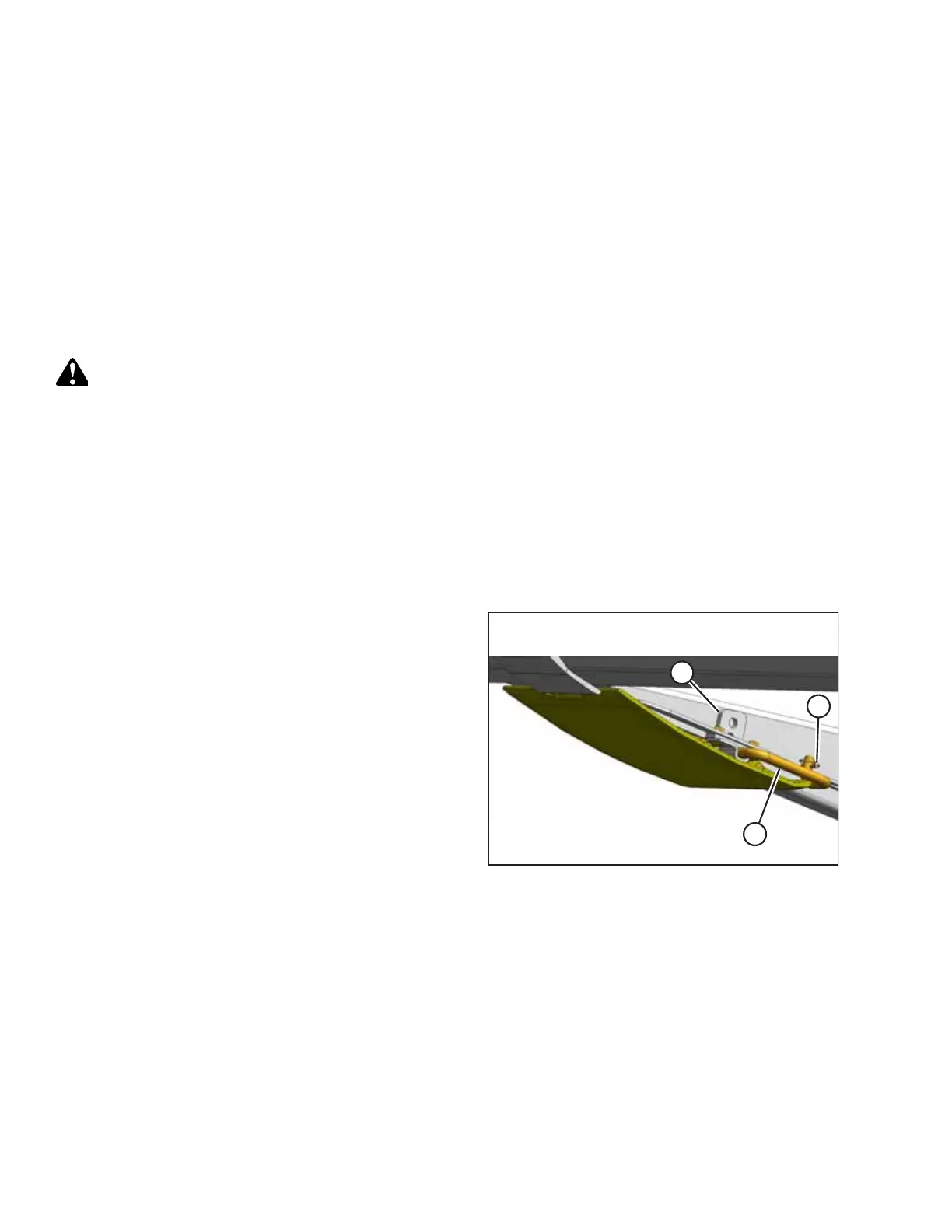
Figure 3.26: Inner Skid Shoe
IMPORTANT:
Note the adjustment hole position on support (A) and
ensure each skid shoe is set to the same position.
5. Remove lynch pin (B) from each skid shoe.
6. Hold the shoe and remove pin (C) by disengaging it from
the frame and pulling it away from the shoe.
7. Raise or lower the skid shoe to the desired position using
the holes in support (A) as a guide.
8. Install pin (C), engage in frame, and secure with lynch
pin (B).
9. Check that all of the skid shoes are adjusted to the same
position.
OPERATION



 To Next Page