214366 69 Revision A
1000812
A
B
C
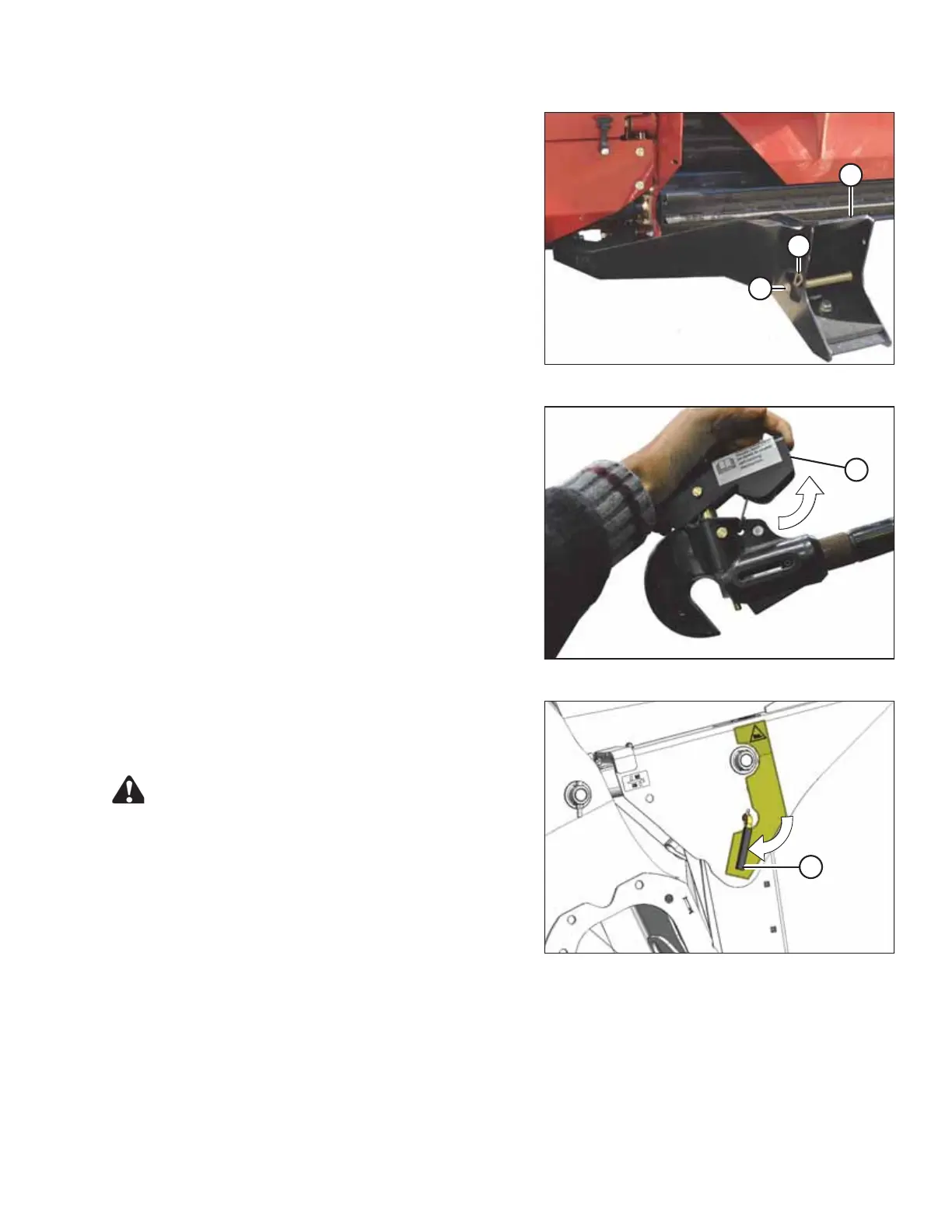
Figure 3.81: Header Supports
5. Remove hairpin (B) from clevis pin (A) and remove
clevis pin from header support (C) on both sides of
header.
1015883
A
Figure 3.82: Center-Link
6. For windrowers with self-aligning center-link:
Release center-link latch (A) before returning to
the cab.
1014791
A
Figure 3.83: Safety Props
7. Disengage safety prop by turning lever (A) downwards
until lever locks into the vertical position.
8. Repeat for the opposite side.
CAUTION
Check to be sure all bystanders have cleared the area.
9. Start engine and remove header float when prompted by the Harvest Performance Tracker (HPT).
NOTE:
If not prompted by the HPT to remove float, remove float manually.
10. Lower the header to the ground.
OPERATION





 To Next Page