4-22 PCWS 2015 Setup Guide - 2nd Edition
Installing and Operating the Workstation 2015
Operation
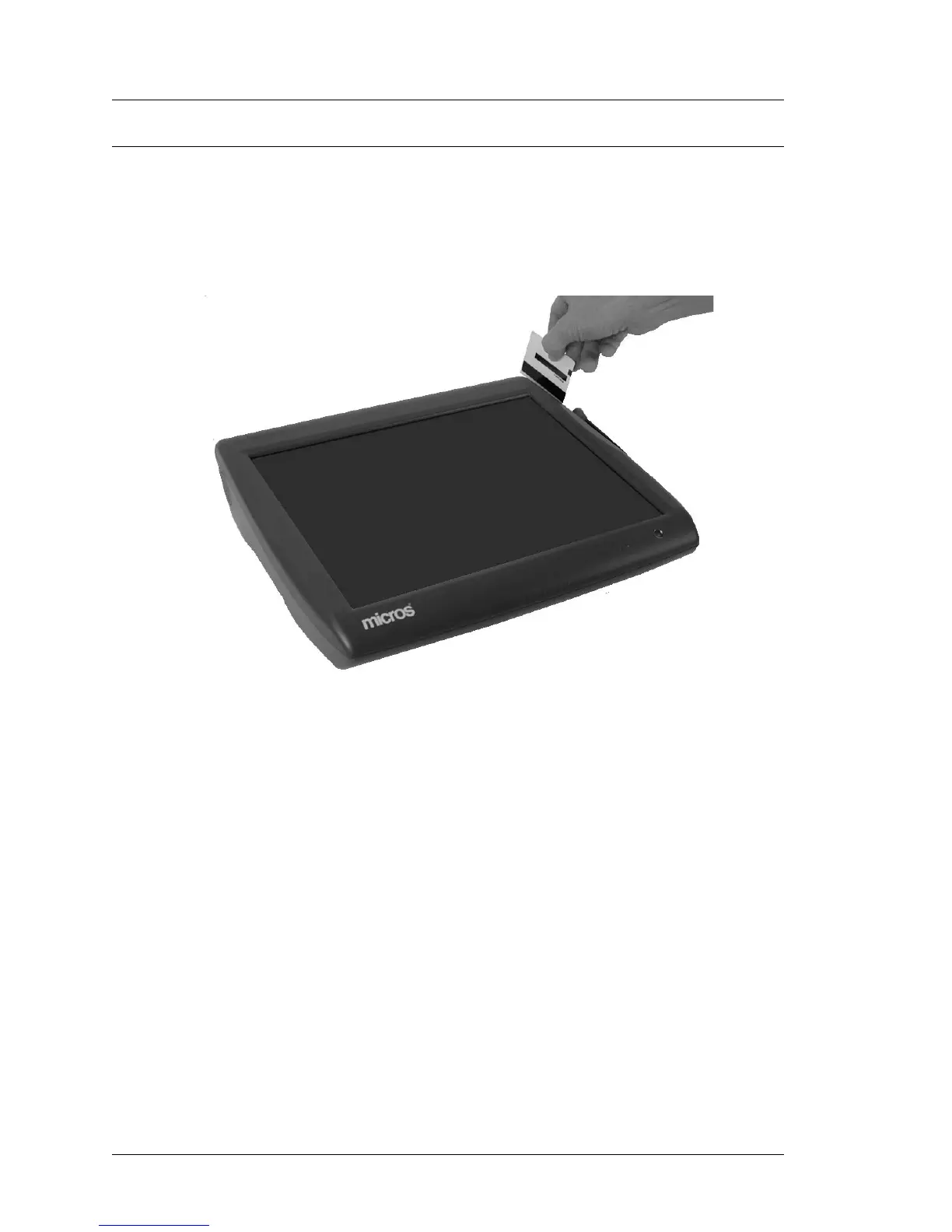
Using the Magnetic Stripe Card
The PCWS 2015 Magnetic Stripe Reader is mounted on the right side of the
top cover as shown in Figure 4-13, below.
Orient the card with the mag stripe facing towards the workstation and facing
down. Insert the card completely into the slot and pull it past the reader head.
Figure 4-13: Using the Magnetic Card Reader
Tips for using Magnetic Cards
Magnetic cards should always be kept dry, and away from magnets or sharp
objects that could damage the encoded information on the card. If a mag card is
damp or wet, or appears damaged in any way, DO NOT insert into the reader.
If the unit does not read the mag cards consistently, the read head may be dirty
or contaminated. A cleaning card can be used to clean the reader head. This
type of card has a felt strip in place of the magnetic stripe which cleans the
head as it is swiped through the reader.



 To Next Page