Need help?
Do you have a question about the Mindray uMEC15 and is the answer not in the manual?
 General
| Brand | Mindray |
|---|---|
| Model | uMEC15 |
| Category | Medical Equipment |
| Language | English |
Lists critical warnings to prevent serious injury or death during equipment use.
Outlines potential hazards and precautions to avoid minor injury or property damage.
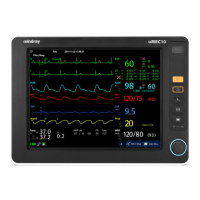
Provides an overview of the patient monitor's features, intended use, and applied parts.
Details the components and controls located on the front panel of the patient monitor.
Describes the physical layout and connectors on the side of the patient monitor.
Identifies and explains the connectors and ports on the rear of the patient monitor.
Illustrates and explains the main components of the patient monitor's display screen.
Explains the function and usage of QuickKeys for fast access to monitor functions.
Provides step-by-step instructions for installing the patient monitor correctly.
Outlines the initial steps to prepare and start using the patient monitor.
Explains the different types of keys on the monitor and their functionalities.
Describes how to interact with the monitor's touchscreen interface.
Guides users on customizing the display layout and parameter visibility.
Explains how to use the virtual keyboard for data entry.
Details how to navigate and utilize the monitor's main menu structure.
Covers common settings adjustments like monitor setup, language, and display.
Covers how to configure and manage monitoring parameters on the device.
Details the different operational modes available on the patient monitor.
Explains the privacy mode to suppress display and audio during monitoring.
Explains how to remove patient data and reset the monitor for a new patient.
Covers the process of admitting a new patient for monitoring.
Covers managing patient demographic and clinical data.
Details how to transfer patient data using a USB drive between monitors.
Explains how to connect the patient monitor to a central monitoring system (CMS).
Guides users on accessing the configuration management interface.
Explains how to load or set default monitor configurations.
Details how to save current monitor settings as a user configuration.
Explains how to modify existing configurations for the monitor.
Guides users on how to delete saved monitor configurations.
Explains how to transfer configurations between monitors using a USB drive.
Details how to load previously saved configurations onto the monitor.
Explains how to customize screen elements like wave size, colors, and layout.
Guides users on how to modify the arrangement of parameters and waveforms on the screen.
Explains how to access and use the Big Numerics screen for large parameter displays.
Classifies alarms into physiological, technical, and prompt message categories.
Details the three severity levels for alarms: high, medium, and low.
Lists the visual and audible indicators used to signal alarms.
Covers settings related to alarm tones, volumes, and intervals.
Explains how to set a minimum volume for all alarms.
Details how to adjust overall alarm volume and priority levels.
Guides users on selecting different alarm tone patterns.
Outlines the functionalities available within the alarm setup menu.
Explains how to set alarm properties for all monitored parameters.
Details how to use the auto limits function to adjust alarm thresholds.
Explains how to set a delay for alarms to avoid false triggers.
Covers the function of temporarily pausing all active alarms.
Explains how to completely switch off all audible and visual alarms.
Details how to reset the alarm system after an alarm condition.
Explains alarm latching settings to keep indicators active until acknowledged.
Provides a step-by-step procedure for responding to any alarm condition.
Details crucial safety precautions specific to ECG monitoring.
Covers the necessary steps before starting ECG monitoring.
Illustrates standard electrode placement configurations for ECG.
Explains how to check and set the patient's paced status for ECG.
Details the components and information displayed on the ECG screen.
Covers various settings and configurations for ECG monitoring.
Details how to select the HR or PR as the active alarm source for ECG.
Guides on setting the ECG lead set configuration.
Explains how to select different display screen types for ECG.
Details how to adjust ECG filter settings for signal smoothing.
Explains how to enable/disable the notch filter for line frequency interference.
Covers the ST segment analysis feature for ECG monitoring.
Explains how to enable or disable ST segment monitoring.
Covers the analysis and detection of cardiac arrhythmias.
Covers the 12-lead ECG monitoring capability for specific models.
Explains the procedure for zeroing the IBP transducer for accurate readings.
Explains the procedure for calibrating the CO2 module.
Explains how to perform drug dose calculations using the monitor.
Covers calculations for hemodynamic parameters.
Guides on performing hemodynamic calculations, including data entry.
Provides instructions on how to load paper into the recorder.
Guides on calibrating the ECG module for accurate signal acquisition.
Guides on calibrating the CO2 module for accurate measurements.
Lists detailed technical specifications for ECG monitoring.
Lists detailed technical specifications for SpO2 monitoring, including accuracy studies.
Lists detailed technical specifications for NIBP monitoring.
Lists detailed technical specifications for IBP monitoring.
Lists detailed technical specifications for Cardiac Output monitoring.
Lists detailed technical specifications for CO2 monitoring.
Details the procedure and limits for testing protective earth resistance.
Explains how to perform an earth leakage test and its limits.
Details the measurement and limits for patient leakage current.
Explains the test for mains voltage on applied parts and its limits.
Details the measurement and limits for patient auxiliary current.

 To Next Page