Morgana DocuMaster MFC - Service Manual 137
4. Service Procedures - Replace Components - Suction Feed Bin
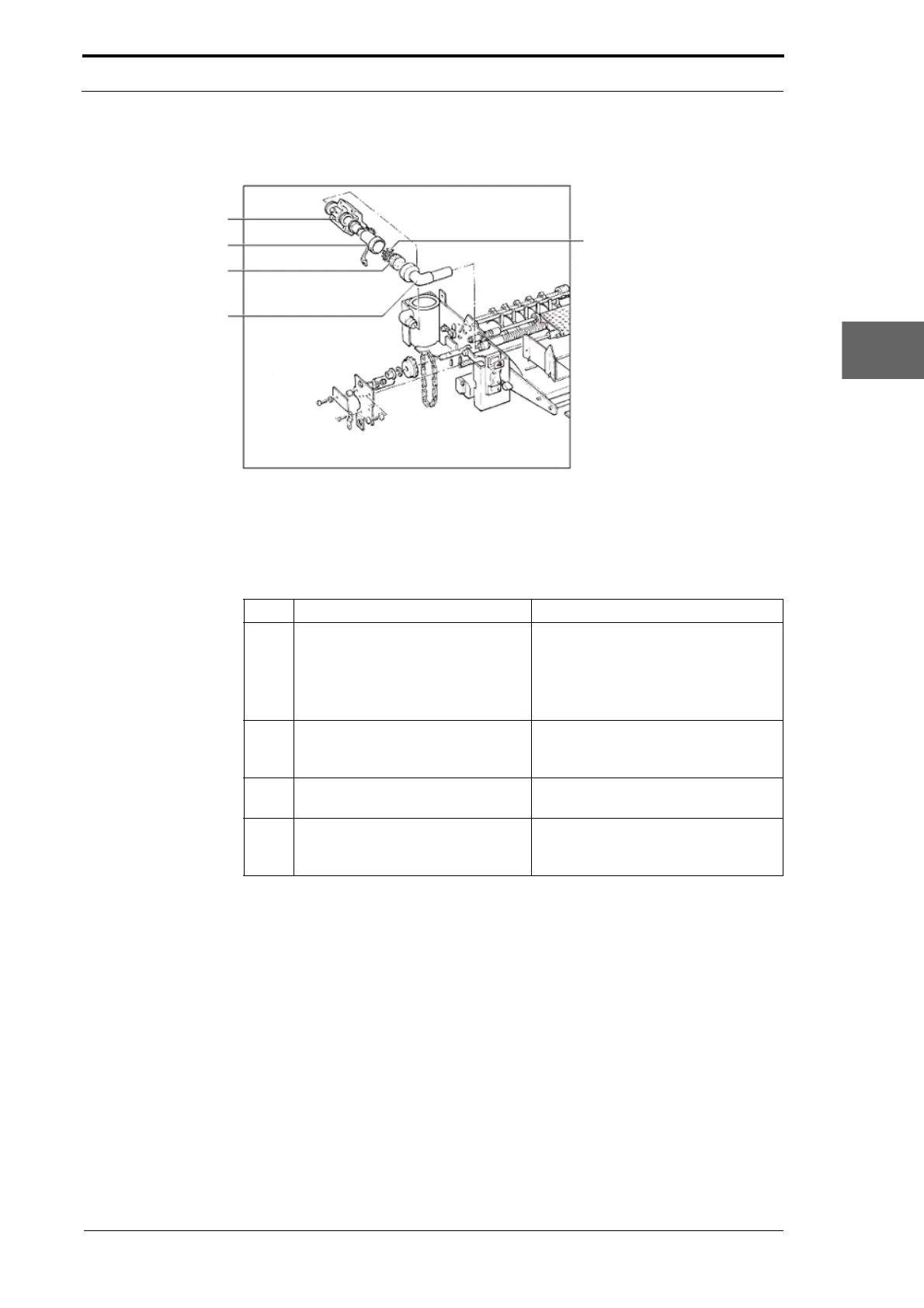
4.8.13 Replace the Vacuum Filter
Air/Vacuum Solenoid
Valve
Filter Housing
Filter Pad
Filter Pad
Filter Mesh
Figure 4.135 Vacuum Filter Housing Assembly
Before you start:
• Remove the LH side covers (See Section 4.2.6)
• Remove the GUI panel (See Section 4.7.4).
Step Action Information
1 Remove the vacuum filter housing.
• Hold the air/vacuum valve and
push down on the filter housing
to disconnect it from the valve.
• Pull the filter housing assembly
away from the LH side plate.
2 Remove the filter pad. Be careful to twist the elbow
connector and separate it from the
filter housing.
3 Remove the filter pad from the filter
housing
.
4 Install the replacement filter pad
with the blue
surface facing the
elbow connector



 To Next Page