4. Service Procedures - Replace Components - Suction Feed Bin
136 Morgana DocuMaster MFC - Service Manual
4.8.12.1 Remove the Inner Conveyor Wheel
(1) Slide the centre, outer conveyor wheel to one side (lubricate the conveyor shaft
with water if required).
(2) Hold the inner conveyor wheel with pliers and cut it from the drive shaft with a
scalpel or sharp knife.
(3) Pull the inner conveyor wheel off the drive shaft.
4.8.12.2 Install the Replacement Split Conveyor Wheel
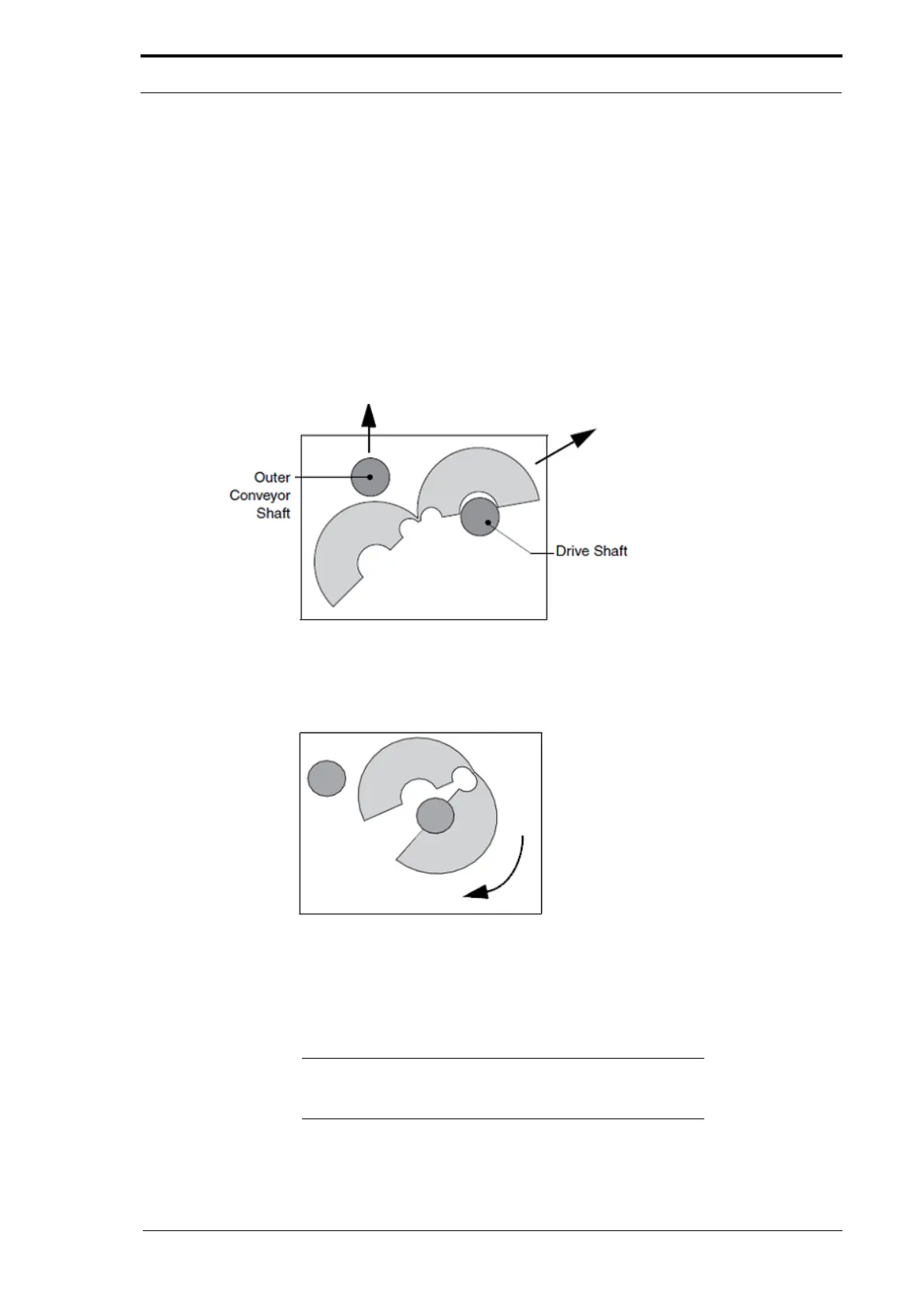
(1) Undo the screw on the split conveyor wheel and open the wheel at the hinge (see
Figure 4.131).
Figure 4.133 Open the Split Conveyor Wheel
(2)
Lift the outer conveyor shaft and pass the split conveyor wheel underneath it and
over the top of the drive shaft (see Figure 4.133).
Figure 4.134 Install the Split Conveyor Wheel
(3)
Turn the split conveyor wheel around the drive shaft.
(4) Close the split conveyor wheel and loosely tighten the screw.
(5) Make sure that the split conveyor wheel is in the correct position and fully tighten
the screw.
Note: A split conveyor wheel can be used to replace an outer
conveyor wheel. Never fit a split conveyor wheel directly
opposite another split conveyor wheel



 To Next Page