Morgana DocuMaster MFC - Service Manual 141
4. Service Procedures - Replace Components - Friction Feed Bin
Tools:
• Allen Key: 3mm
• Screwdriver: Small Flat-blade
• Pliers: Long Nose, Side Cutters.
Before you start:
• Remove the DRV module and all the feed bins above the one that you must work
on (See Section 4.7.1) and (See Section 4.8.1).
Step Action Information
1 Remove the friction feed shaft. (See Section 4.9.1.1).
2 Disconnect the emitter/sensor
ribbon
cable from SK1 on the feed
bin control PCB.
3 Remove the feed clutch. (See Section 4.9.2).
4 Remove the double drive gear. Remove the circlip. Be careful not to
dro
p the drive pin when the gear is
removed.
5 Cut the three cable ties that secure
the emitter/sensor rib
bon to the RH
side plate.
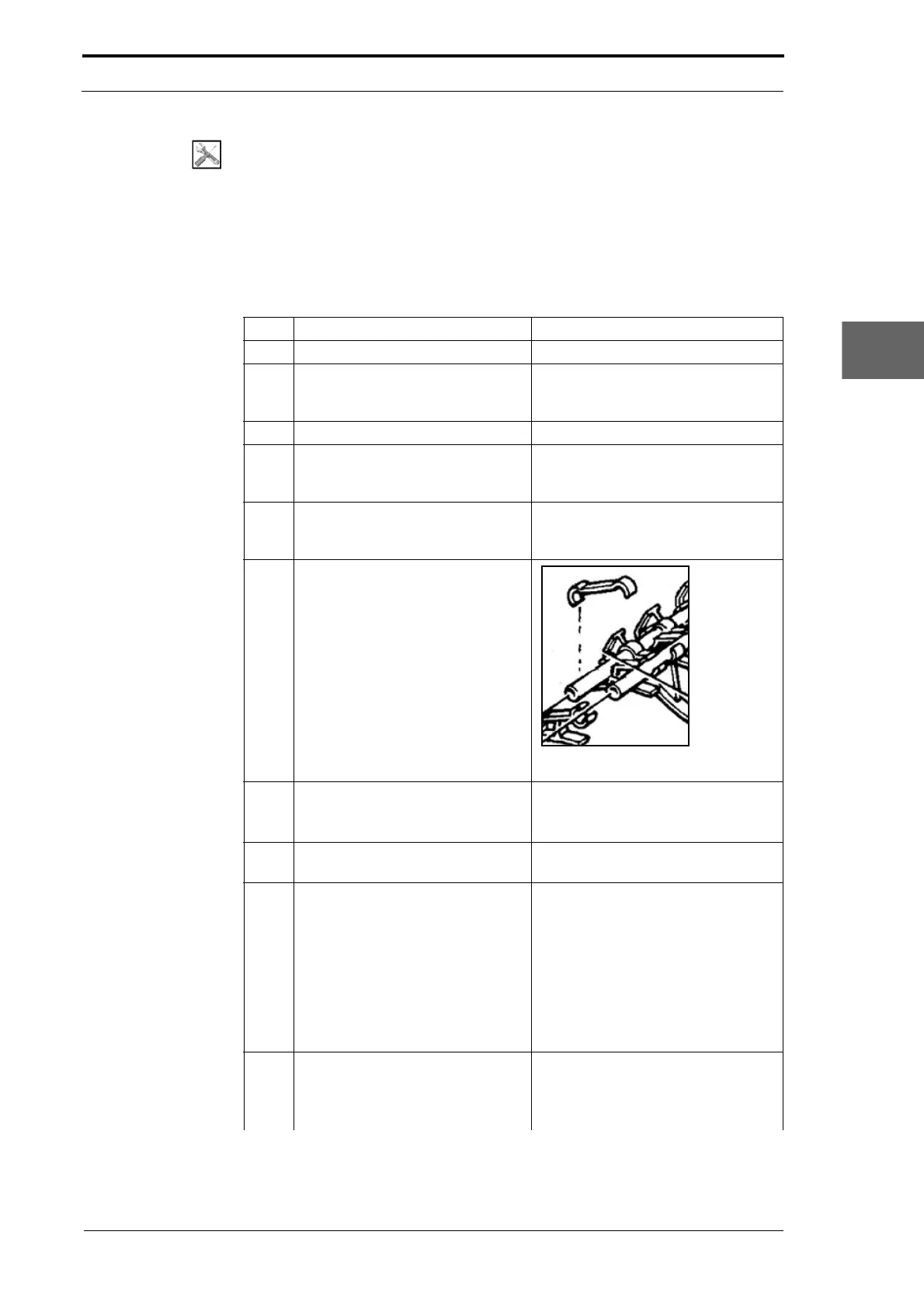
6 Remove the cable clips that secure
the emitter/sensor
ribbon and PCB
link cable to the upper paper
guides.
Figure 4.141 Cable Clip
7 Remove the emitter from the upper
guide.
• Push out the emitter with a small
screwdriver and pull it through
the RH side plate.
8 Disconnect the switch cable from
PL3 on the bin control PCB.
9 Remove the upper paper guides.
• Remove the four screws that
attach the upper paper guide to
the side plates.
• Pull the switch cable through the
RH side plate just enough that
the upper guide can be moved
away from the lower guides.
• Lift the upper guide away from
the feed bin.
10 Release the sensor guide and
move it tow
ards the RH side plate.
The sensor guide is held in place by
two circlips.
• Remove the RH circlip (see
Figure 4.140).



 To Next Page