7. Electrical and Control System - GUI CPU Software Updates through an RS232 Connection
234 Morgana DocuMaster MFC - Service Manual
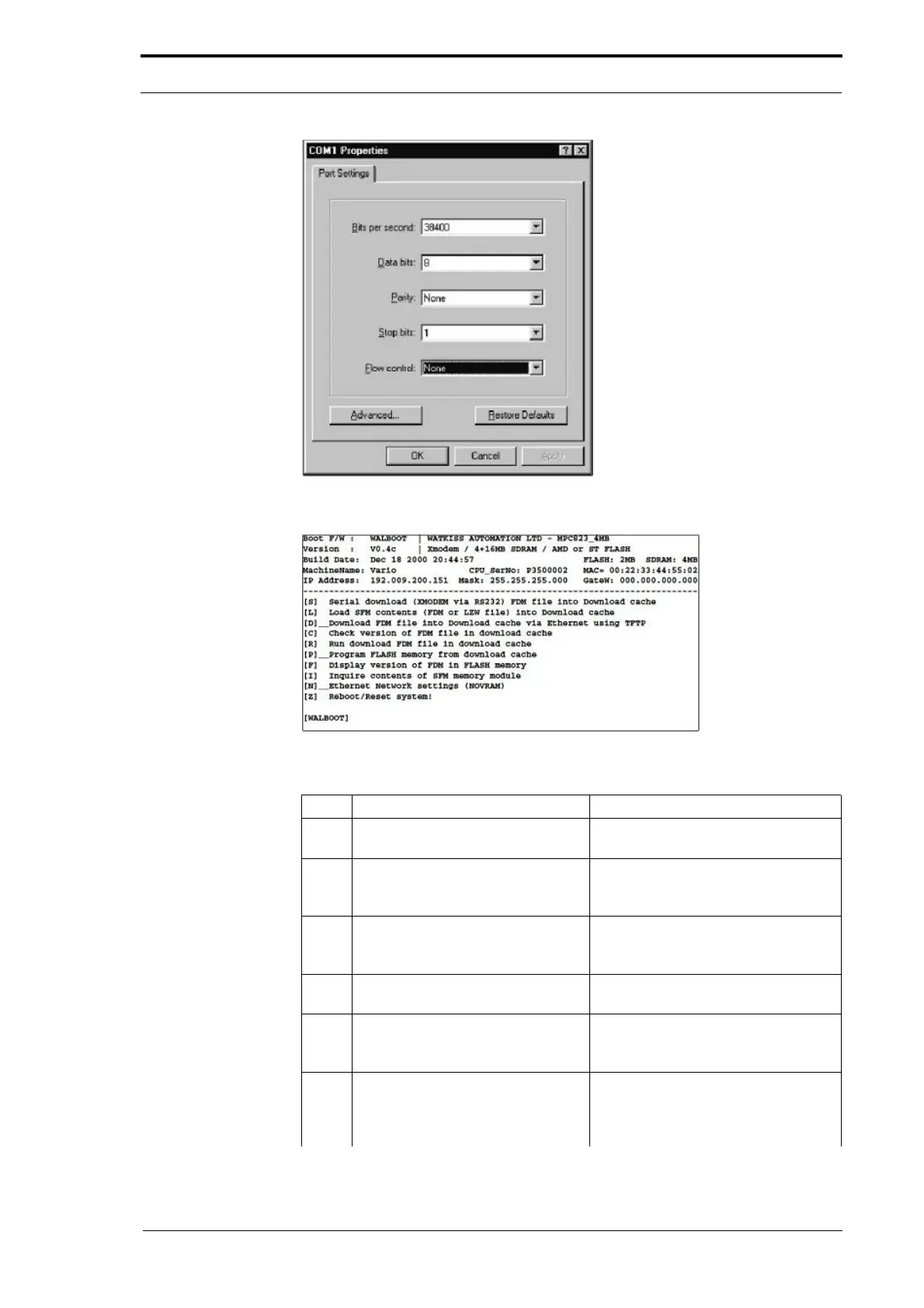
Figure 7.25 Connection Properties
Figure 7.26 Boot Firmware Help Menu
Step Action Information
1 Open the hinged front panel and
the
hinged top panel.
(See Section 4.2.3).
2 Disconnect the creaser interface
cable from th
e RS232 port on the
GUI CPU.
3 Connect the RS232 cable from the
computer
to the RS232 port on the
GUI CPU.
(See Figure 7.22).
4 Open Hyperterminal on your
computer
.
The 'Connection Description' window
is shown (see Figure 7.23).
5 Type in a name for the connection
and select
an icon for the
connection. Click the OK button.
The 'Connect to' window is shown.
6 Drag down on the 'Connect Using'
me
nu and select the serial port to
which the RS232 cable is
connected. Click on the OK button.
The example Picture shows this port
is 'Com 1'. When you have selected a
serial port, the other menus will be
grey and not available.



 To Next Page