The Crease Blade
The Crease Matrix
4. Service Procedures - Machine Adjustments and Calibration
76 Morgana DocuMaster MFC - Service Manual
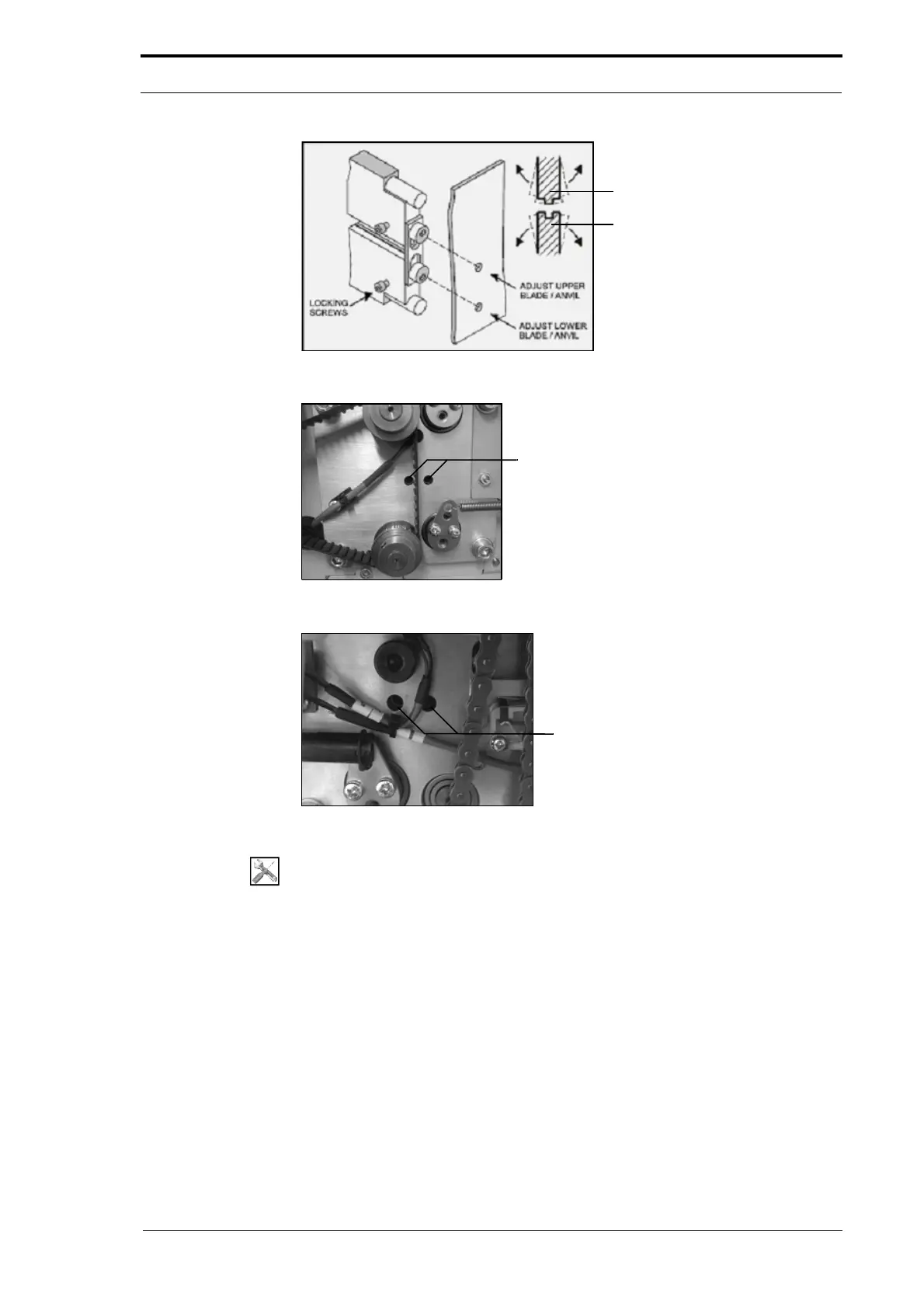
Figure 4.49 Set the Crease Blade-Set Alignment
Figure 4.50 Crease Blade Adjuster Access Holes - RH Side Plate
Figure 4.51 Crease Blade Adjuster Access Holes - LH Side Plate
Tools:
• Allen Key: 3mm, 4mm
• Paper: Calibration Sheets (170-004-01).
Before you start:
• Remove the RH side covers (See Section 4.2.5).
• Remove the bottom LH side cover (See Section 4.2.6).
• Set the MFC main input switch to the ON (I) position and let the MFC boot-up.



 To Next Page