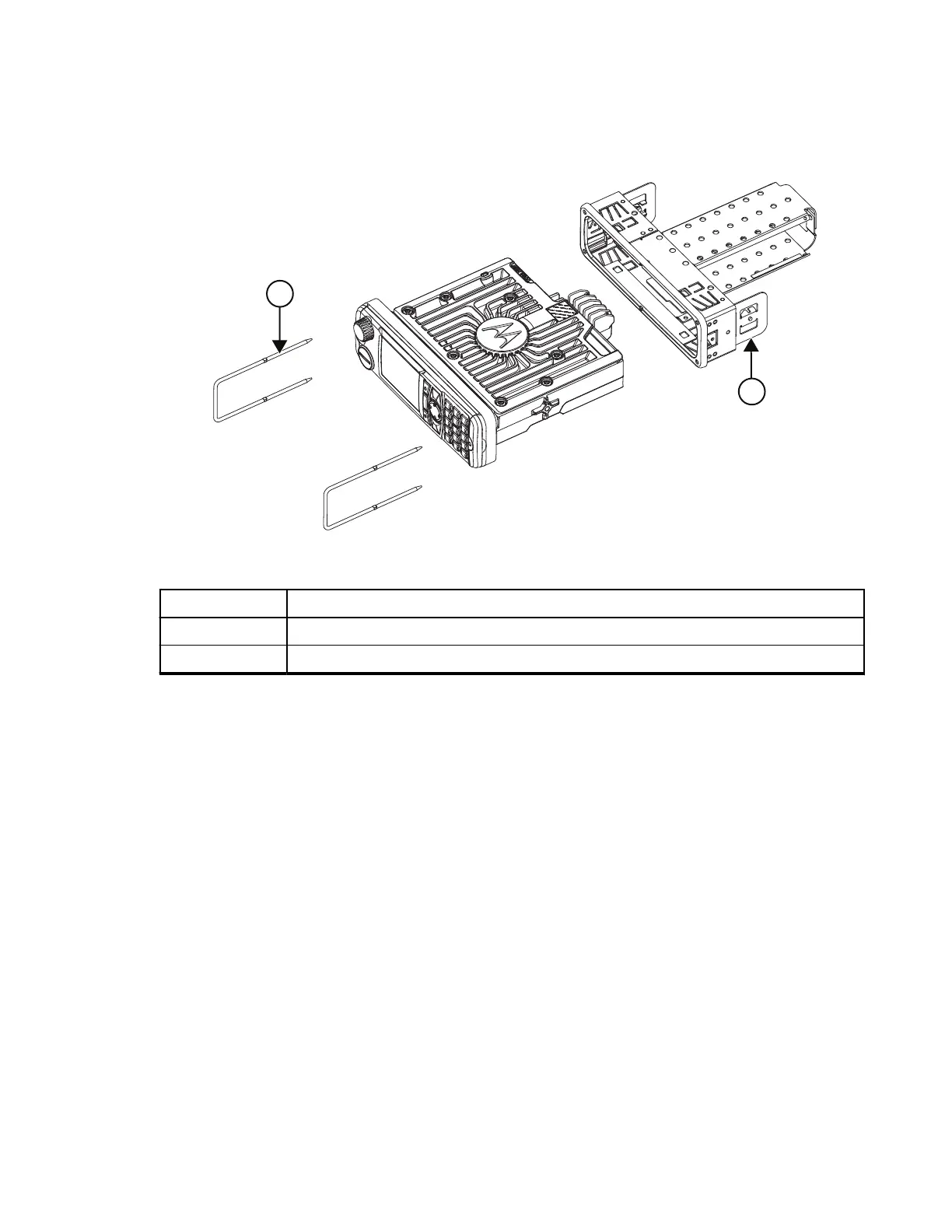
Figure 4: Radio with Mount Kit
Table 34: Radio with Mount Kit Annotations
Label Description
1 Demount Tool (8166514A01) – includes in DIN Mount Kit
2 DIN Mount Kit (PMLN5094_) – includes Demount Tool
3.1.3
Removing Your Radio from the DIN Frame
Procedure:
1. Remove both rubber side caps from the Dash Mount Control Head.
2. Insert the demount tools into the two openings.
3. Push the demount tools through the openings in the frame.
4. Slide out your radio.
MN009998A01-AA
Chapter 3: Radio Installation
39



 To Next Page