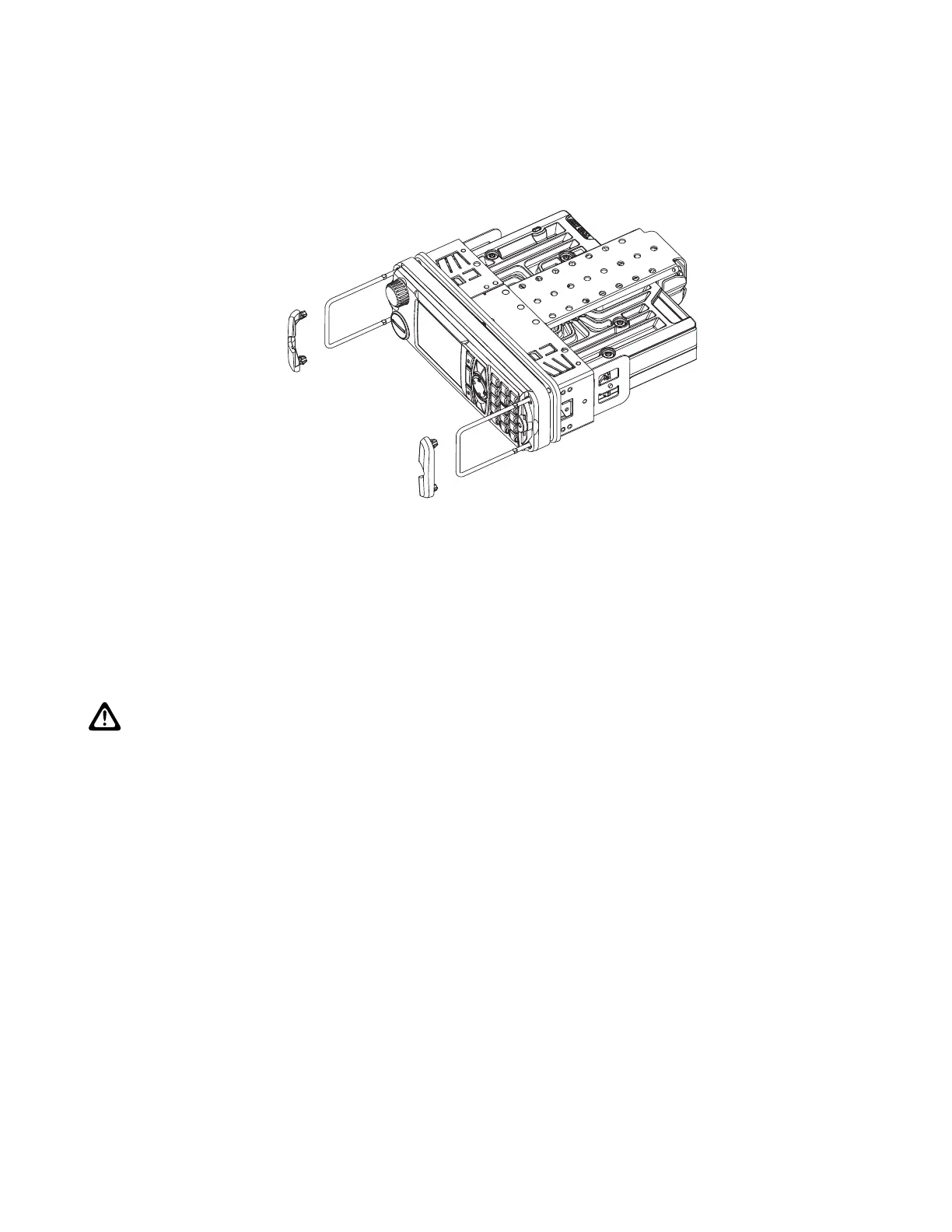
Figure 5: Radio with Demount Tools
3.2
MXM600 Desktop Installation
This section explains the Desktop Installation for the M1 model.
The Desktop Station option provides the terminal with the desk microphone, power supply with tray, or
desktop tray (optional with or without a speaker), and external loudspeaker.
CAUTION: If an outdoor antenna is used, a proper grounded Lightning Protector with Quarter-Wave
Shorting Stub must be inserted between the outdoor antenna and the transceiver antenna input. The
line voltage power supply must have a proper ground connection (see IEC61312-1). The installation
must meet the requirements of any applicable local codes and regulations.
3.2.1
Planning Desktop Installation
Only trained personnel can plan the desktop installation to ensure that the installation fulfills the regulatory
requirements, such as Electro Magnetic Compatibility (EMC) and International Electrotechnical Commission
(IEC).
Procedure:
1. Inspect the location before drilling a hole or running a wire.
2. Determine a way and a place to mount the antenna, terminal, and accessories.
3. Plan wire and cable run to provide maximum protection from pinching, crushing, and overheating.
3.2.2
Setting Up Desktop Installation
Prerequisites:
MN009998A01-AA
Chapter 3: Radio Installation
40



 To Next Page