● Ensure that line voltage power is available but the unit is not turned on.
● Ensure sufficient air flow around the terminal for adequate cooling.
Procedure:
1. Choose a flat surface when using one of the following:
● Desktop tray without speaker and external loudspeaker.
● Desktop tray with speaker.
● Power supply tray and external loudspeaker.
● Transceiver and desktop microphone with loudspeaker.
2. Ensure that the mounting surface is able to adequately support the weight of the terminal and tray.
3. In an outdoor antenna, choose a location for the terminal as close as possible to the antenna cable
inlet of the building.
4. Ensure that the installation of the surge protector is in accordance with the manufacturer specifications
and safety hints.
5. Ensure that the line power supply is grounded properly.
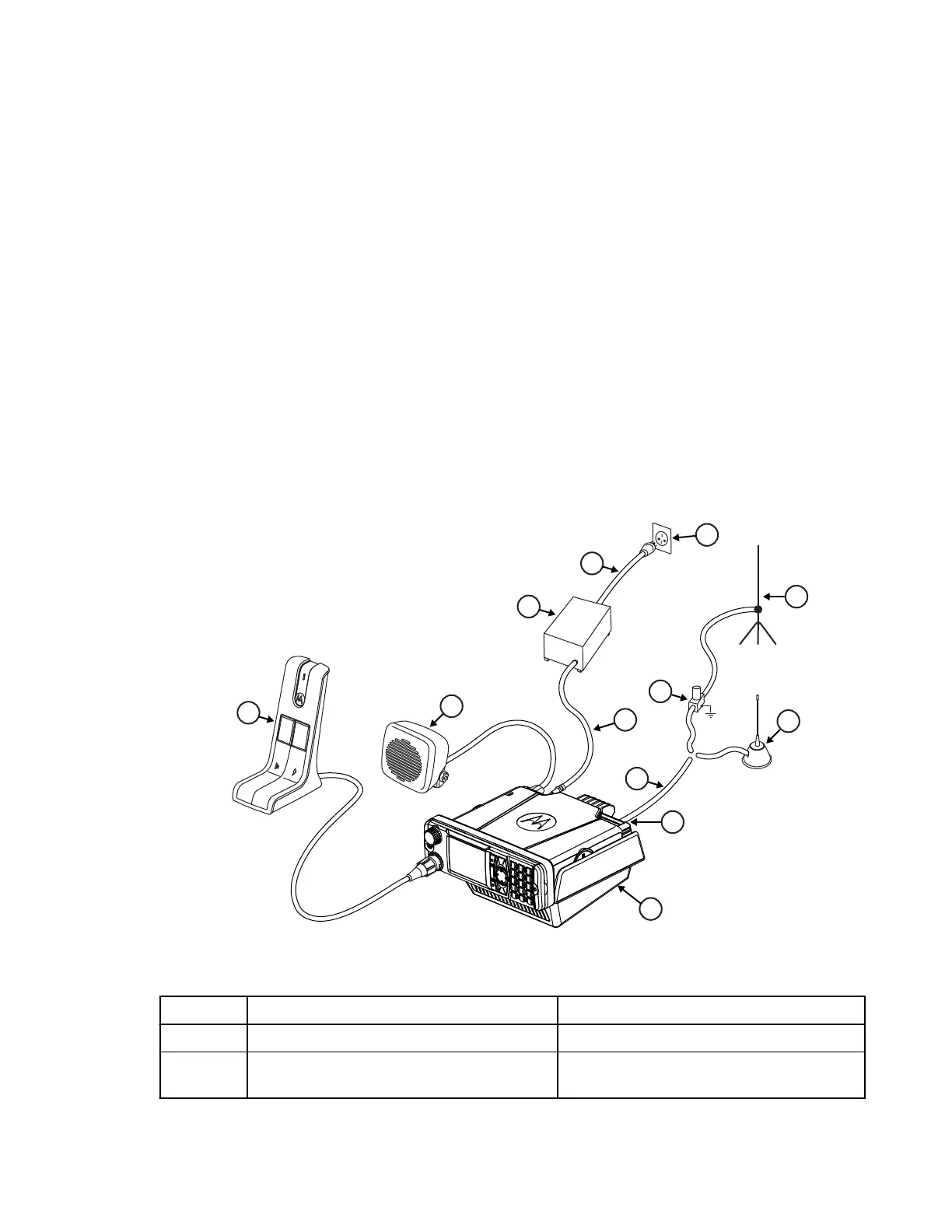
Figure 6: Typical Desktop Mounting
Table 35: Associated Components
Label Description Part Number
1 Desk Microphone RMN5106_
2 External Speaker RSN4002_, RSN4003_, RSN4004_, or
AC000240A02
MN009998A01-AA
Chapter 3: Radio Installation
41



 To Next Page