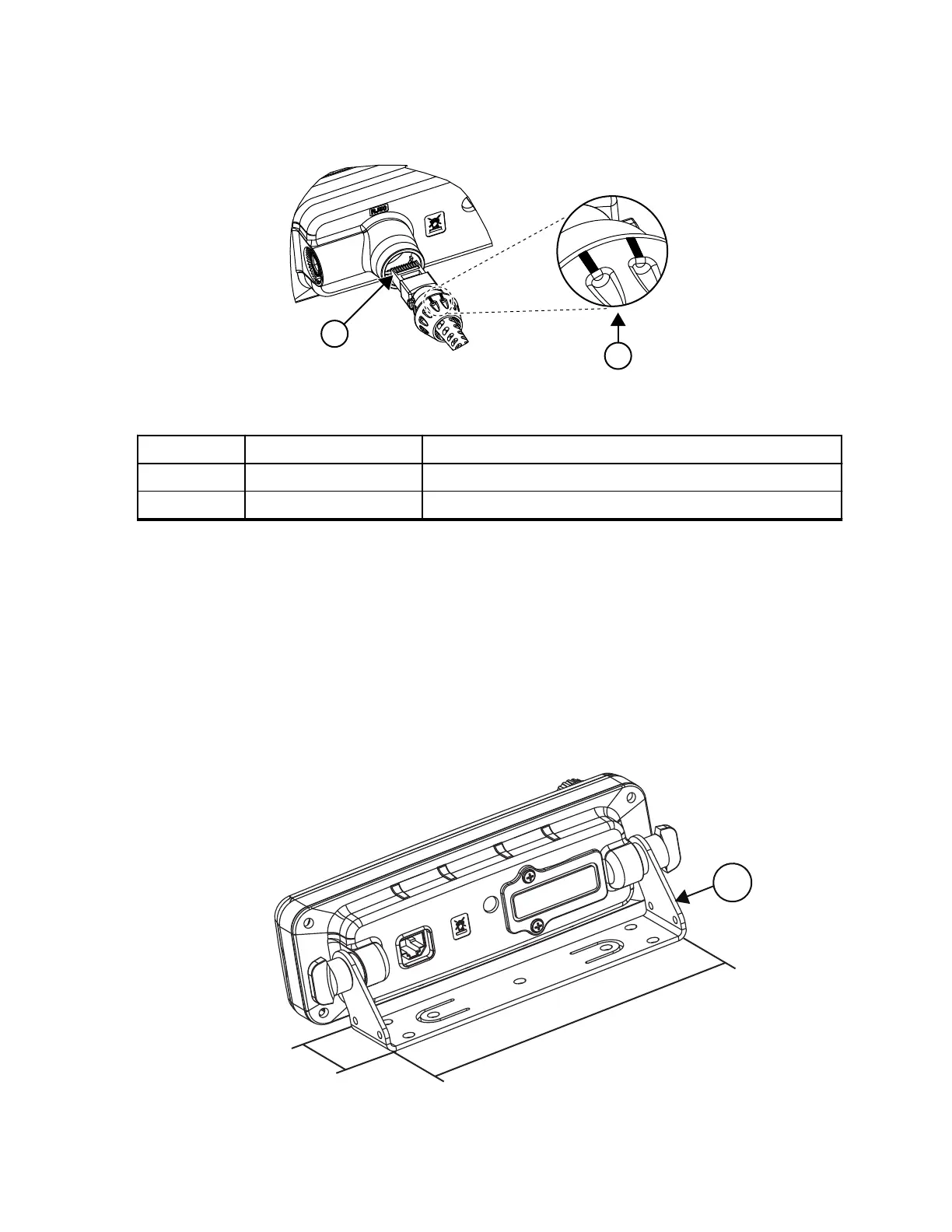
Figure 21: Connecting the RJ50 Connector to the IP67 RECH
Table 44: Associated Components
Number Item Description
1 Pin Contact Ensure that pin contact faces upwards.
2 Seal Lock Cap Seal lock cap marking must always face upwards.
3.3.3
Installing the Remote Ethernet Control Head (RECH)
onto the Remote Mount Trunnion
Procedure:
1. Slide the IP54 or IP67 RECH onto the mounting trunnion until it snaps into place.
2. Tighten the screws at both sides of the trunnion. After a few turns, tilt the control head for an optimum
view of the display. Then, complete the tightening of the screws.
Figure 22: IP54 or IP67 RECH Installation with Remote Mount Trunnion
MN009998A01-AA
Chapter 3: Radio Installation
54



 To Next Page