DCS Command System User’s Guide
Universal Locomotive & Accessory Operation
Universal Locomotive
Control
Conventional Mode
1. Wire and name tracks according to the
instructions in the Advanced Connection
Section earlier in this chapter and in the
Track Setup section of the Menu chapter.
2. Place a conventional mode locomotive
on the track connected to a Variable chan-
nel of the TIU or to a Fixed channel
being controlled by a Z-4000 remote
receiver.
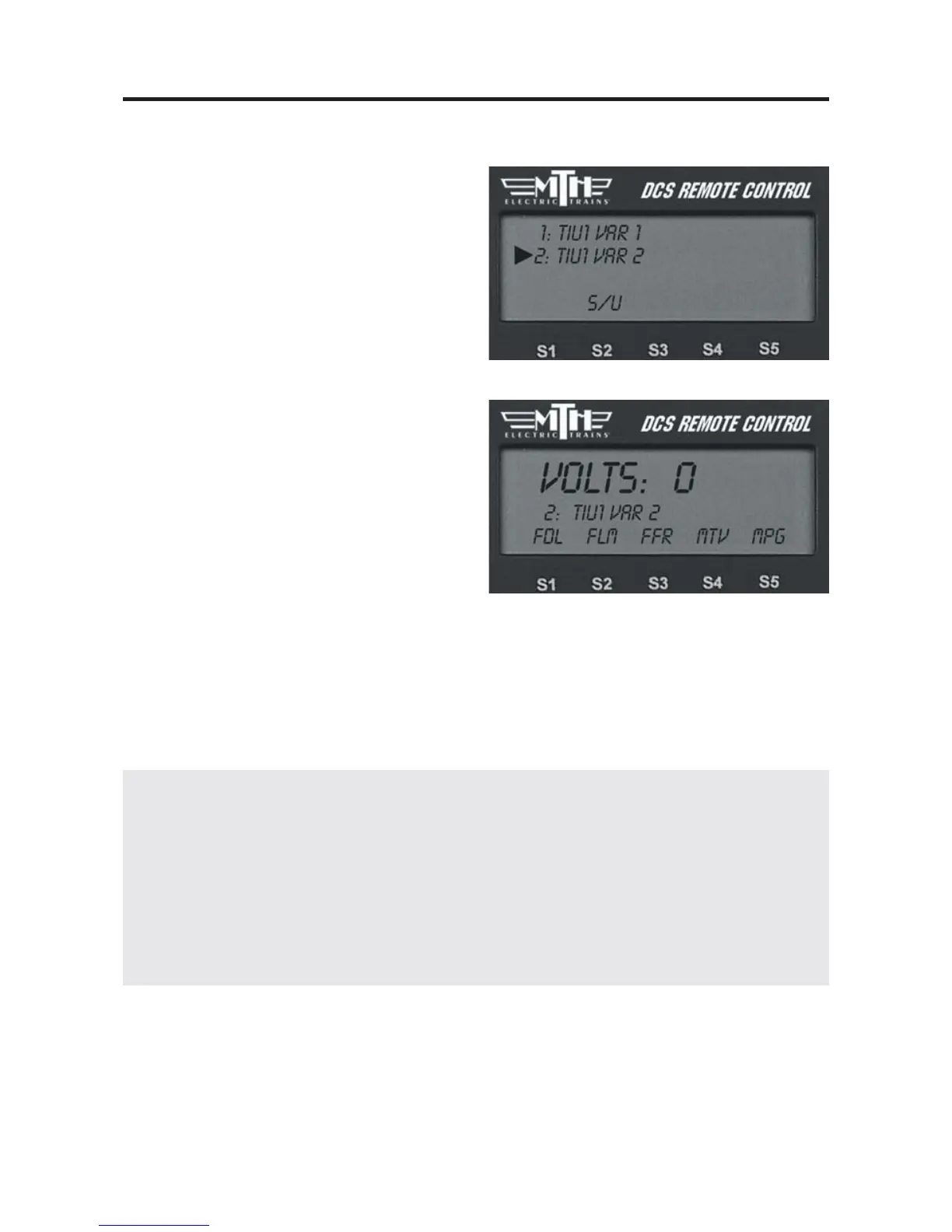
3. Press the “TR” (track) button, scroll to
the track you want to control, and press
the thumbwheel to select it.
4. Operate your engine according to its
conventional mode operating instructions,
using the DCS remote’s thumbwheel
instead of the transformer to adjust the
locomotive’s speed.
DCS Tip: To program Proto-Sound 1 engines, select the MPG softkey (S5). Scroll
through the list of programming options and press the thumbwheel to select the
option you want. The DCS system will send the power variations needed to activate
the option, and the engine will respond with the appropriate clinks and clanks.
To set a starting minimum voltage and maximum voltage for tracks connected to the
Variable channels, select the softkey under MTV and scroll to select the starting and
maximum voltages.
113



 To Next Page