89
Menu Operations - Advanced
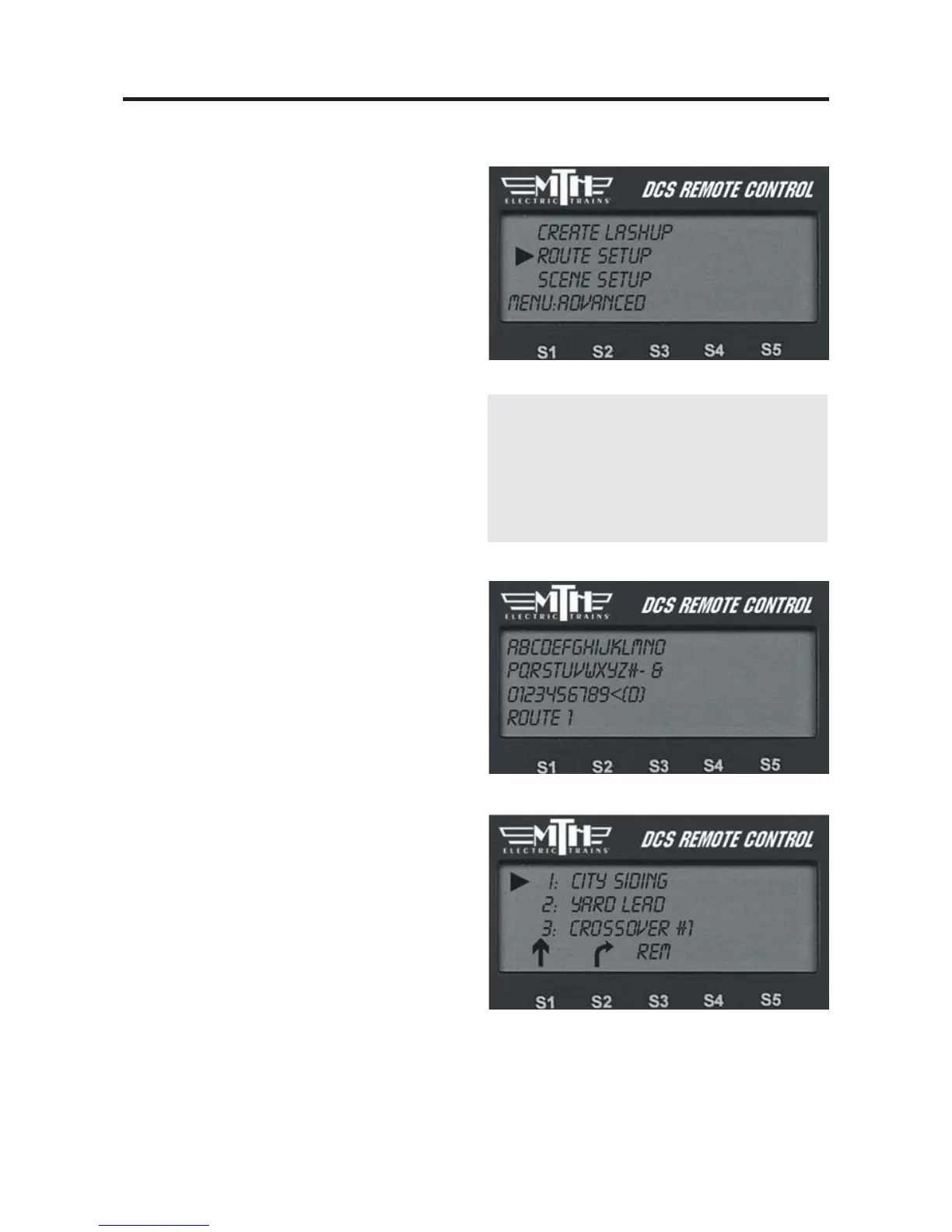
Route Setup
The Set Route feature allows you to pro-
gram all necessary turnouts to switch into
the correct position for a given route. For
instance, if you need to move an engine
from point A to point B (e.g. if you’re
switching cars in a yard), you can program
a route that will correctly position all the
turnouts along the way for you.
The DCS system allows you to set up to
15 routes per handheld, and you can con-
trol up to 250 turnouts per route. This
means that a club that operates with four
DCS handhelds, for example, can set a
total of 60 routes (15 routes for each of
the four handhelds), but that a given route
can be activated only from the handheld
into which it is entered.
Create Route
1. Name the route. An alphanumeric
character set is displayed; use the thumb-
wheel to scroll through the character set,
and when the character you want to type
next is bracketed, press the thumbwheel
to select it. You may give the route a
name up to 16 characters long. Select the
“D” at the end of the character set to sig-
nify that you are done with this function.
2. You are given a list of all the switches
entered into the DCS system. Scroll the
thumbwheel until the arrow is beside the
switch you want to add to the route and
press the position arrow (S1 or S2) to
indicate whether the turnout should
switch straight or curved when you run
the route.
Note: your TIU and turnouts must be con-
nected through an AIU for this feature to
work. See the AIU Operator’s Manual for
instructions on wiring, mapping, and naming
switches.



 To Next Page