DCS Command System User’s Guide
79
Menu Operations - Systems
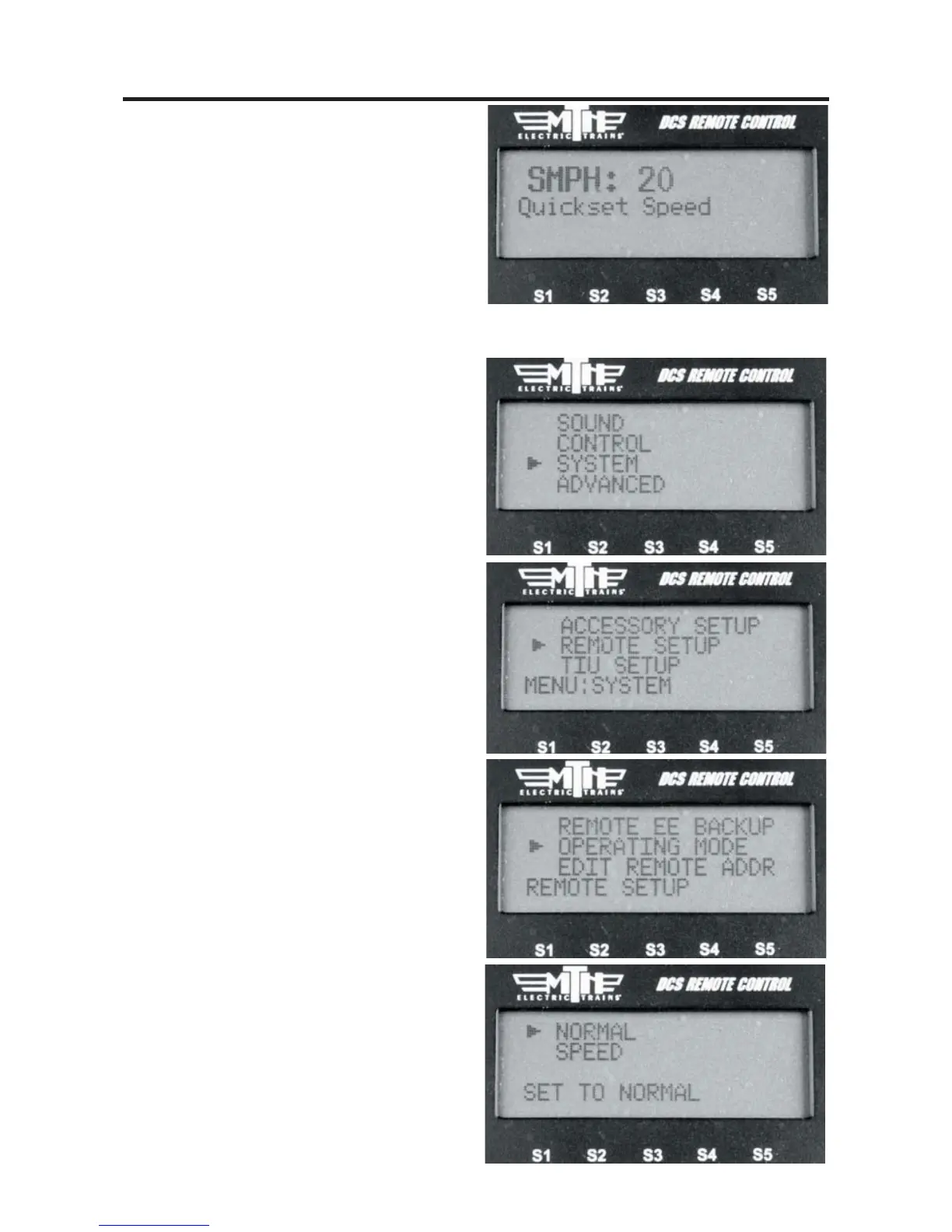
Operating Mode
This allows you to select whether you want
the DCS Remote to operate in Speed Mode
or Normal Mode. The difference is that
Speed Mode allows for much faster
response times and does not require a
response from the TIU before moving on
to the next command.
1. Press MENU
2. Select SYSTEM
3. Select REMOTE SETUP
4. Select OPERATING MODE
5. Select SPEED or NORMAL
Because Speed Mode takes advantage of
known good RF and track communication
it provides the operator with much faster
response. Speed Mode works by not requir-
ing the TIU to respond back to the Remote
for every command sent. As a result, some
functions may not work properly. They
include:
READ, Track Signal, Info
If you experience what appears to be a loss
of communication with the TIU or the
engine you may need to switch the
Operating Mode back to Normal."



 To Next Page