DCS Command System User’s Guide
Quick Start: Command Mode
Using the Remote
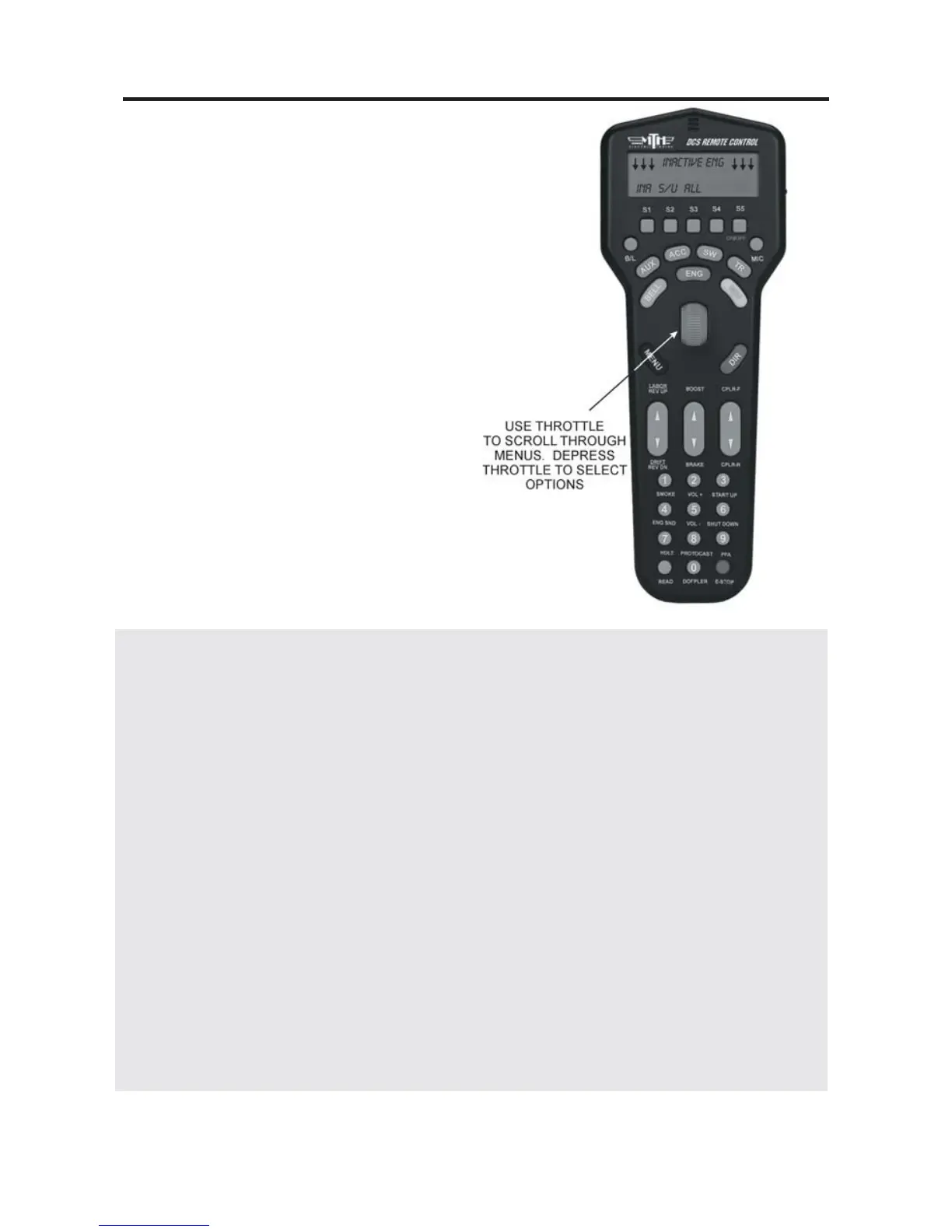
When using the thumbwheel to scroll up
and down, whether to change a locomo-
tive’s speed or to scroll through features,
you should roll gently over the thumb-
wheel; do not press too hard. The
thumbwheel is pressed down to select
and activate features, as discussed in the
“Advanced Locomotive Operation”
section.” Do not attempt to scroll and
press at the same time.
When accessing Menu functions, you will
use a combination of button presses and
thumbwheel scrolls to access and move
through menus, as described in the
“Advanced Operation” chapter.
The two Fixed and two Variable channels of the TIU are built differently and serve dif-
ferent functions, although the same DCS signal is sent to the track on all four channels.
Variable channels have internal circuitry that allows them to vary track voltage from
within the channel. That means you can vary the voltage on tracks connected to a
Variable channel from the DCS handheld. These channels are perfect for tracks on
which you want to run conventional mode engines (e.g., original Proto-Sound, PostWar,
etc.) via the DCS handheld.
Fixed channels are straight throughputs. That is, the voltage that enters these channels is
the same voltage that comes out, with no voltage variation within the TIU. These chan-
nels are ideally meant for command mode operation only. There is, however, one way to
set up Fixed tracks so that you can operate conventionally via the DCS handheld. If you
are using a Z-4000® to power tracks connected to the Fixed channels, you may set up a
Z-4000 remote receiver (Item No. 40-4002) for those throttles. The DCS handheld is
designed to communicate with the Z-4000 remote receiver, and it can vary track voltage
that way. Please see the “Advanced Wiring” section of this manual in the “Universal
Locomotive and Accessory Operation” chapter for more information about this option.
16



 To Next Page