DCS Command System User’s Guide
Menu Operations - Advanced
Edit Route
Edit Name
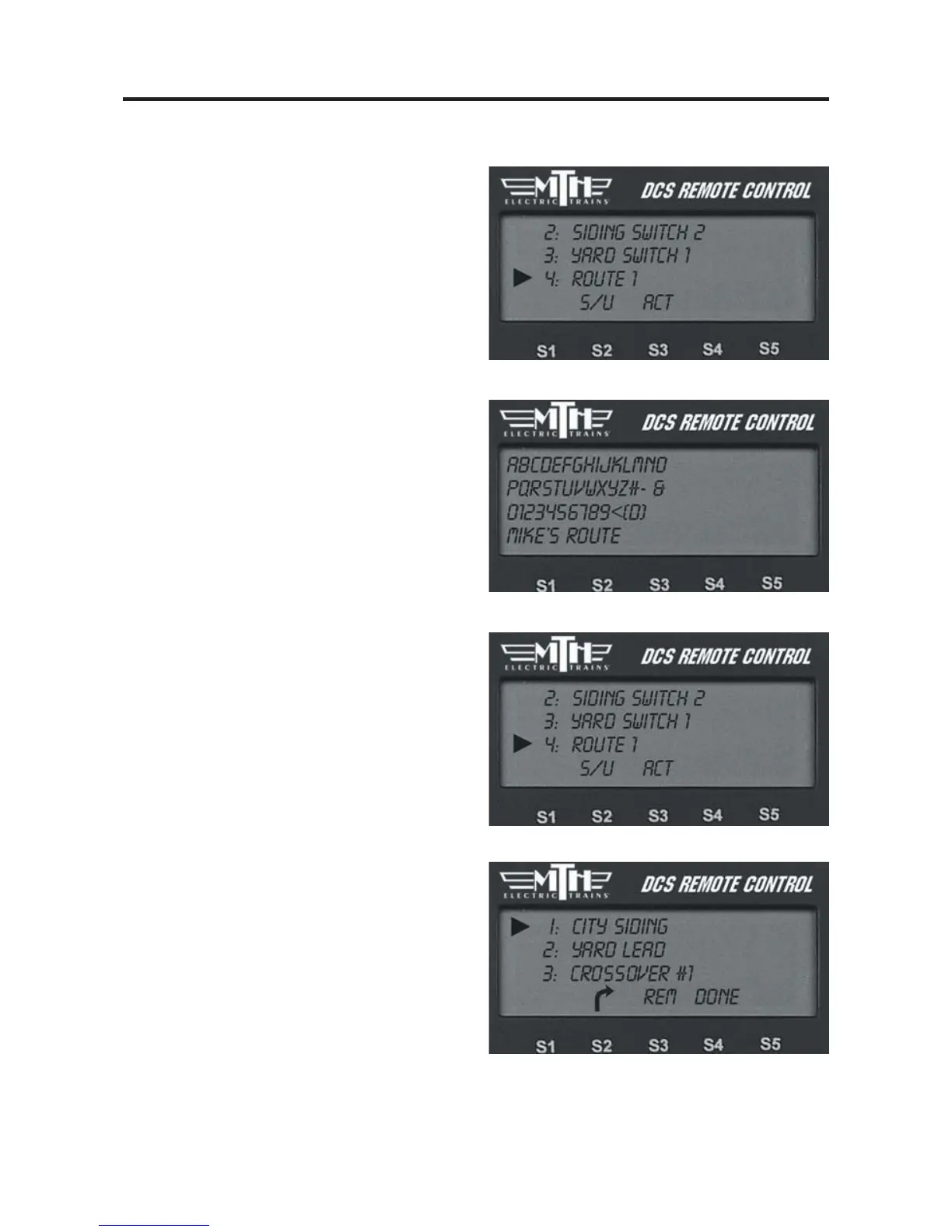
1. The LCD shows the switch list. Scroll
to the route you want to edit and press
the thumbwheel.
2. An alphanumeric character set is dis-
played; use the thumbwheel to scroll
through the character set, and when the
character you want to type next is bracket-
ed, press the thumbwheel to select it. You
may give the route a name up to 16 char-
acters long. Select the “D” at the end of
the character set to signify that you are
done with this function.
Edit Switches
1. The LCD shows the switch list. Scroll
to the route you want to edit and press
the thumbwheel.
2. The LCD will return you to the switch
list to change which switches are in that
route. To add or delete a switch from the
route select the appropriate softkey
(S1 - S3) setting you want.
3. When you have finished editing the
route, press the softkey (S4) under
DONE.



 To Next Page