DCS Command System User’s Guide
One-Touch Locomotive Operation
There are three degrees of chuff (drift, normal, labor) in steam engines and eight degrees
of diesel revolutions above idle. Your diesel’s default rev sounds depend upon how fast
it is running.
Smoke output in diesel engines increases or decreases relative to engine REV levels.
Note: Your engine’s default setting is to go into labor/drift mode automatically when the
system senses that speed has changed. As soon as you use this rocker switch, the system
is changed from Auto to Manual setting. To put the Labor/Drift setting back into Auto,
you must do it through the menu. See the System Menu/Proto Chuff section of the
“Menu Operations” chapter(s) of this manual for instructions
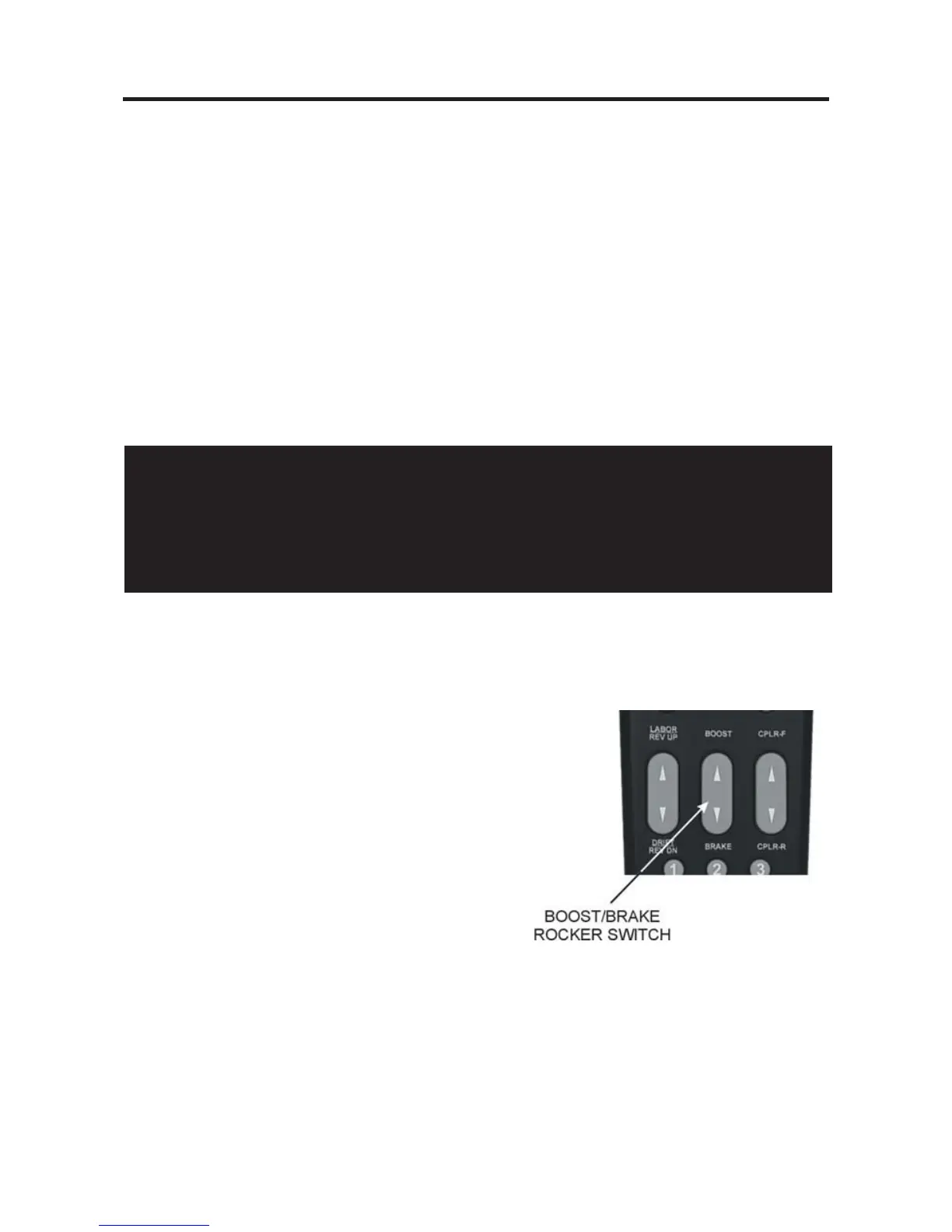
Boost/Brake:
Press and hold top end of rocker switch to
temporarily increase speed of the selected engine.
OR
Press and hold bottom end of rocker switch to
temporarily decrease speed of the selected engine
The speed will continue to change (keep getting
faster or slower) for as long as the button is
pressed, before resuming the set speed when
you release the button.
Please see Page 55 for more on Boost/Brake Operation.
26
CAUTION
Operating your engine in Labor or Rev Up mode with increased smoke output for
extended periods of time uses large quantities of smoke fluid and may cause the
wick to burn if it is not replenished. Check your smoke fluid levels more frequently
than normal if you frequently operate in labor/rev up mode.



 To Next Page