DCS Command System User’s Guide
Menu Operations - Systems
Track Setup
This menu is used to manage convention-
al mode tracks that can be controlled via
the DCS handheld. The DCS system
automatically assigns track addresses to
the tracks wired to Variable channels 1
and 2 of TIU 1. You must enter and
address Variable channel tracks from addi-
tional TIUs and Fixed channel tracks
(controlled by a Z-4000 remote receiver)
from any TIU manually, as described
below.
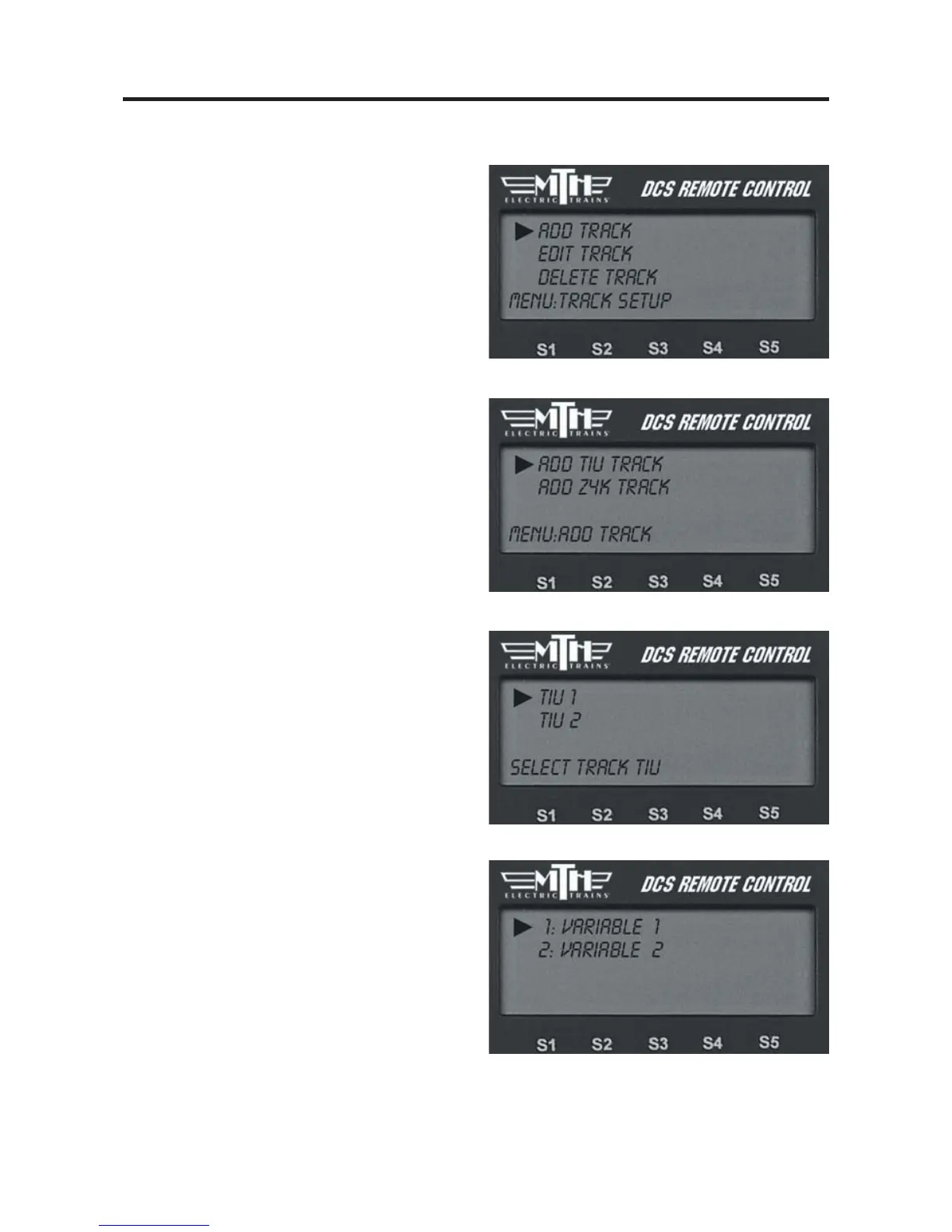
Add Track
Add TIU Track
(use for tracks wired
via Variable channels only)
1. Select the TIU connected to the track
you want to add by scrolling through the
list (TIU 1-5—there is no need to com-
plete this step if you are using only one
TIU; the system enters these tracks auto-
matically) and pressing the thumbwheel.
2. Select the track you want to add
For instructions on running a convention-
al mode engine on a Variable track, please
see the “Universal Locomotive Control:
Conventional Mode” section of the
“Universal Locomotive and Accessory
Operation” chapter.



 To Next Page