DCS Command System User’s Guide
Menu Operations - Systems
Track Setup: (cont’d)
Add Track: (cont’d)
Add TIU Track: (cont’d)
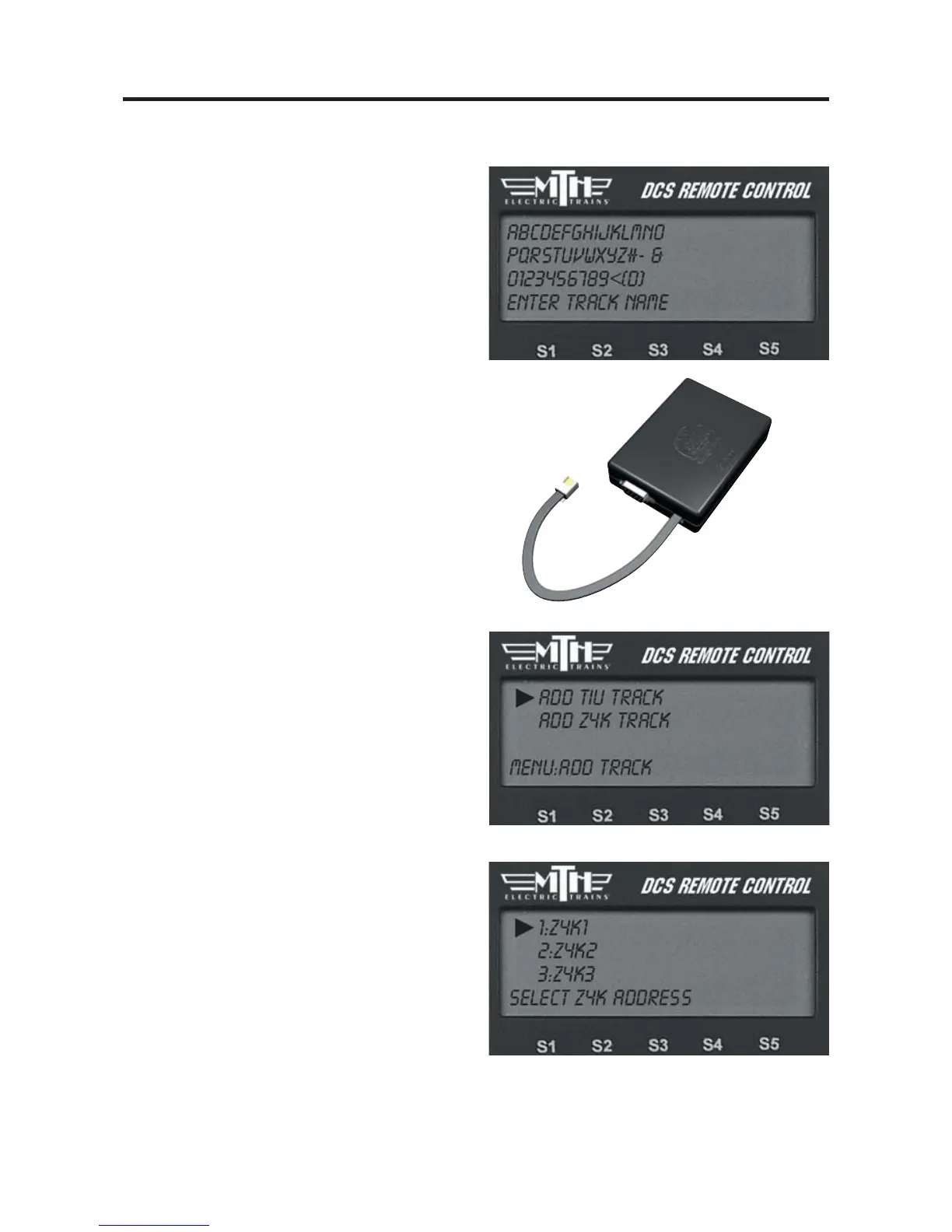
3. The LCD prompts you to name the
track, and an alphanumeric character set is
displayed. Use the thumbwheel to scroll
through the character set, and when the
character you want to type next is bracket-
ed, press the thumbwheel to select it. You
may give the track a name up to 16 char-
acters long. Select the “D” at the end of
the character set to signify that you are
done with this function.
Add Z4K Track
(use for tracks wired via Fixed channels
and controlled with a Z-4000® remote
receiver only)
1. Ensure the power to the Z-4000 trans-
former is OFF.
2. Connect the RJ-11 jack on the receiver
to the back of the Z-4000 transformer
you wish to use. There is no external
power for the receiver; it receives its
power from the transformer.
3. Go through DCS System menu/Track
Setup to reach Add Z4K Track.
4. Select Z-4000 address (Z4K1-Z4K3)
to tell the DCS handheld which Z-4000
remote receiver to address.



 To Next Page