DCS Command System User’s Guide
Menu Operations - Systems
Switch Setup
This menu is used to manage switches (turnouts) that can be controlled via the DCS
handheld. An AIU (Accessory Interface Unit, Item No. 50-1004) is required for remote
control of switches.
Add Switch
1. Wire the switch into the AIU as
shown in the AIU user’s manual and
your track’s instructions.
2. Select which TIU (if you are using
more than one), and the previously
connected AIU, to which the switch is
added to. (See the TIU Setup section
later in this chapter for how to num-
ber TIUs.)
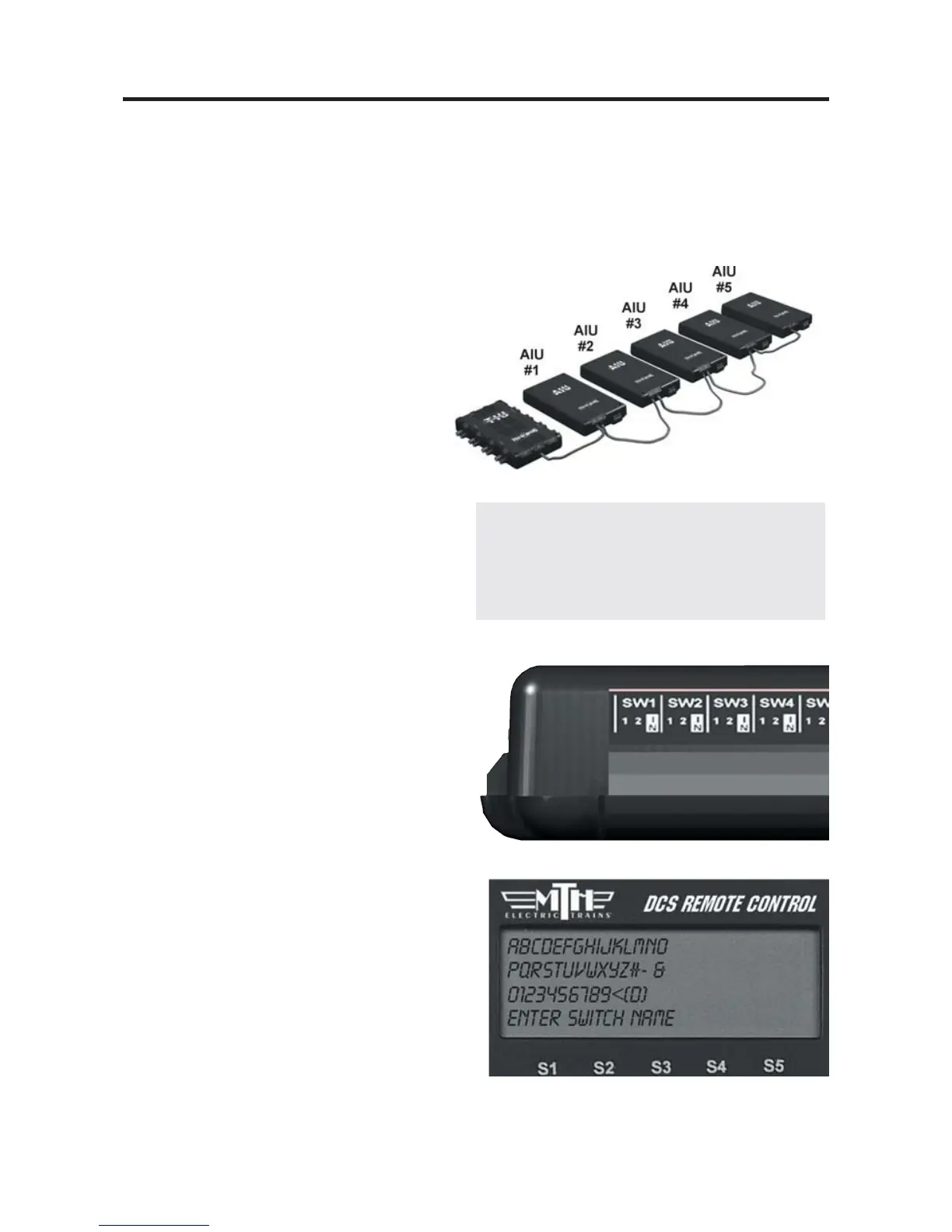
3. Select which AIU the switch is
added to. To determine the AIU’s
number, simply count out from the
TIU. For instance, if you have three
AIUs, the one connected directly to the
TIU is AIU1, the one connected direct-
ly to AIU1 is AIU2, and the one con-
nected directly to AIU2 is AIU3.)
4. Select the AIU port (SW1-SW10)
the switch is wired into.
5. The LCD prompts you to name the
switch, and an alphanumeric character
set is displayed. Use the thumbwheel
to scroll through the character set, and
when the character you want to type
next is bracketed, press the thumbwheel
to select it. You may give the switch a
name up to 16 characters long. Select
the “D” at the end of the character set
to signify that you are done with this
function.
67
Note: The LCD will only display the
number of AIUs currently connected (ie: if only
2 AIUs are connected, the display will read
AIU1 and AIU2.



 To Next Page