DCS Command System User’s Guide
Quick Start: Command Mode
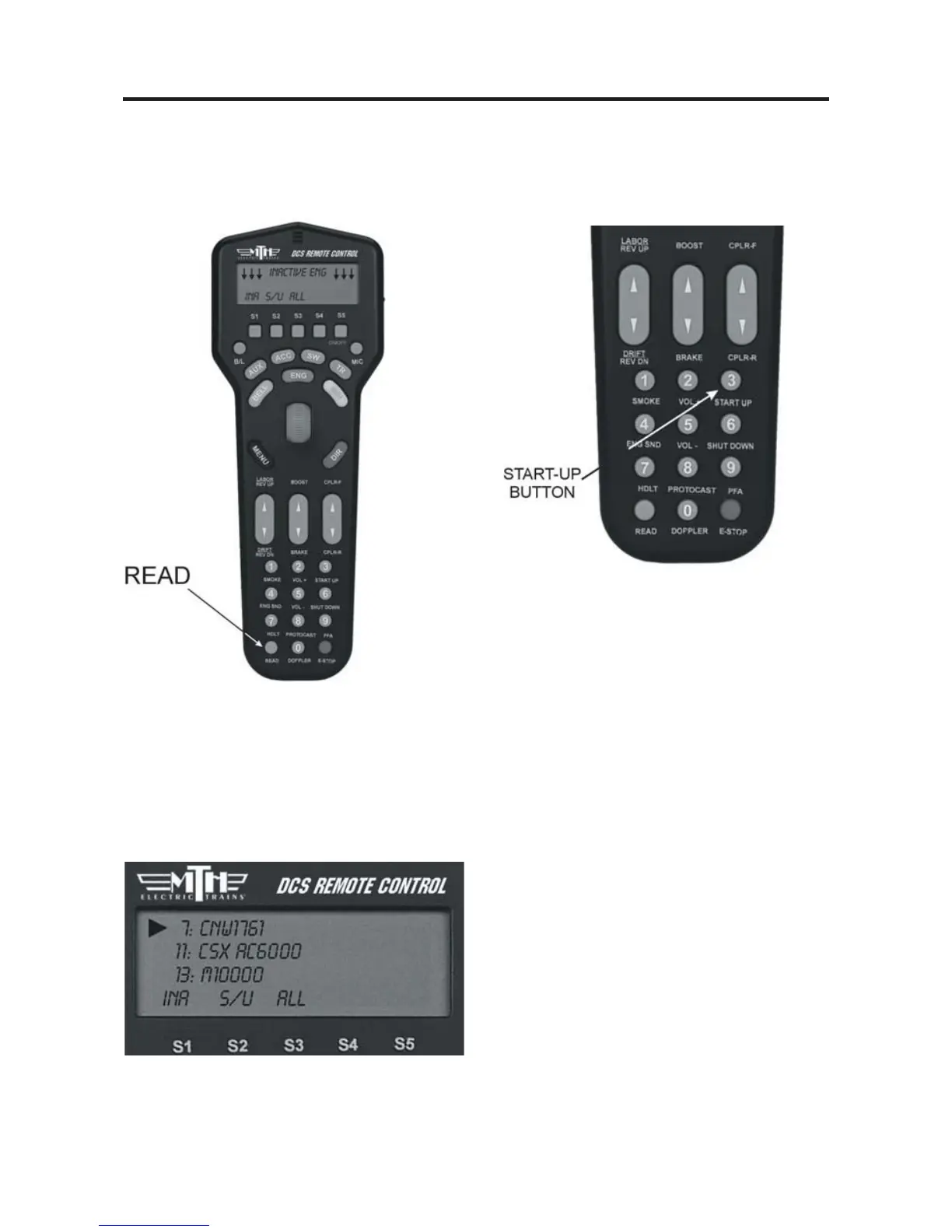
1. When all Proto-Sound 2.0 engines are
added, put the ones you want to run on
the track and press READ to put them
on the active engine list.
19
3. Press START UP (3 on the keypad)
to activate the lights and smoke and
initiate the engine start-ip sounds.
2. Press the green ENG button and
scroll the thumbwheel until the arrow
points to the engine that you want to
address. Press the thumbwheel to select
the engine.
4. Your locomotive is now ready to run.
You need to press the START UP but-
ton every time you want to run an engine
in a new session.



 To Next Page