DCS Command System User’s Guide
One-Touch Locomotive Operation
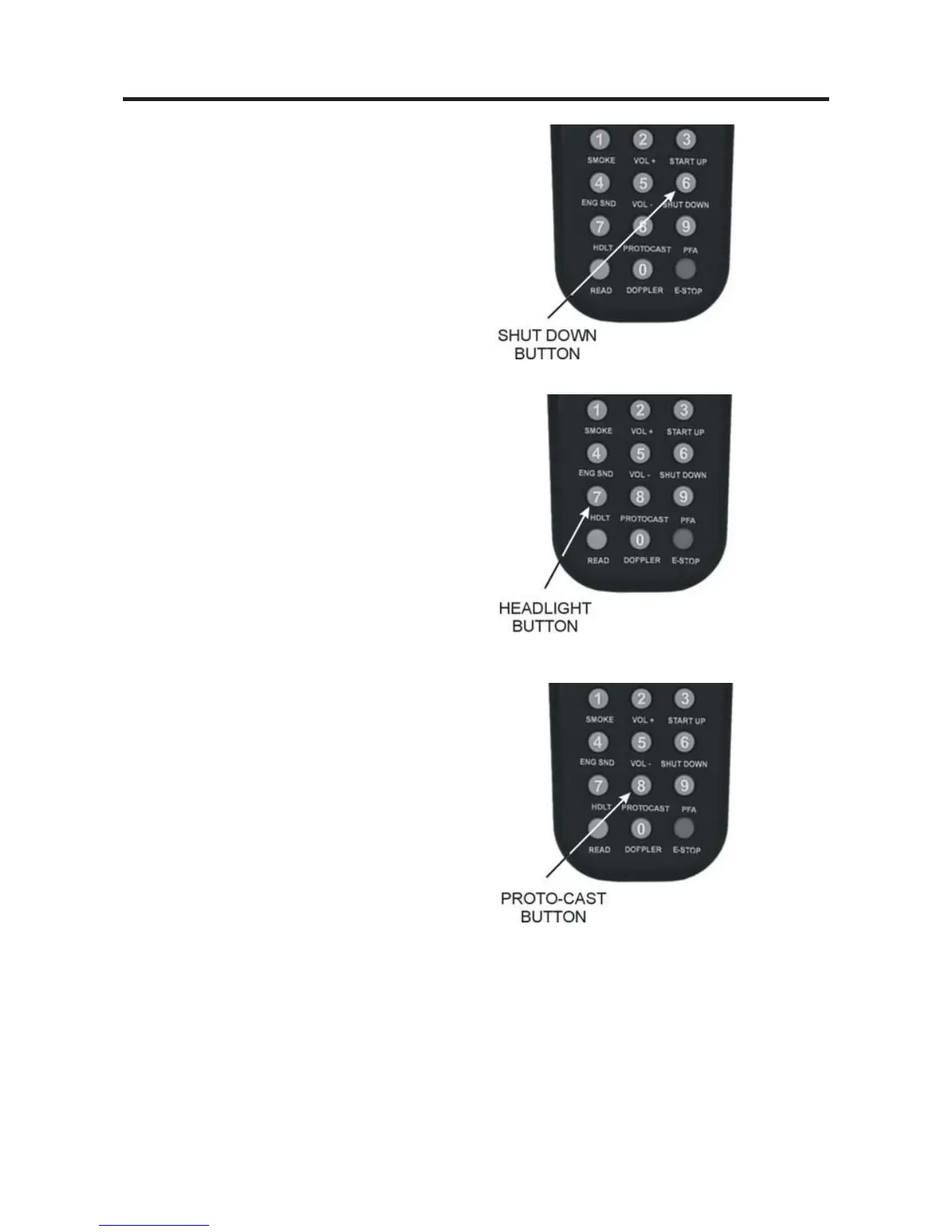
SHUT DOWN (6):
Press this button to turn off sound, smoke,
and lights in preparation for powering down
(LCD will show “Shut Down”). Shut Down
sounds will play, and the engine will fall
silent with the lights off, though it will still
move until you scroll to 0 smph. Note that
power is still on the track after shut down.
HDLT (7):
With the engine stopped, press this button
to turn headlight on and off (LCD will
show “Headlight = On” or “Headlight =
Off ”).
PROTOCAST (8):
To activate this feature, you must first
onnect an audio source to the DCS system.
1. Plug a male-to-male mini cable (1/8”
plug, like that used for the headset with a
portable CD/tape player or M.T.H. Item
No. 50-1009) first into the Proto-Cast port
of the TIU, then plug the other end of the
cable into your audio source’s headphone
jack or line-out jack.
2. Play the recording according to the audio
source’s instructions.
3. Press the “PROTOCAST” button to
play the recording through your engine.
When the Proto-Cast feature is enabled,
your regular engine sounds are silenced so
that the recording may be heard clearly. A
(C) appears on the LCD to indicate that
Proto-Cast is in use.
4. Press the button again to stop the feature
and return to normal engine sounds.



 To Next Page