DCS Command System User’s Guide
Menu Operations - Systems
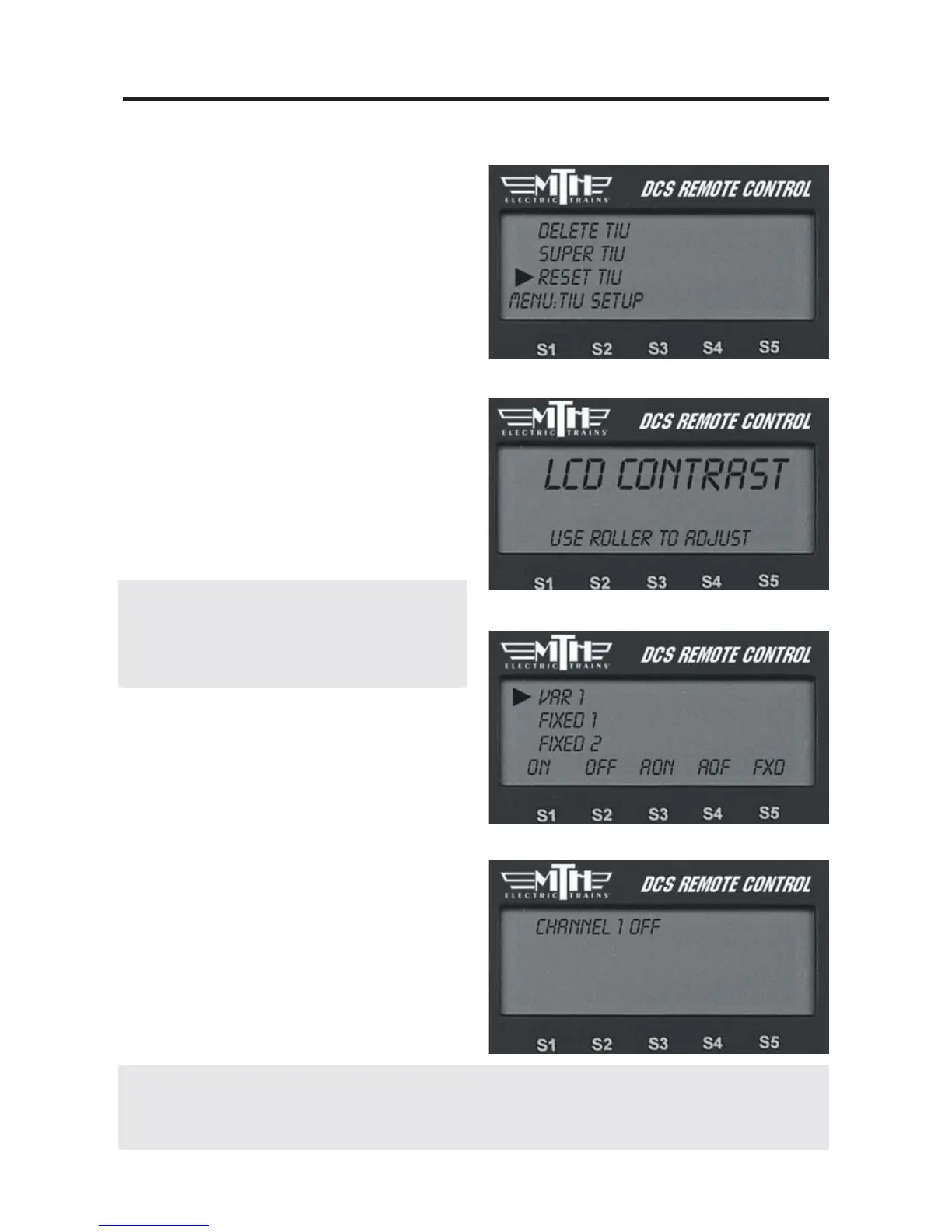
Reset TIU
Select this option to reset the TIU to its
factory default settings.
LCD Contrast
Use the thumbwheel to adjust the contrast
between the LCD background and letter-
ing, and press the thumbwheel to select.
DCS Setup
This function allows you to turn off the
DCS signal to a given channel, should you
ever choose to do so (ie: so that you can
operate a Ps2 engine as a conventional
engine).
Note: The presence of the DCS signal on the
track does not interfere with conventional or
TMCC operation, so you do not need to do this
when you run conventional or TMCC engines.
1. Select the TIU channel you want to set
up from the list shown.
2. Press the softkey under ON (S1), OFF
(S2), AON (All On) (S3), AOF (All Off)
(S4) or FXD (Fixed Output) (S5) to select
the desired setting.
3. Press the thumbwheel to confirm the
setting.
74
Note: The FXD settng allows users to configure a Variable Track as a Fixed Output track.
Whatever voltage is sent into the channel is sent out to the track. Users will not have to manually
dial up the output voltage.



 To Next Page