DCS Command System User’s Guide
Universal Locomotive & Accessory Operation
Universal Locomotive
Control
Proto-Sound 2.0 Engines in
Conventional Mode
Because the DCS remote control defaults
to command mode settings, you must tell
it when you want it to control a Proto-
Sound 2.0 locomotive in conventional
mode. Follow the steps below to operate
a conventional mode engine via the DCS
handheld.
1. Wire and name tracks according to the
previous instructions in the Track Setup
section of the Menu chapter.
2. Place a conventional mode locomotive
on the track connected to a Variable chan-
nel of the TIU or to a Fixed channel
being controlled by a Z-4000 remote
receiver.
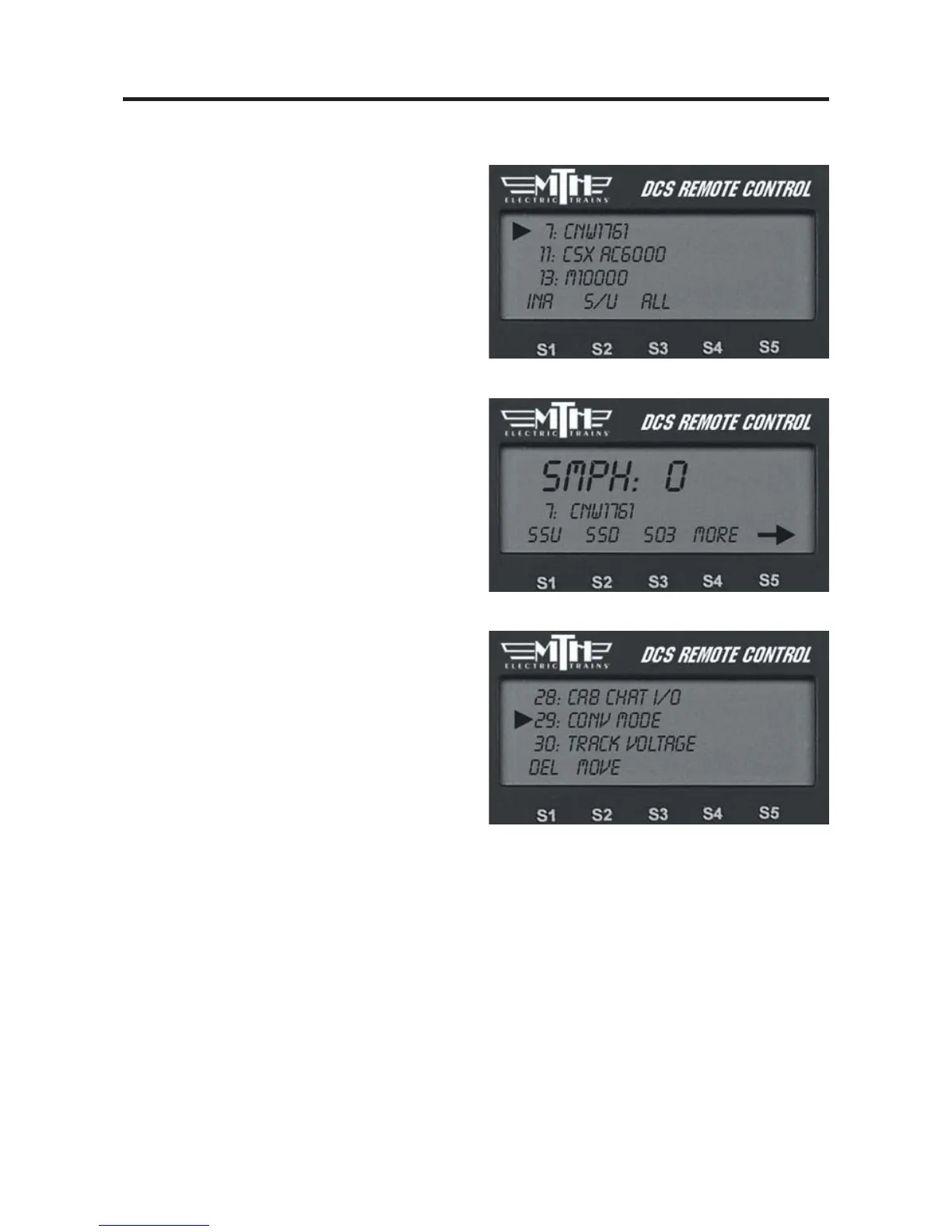
3. Select the Proto-Sound 2.0 engine you
want to operate in conventional mode.
4. Scroll through the softkey list until you
find “More” in the forth softkey screen.
Press the “More” key to access the
extended softkey list. Scroll and press the
thumbwheel to select the Conv Mode
function to put the engine into conven-
tional mode (see the chart in Appendix A).
5. Follow the conventional mode operat-
ing instructions above.
6. When you are ready to control that
engine in command mode again, re-enter
the softkey list and turn conventional
mode off.



 To Next Page