DCS Command System User’s Guide
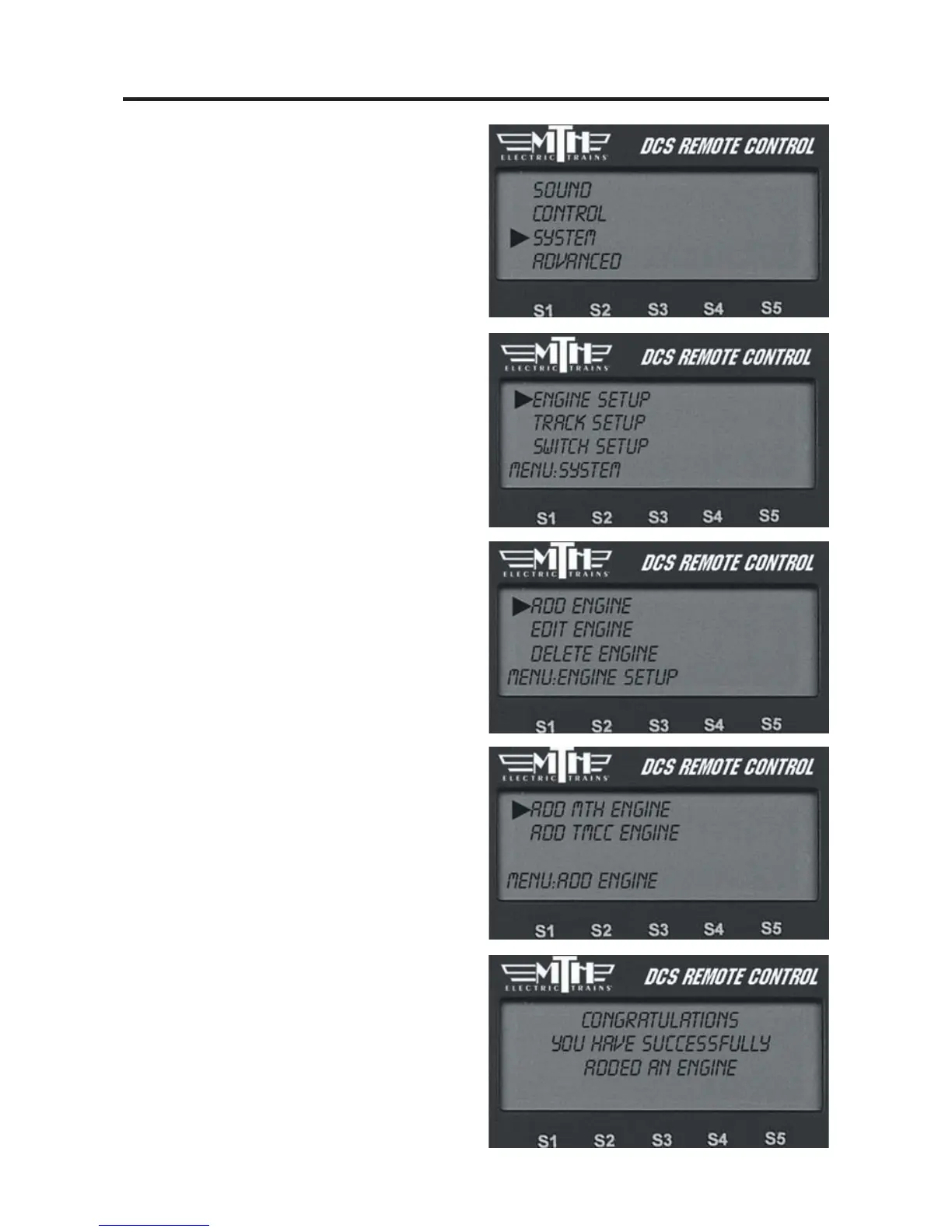
Menu Operations - Systems
System Menu:
Engine Setup
Track Setup
Switch Setup
Accessory Setup
Set Remote Address
TIU Setup
LCD Contrast
DCS Setup
Track Signal
Engine Setup
This menu is used to manage the engines
entered into the DCS system.
Add Engine
Add M.T.H. Engine
Wait until the LCD says the engine was
found and returns to the engine screen
addressing that engine. Because M.T.H.
features the SmartRead system, your
engine tells the TIU its name and you do
not need to enter any information in
order to add the engine.
If you want to add additional engines,
remove the previously added engine from
the track, place the new engine on the
track, and Add MTH Engine. You need
to complete these steps only once per
engine/handheld, when you first add it to
your system, not each time you place a
previously added engine on the track.
57



 To Next Page