DCS Command System User’s Guide
Menu Operations - Systems
Track Signal
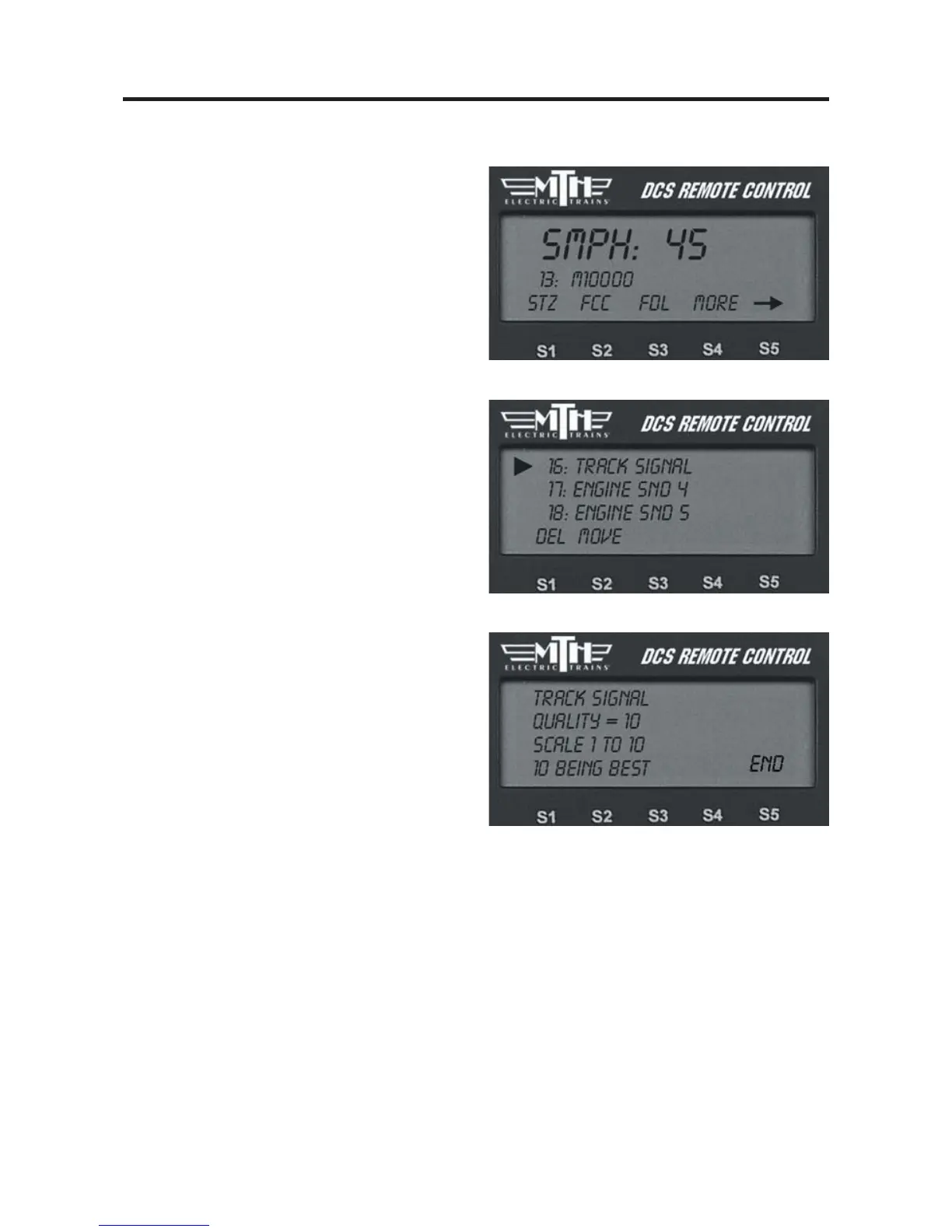
DCS allows you to test the power distri-
bution to your track, so you can find and
repair weak spots.
1. Go to the active engine list and select
the Proto-Sound 2.0 engine you will use
to test the track signal.
2. Scroll through the softkey list and
select the softkey under More.
3. Scroll down to Track Signal in the
complete softkey list.
4. After about a second the LCD will
show you the track quality in the form of
a number that gets updated once per sec-
ond. For most operations, a number of 5
or higher is strong enough to run your
layout. For especially data intensive oper-
ations, such as Proto-Cast and sound set
downloads, your may find that a higher
number is required.
5. When you are ready to stop checking
track signal and return to normal opera-
tions, press and hold the S5 softkey under
END for 1-2 seconds until the LCD
returns to the active engine screen.



 To Next Page