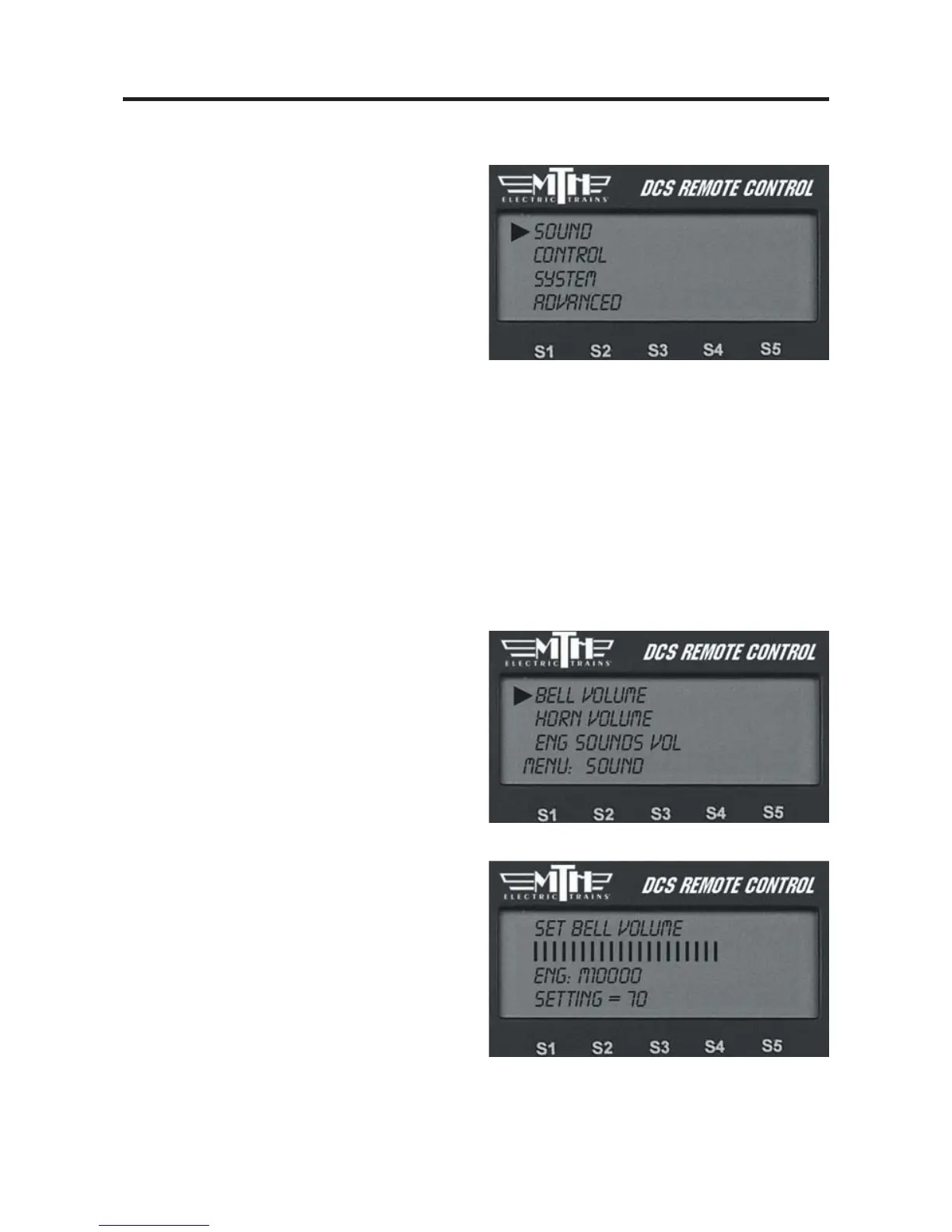
Sound Menu:
Bell Volume
Horn Volume
Engine Sounds Volume
Accent Volume
Chuff Rate
Proto Chuff
Cab Chatter
Brakes
Clickity Clack
Custom Sounds
Auto Coupler
Doppler Loop
1. Use the thumbwheel to scroll up or
down and adjust the volume. As you
change the volume, you will see the lines
of the scroll bar move to the right (loud-
er) or left (quieter), and a number on the
bottom of the LCD will tell you what per-
centage of maximum volume you hear.
You will also hear the change in the
selected sound’s volume relative to the
other engine sounds.
2. When you have chosen the desired vol-
ume, press firmly on the thumbwheel to
set that volume and return to the Sound
menu list.
DCS Command System User’s Guide
Menu Operations - Sound
38
Volume Controls (Bell, Horn, Engine Sounds, Accent)
Custom set the volume of the engine’s bell, horn, engine sounds, or accent sounds (e.g.,
passenger or freight sounds, cab chatter), independently of other engine sounds. The
selected sound will play when this feature is selected (except for Accent Sounds), so you
can hear it change volume as you make the adjustment.



 To Next Page