DCS Command System User’s Guide
Menu Operations
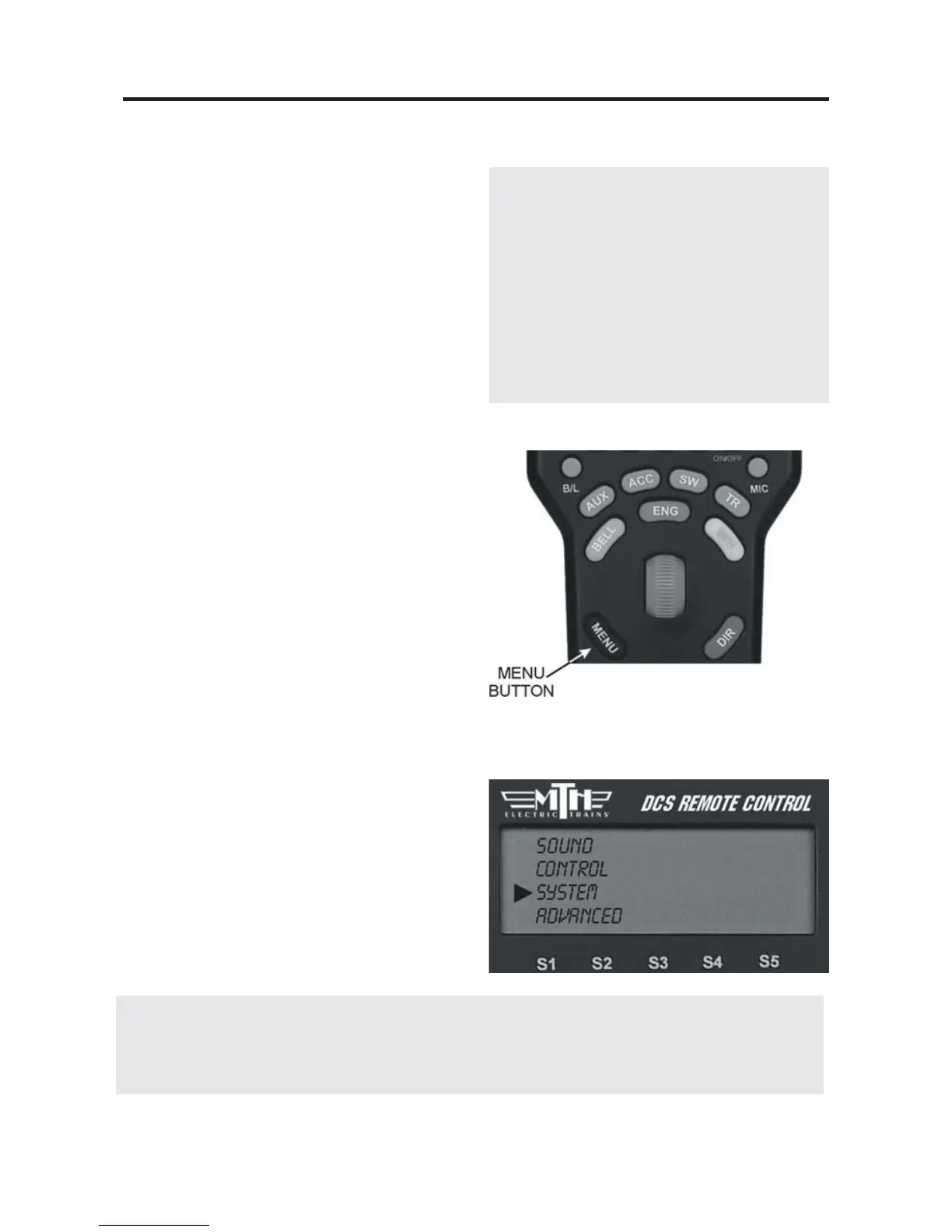
The DCS system has four menu of
advanced operational options: Sound,
Control, System, Advanced. As with all
command mode controls, the menu sets
engine-specific features only for the
engine selected when the setting is made.
Although the features are advanced, they
are easy to access and set.
1. To access the menu list, press the
Menu button.
2. Use the thumbwheel to scroll so the
small arrow is beside the menu that you
want to access, and press down firmly on
the thumbwheel to select that menu.
3. Once you are in the menu, use the
thumbwheel to scroll through the features
lists. When the small arrow is beside the
desired feature, press firmly on the
thumbwheel to select.
4. Activate (or turn off) individual features
as described below.
37
DCS Tip: You can back out of a menu level at any time by pressing Menu to move
back one level at a time. To escape instantly to normal control, press ENG, ACC,
SW, or TR to return to that screen.
Menu settings are stored within the
engine. That means that a setting, such
as chuff rate or smoke volume, that is
selected in command mode remains at
that setting even on other layouts or in
conventional mode. If you will be oper-
ating in conventional mode later, be sure
to adjust all settings as you want them
before you leave DCS.



 To Next Page