DCS Command System User’s Guide
Menu Operations - Sound
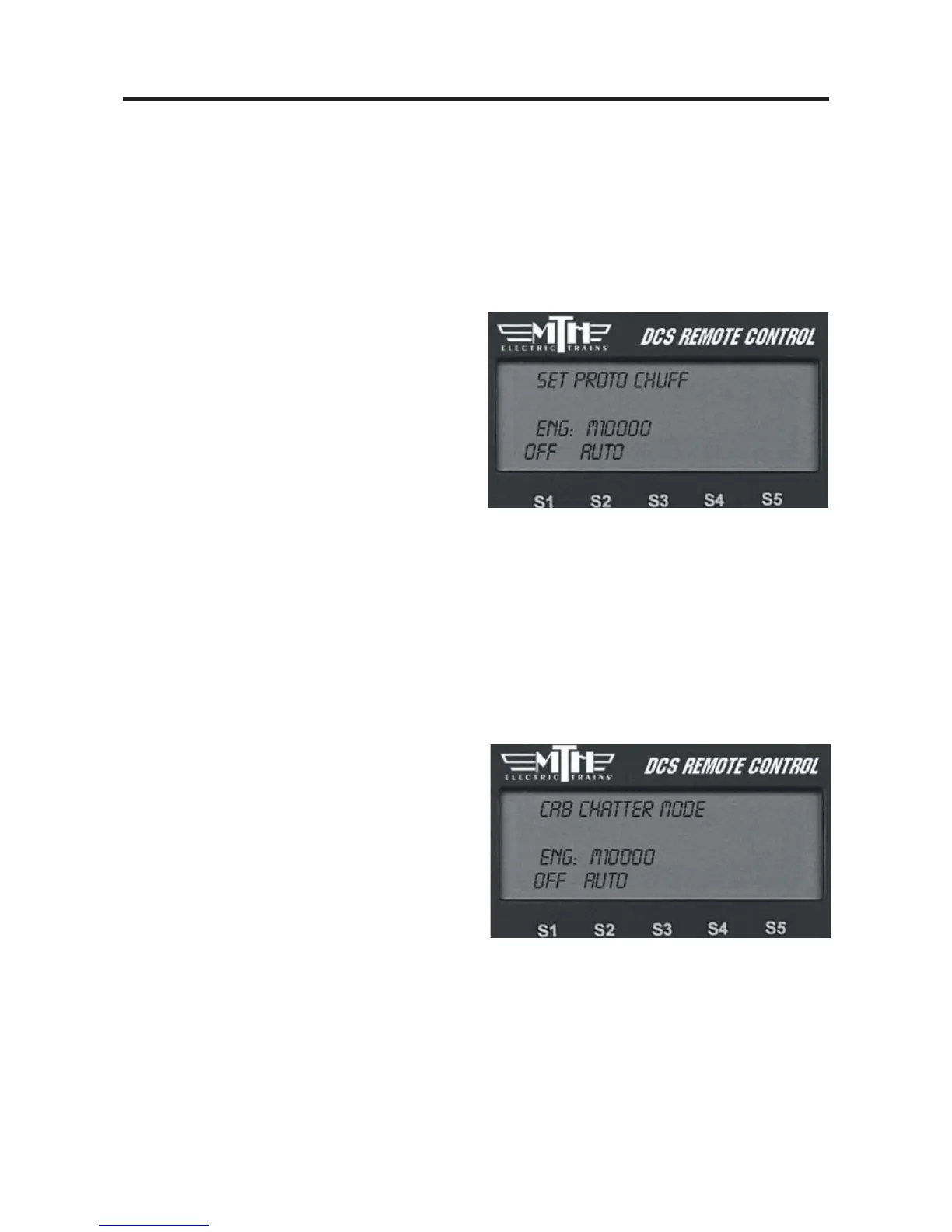
Proto Chuff
Enable or disable automatic triggering of the engine’s Labor/Drift settings. Your engine
can be programmed to shift automatically into Labor/Rev Up (labored steam chuffing or
higher diesel revs and higher smoke output) when it senses an increase in speed or to go
into Drift/Rev Down (drift steam chuffing or lower diesel revs and lower smoke output)
when it senses a reduction in speed.
-
If you prefer that your engine not make
these changes, press the softkey under
“Off ” on the LCD.
-
To allow your engine to make these
automatic adjustments, press the softkey
under “Auto” on the LCD.
Press firmly on the thumbwheel to con-
firm the selection and return to the Sound
menu list.
Use of the one-touch LABOR REV UP/DRIFT REV DN rocker switch on the handheld over-
rides this menu setting. You will need to re-set it to Auto after exercising manual control.
Cab Chatter
When enabled, Cab Chatter (conversation among the cab crew) plays at random intervals
when the engine is stopped.
-
To disable cab chatter from playing, press
the softkey (S1) under the word “OFF.”
OR
-
To enable cab chatter, press the softkey
(S2) under the word “AUTO.”
Press firmly on the thumbwheel to confirm the selection and return to the Sound menu
list.
41



 To Next Page