DCS Command System User’s Guide
Menu Operations - Sound
Custom Sounds
With DCS, you can record short sounds of your own making (the kids singing “Happy
Birthday,” a recording made from a scanner alongside a railroad yard, or a prototype
recording of a whistle you especially like) for playback through an engine’s speakers. The
sounds are captured inside the DCS TIU not the locomotive. This allows playback of
the sounds through any Proto-Sound 2.0 equipped locomotive when operating in
Command Mode.
There are 2 minutes and 54 seconds of
sound space available (broken down into 15
11-second blocks) in each TIU. You can
record multiple sounds of any length, as
long as the total time recorded does not
exceed 2:54. You can record or download
the sounds into your TIU, then play or erase
sounds at will.
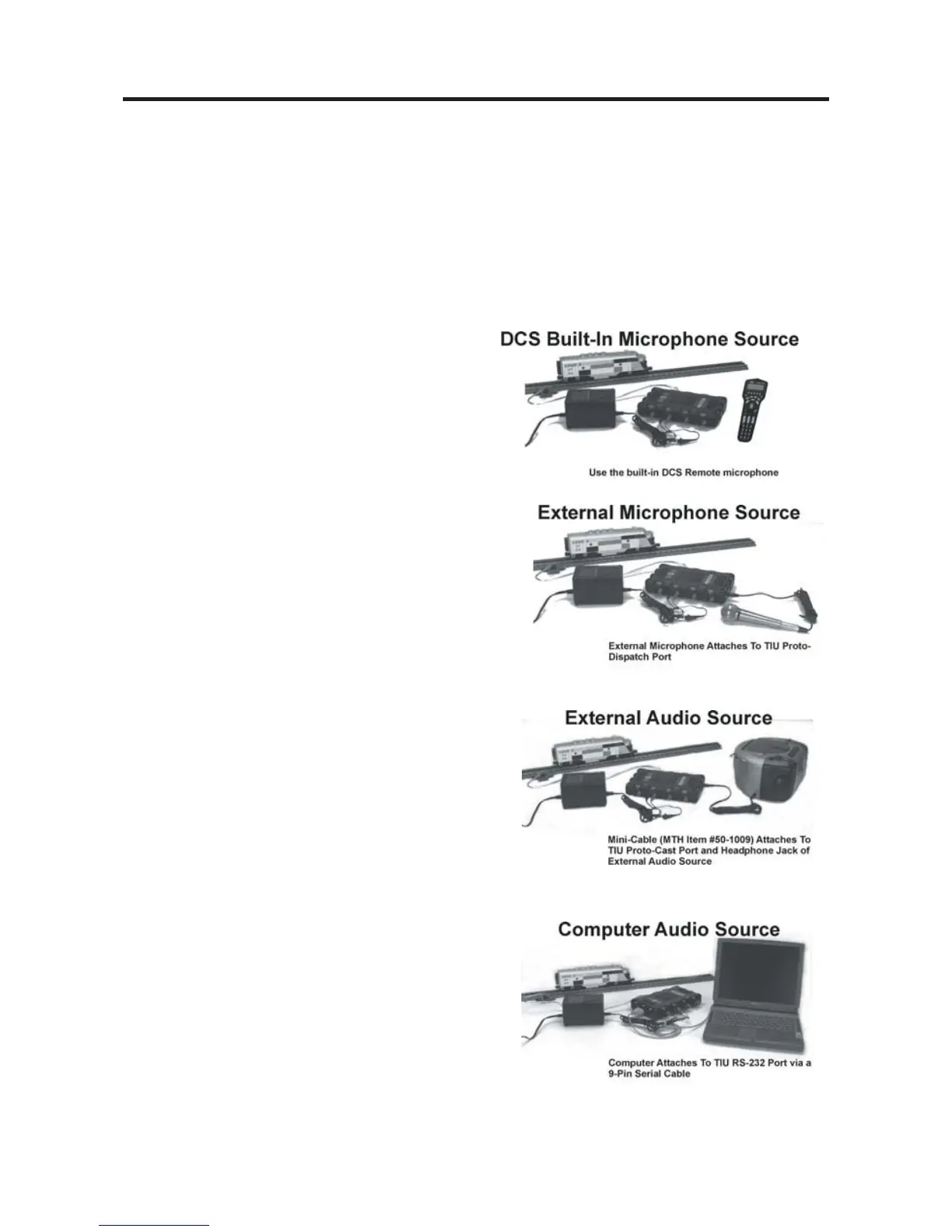
In order to add custom sounds into the
TIU, you will need to connect the TIU to an
audio source. You have four choices of
audio sources;
1. The Proto-Dispatch microphone built
into the DCS Remote (designated as
Dispatch)
2. An External Microphone plugged into the
microphone input on the TIU (designated as
Microphone)
3. An External Music Source (like a CD or
tape player) connected to the TIU via a
1/8” mini-to-mini cable (designated as
Audio Jack)
4. Sounds already loaded onto a personal
computer via a 9-pin computer serial cable
attached to the TIU and PC (designated as
PC - requires spec.



 To Next Page