DCS Command System User’s Guide
78
Menu Operations - Systems
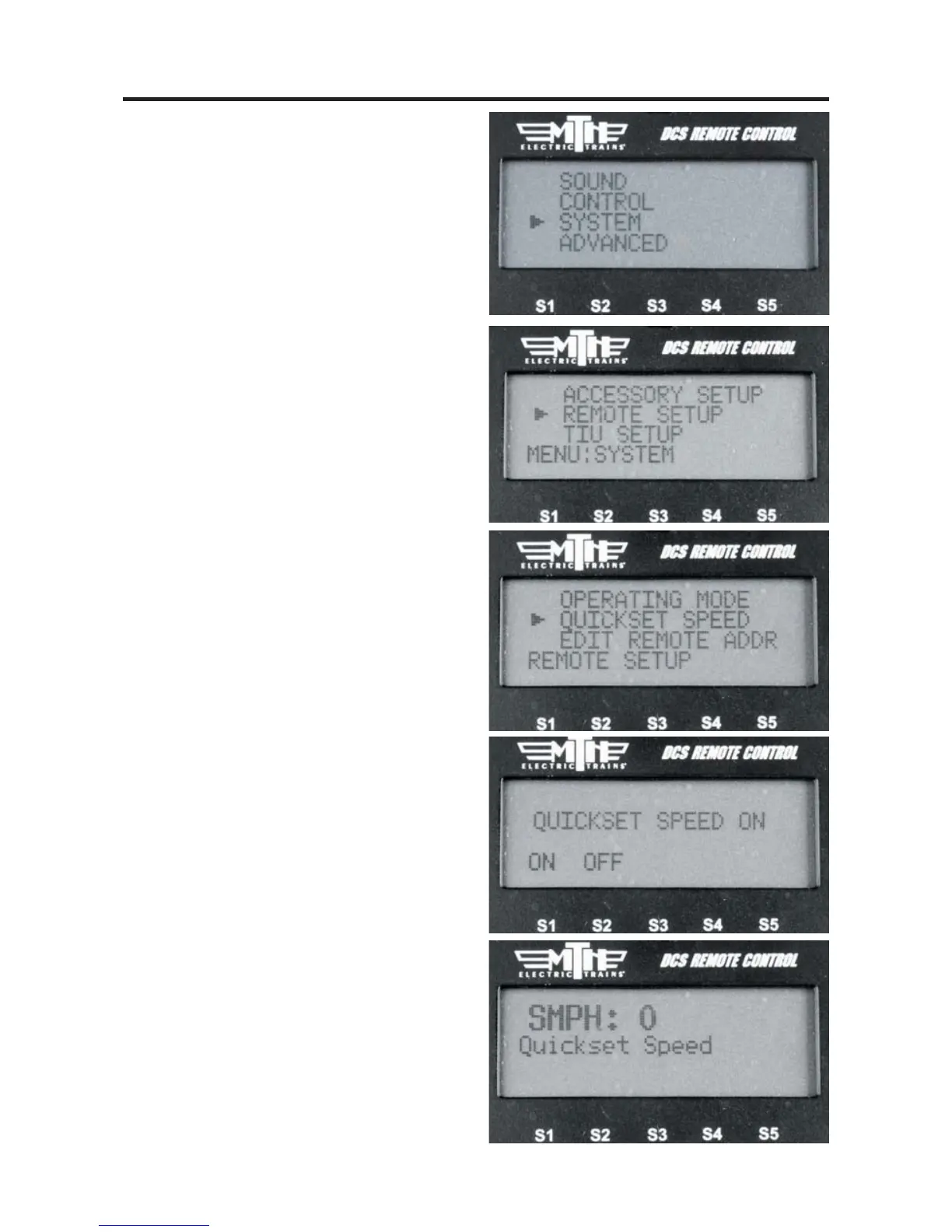
Quickset Speed
Press the thumbwheel, enter a desired
speed on the keypad, then press the
thumbwheel again. Your engine will
smoothly accelerate or decelerate to that
speed setting. Observe speed restrictions
on your railroad like a real engineer!
1. Press MENU
2. Select SYSTEM
3. Select REMOTE SETUP
4. Select QUICKSET SPEEED
5. Select ON or OFF
6. When ON is selected you are able to
send any speed you want to an engine
quickly.
7. Press the ENG button and then select
a DCS-equipped engine from the list.
8. Press down on the thumbwheel (Select)
and you will see the display change to
indicate “QUICKSET SPEED”.
9. Using the numeric keypad enter the
speed you want that engine to go.
10. Press the thumbwheel down again
(Select) and you will see your engine
moving at the speed you selected.



 To Next Page