DCS Command System User’s Guide
One-Touch Locomotive Operation
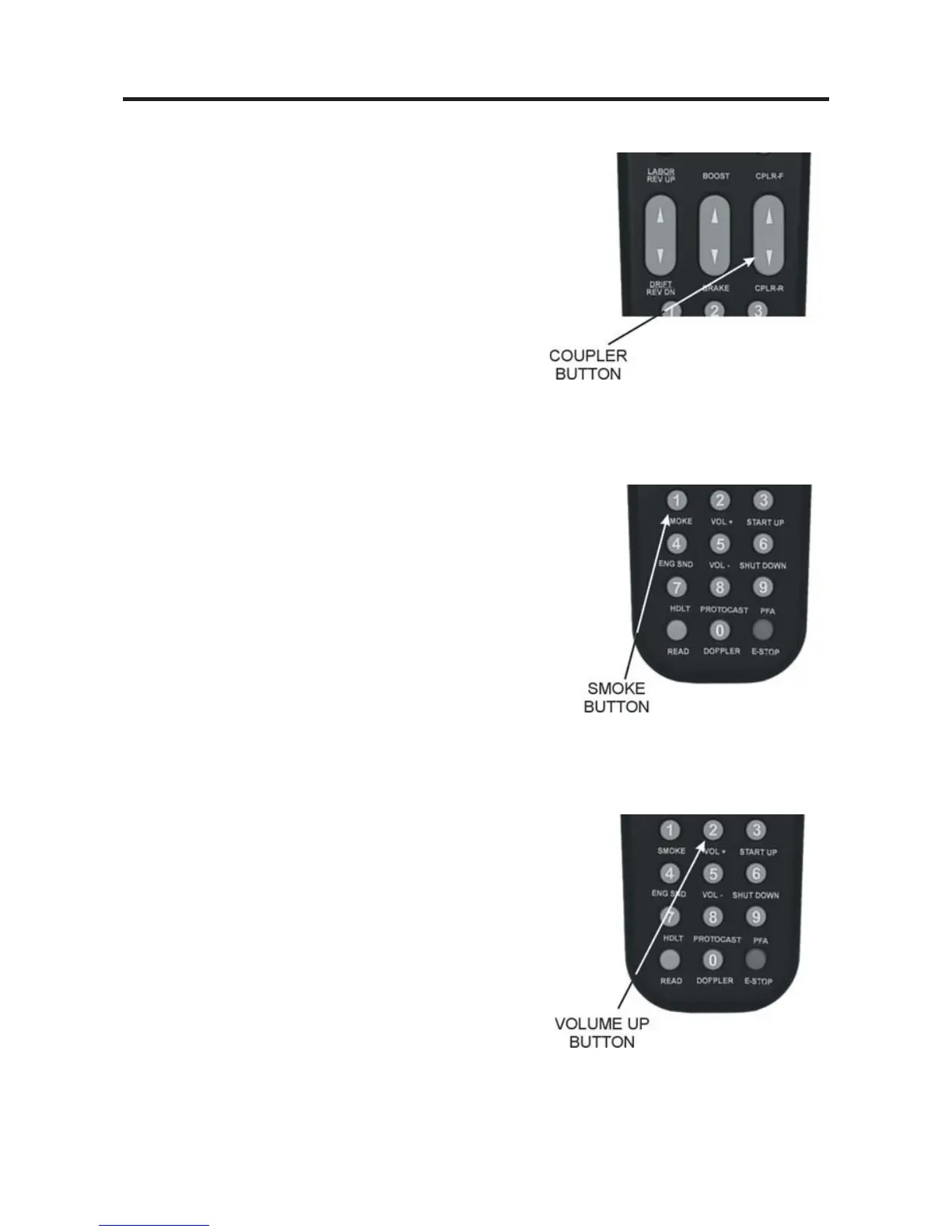
CPLR-F / CPLR-R:
Press top end of rocker switch to fire the front
coupler (if your locomotive is equipped with one)
OR
Press bottom end of rocker switch to fire the rear
coupler
When engine sounds are on, coupler release sounds
will play as the coupler is fired.
SMOKE (1):
Press this button to turn the smoke unit on or off
(LCD will show “Smoke = On” or “Smoke = Off ”).
Because of the way the smoke unit works, it may
take a few seconds after pushing the button before
you see the smoke start or stop.
For instructions on setting the smoke density level (to mini-
mum, medium, or maximum), please see the Control Menu in
the “Menu Operation” chapter of this book.
VOL + (2):
Press this button to increase all sound set volumes
above the default settings, up to the maximum level
allowed for the selected engine (LCD will show
“Master Volume Up”). The volume will increase one
level with each button push (until you reach the max-
imum level) and will remain at the level you set until
you press Vol- (5) to lower volume.
To control the volume of individual elements of the sound set
(i.e. horn/whistle volume, bell volume, engine sounds volume,
and accent sounds volume), see the “Sound” menu in the
“Menu Operation” chapter of this book.
27



 To Next Page