DCS Command System User’s Guide
Menu Operations - Systems
Switch Setup: (cont’d)
Edit Switch
Switch Name
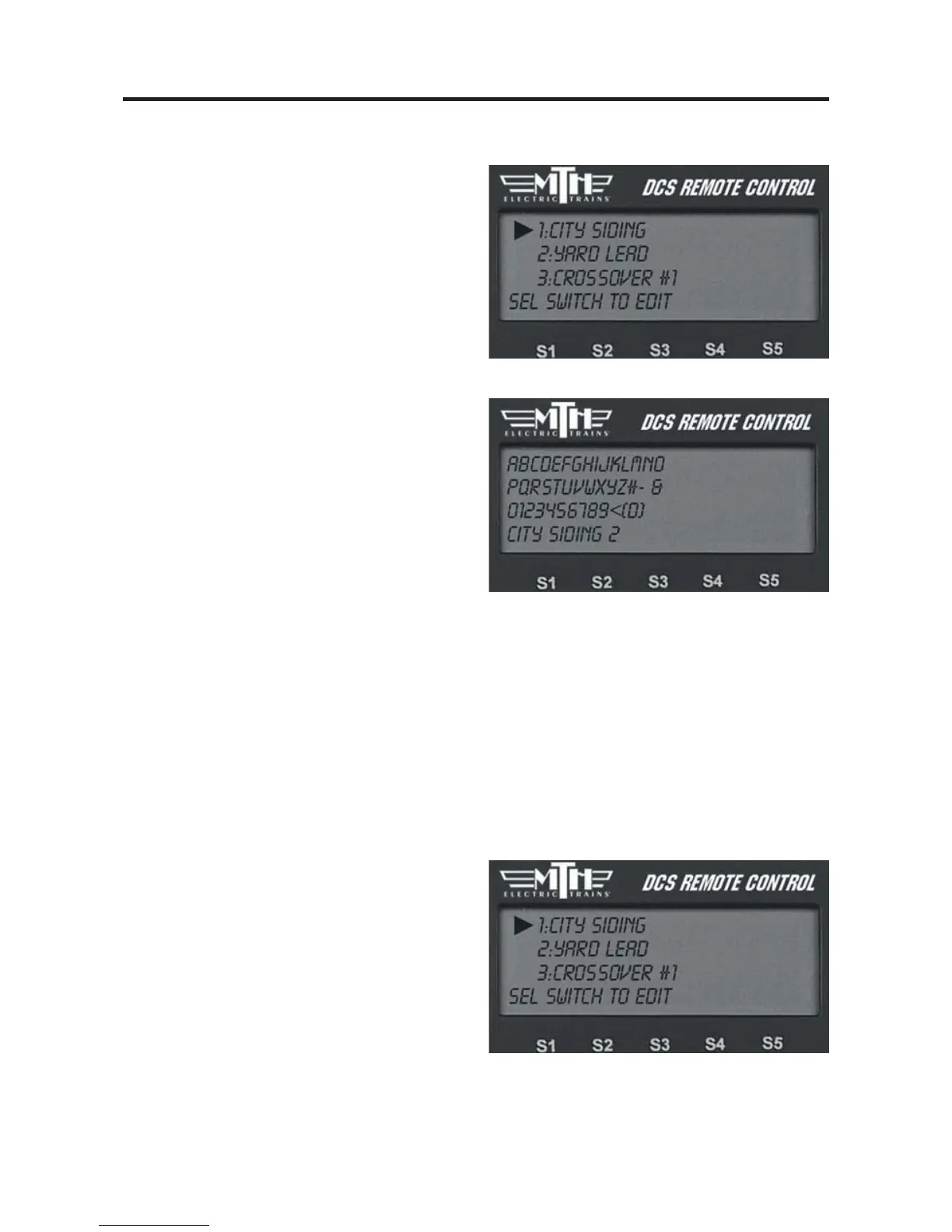
1. The complete list of switches (for all
TIUs and AIUs) appears on the LCD.
Scroll to the one you want to rename and
press the thumbwheel to select.
2. The LCD prompts you to name the
switch, and an alphanumeric character set
is displayed. Use the thumbwheel to
scroll through the character set, and when
the character you want to type next is
bracketed, press the thumbwheel to select
it. You may give the switch a name up to
16 characters long. Select the “D” at the
end of the character set to signify that you
are done with this function.
Switch Path
If you change the TIU or AIU a particu-
lar accessory is wired to (for instance if
you add TIUs and AIUs as a layout
expands), you must tell the DCS system
its new path. The DCS System will acti-
vate whichever switch is wired into the
path listed, whether it is the original
switch or not.
1. Wire the switch into the new AIU
port.
2. Follow the System Menu to Switch
Path, so that the complete list of switches
(for all TIUs and AIUs) appears on the
LCD. Scroll to the one you want to re-
path and press the thumbwheel to select.



 To Next Page